What Simmer does today
Simmer runs the parts of a venue that usually live in five different apps and a whiteboard: bookings and the floor, service and the kitchen, functions, regulars, the roster, invoices and stock, and what every dish really costs. It is built for Australian pubs, restaurants and event venues, and it is one login for the manager, one tablet for the floor, and one page on each staff member's phone.
Everything below is working software, running now. What changed most recently is in the changelog. The screenshots are of a demo venue ("Hoppy Days, Surry Hills") with made-up bookings, staff, invoices and prices, so the numbers illustrate the idea rather than a real pub.
- 1. Bookings and the floor
- 2. Orders, the kitchen and the bill
- 3. Functions and events
- 4. Event planning: the middle of a wedding
- 5. Customers and loyalty
- 6. Rostering, time and staff
- 7. Invoices, stock and ordering
- 8. Recipes, costing and the menu
- 9. Wholesale prices
- 10. Insights, reports and the weekly digest
- 11. Ask Simmer, in plain English
- 12. Accounts, security and the boring parts done properly
Front of house
Bookings and the floor
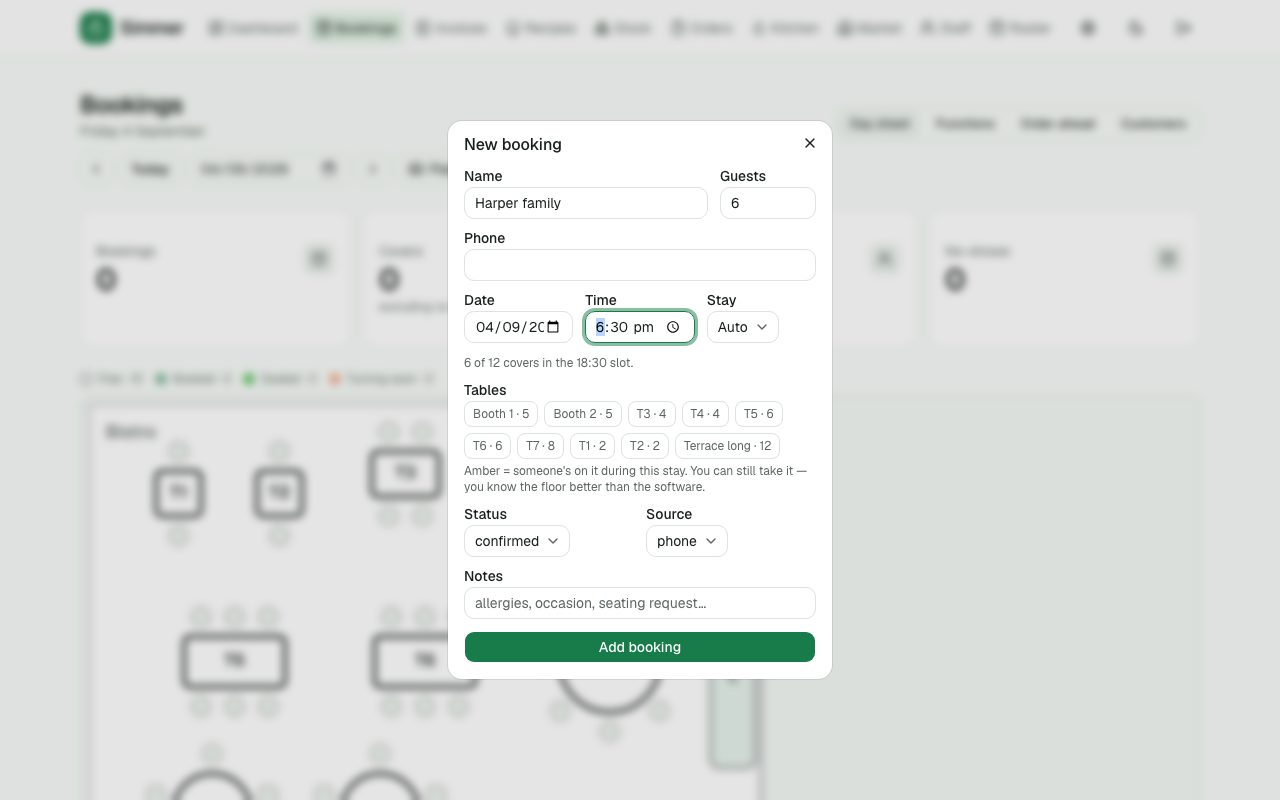
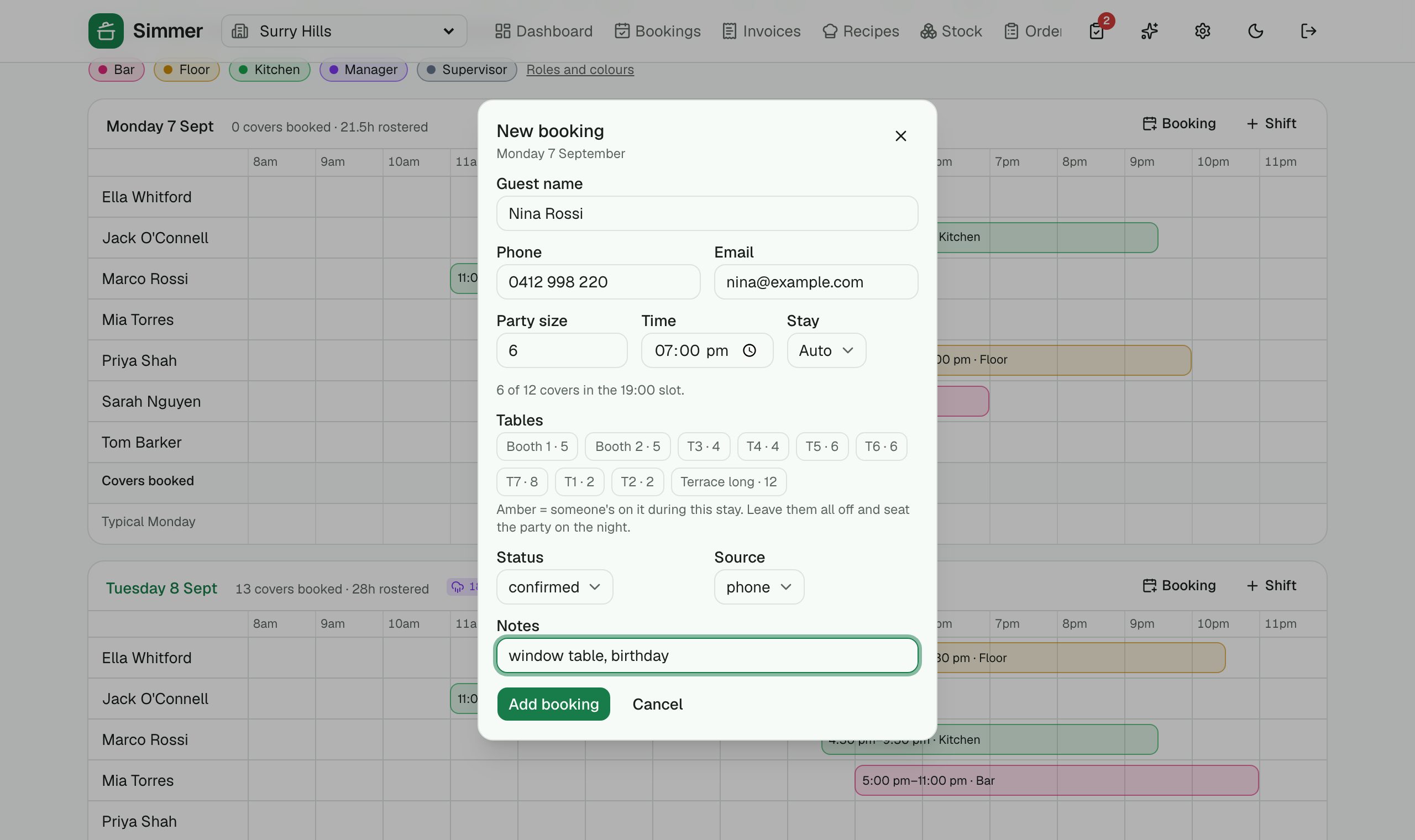
The day sheet is the diary, the floor and the pacing in one place. Guests book online from a link on your website or socials, and the widget only offers times the floor can actually take.
Day sheet
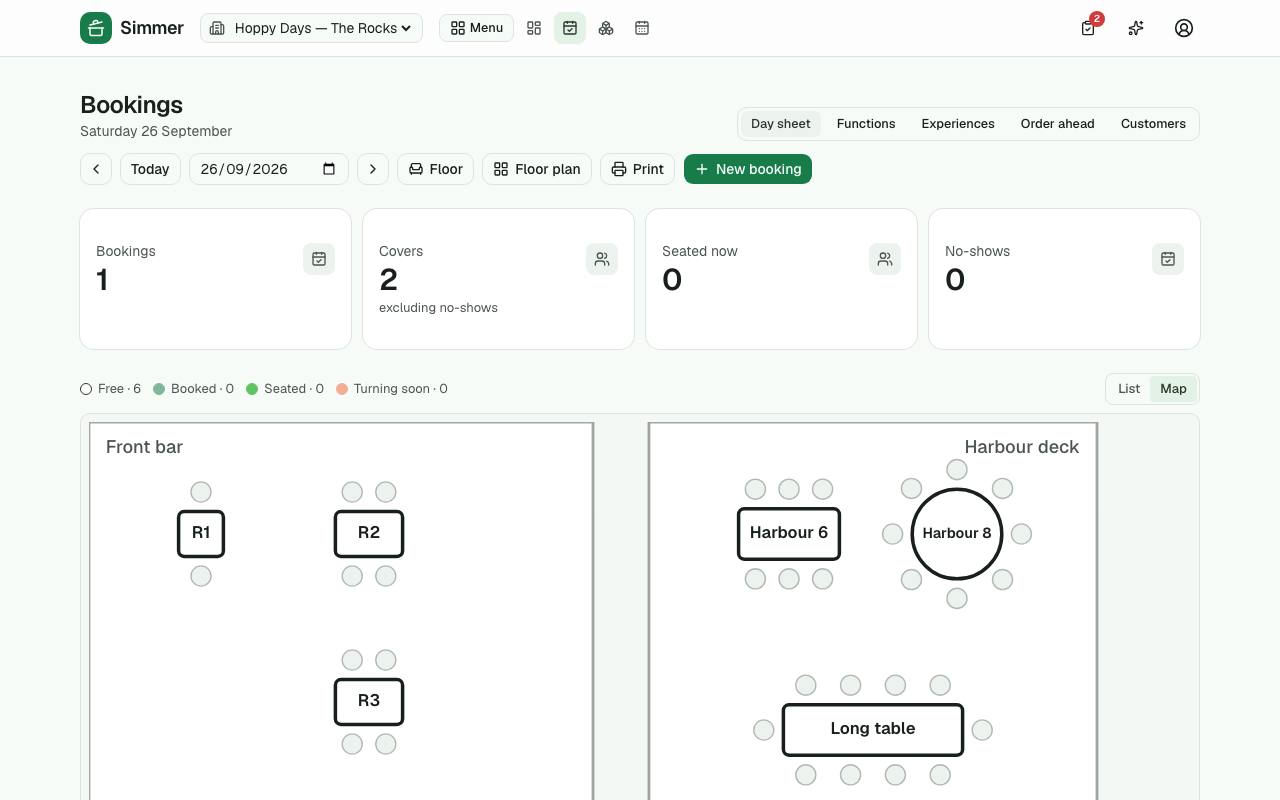
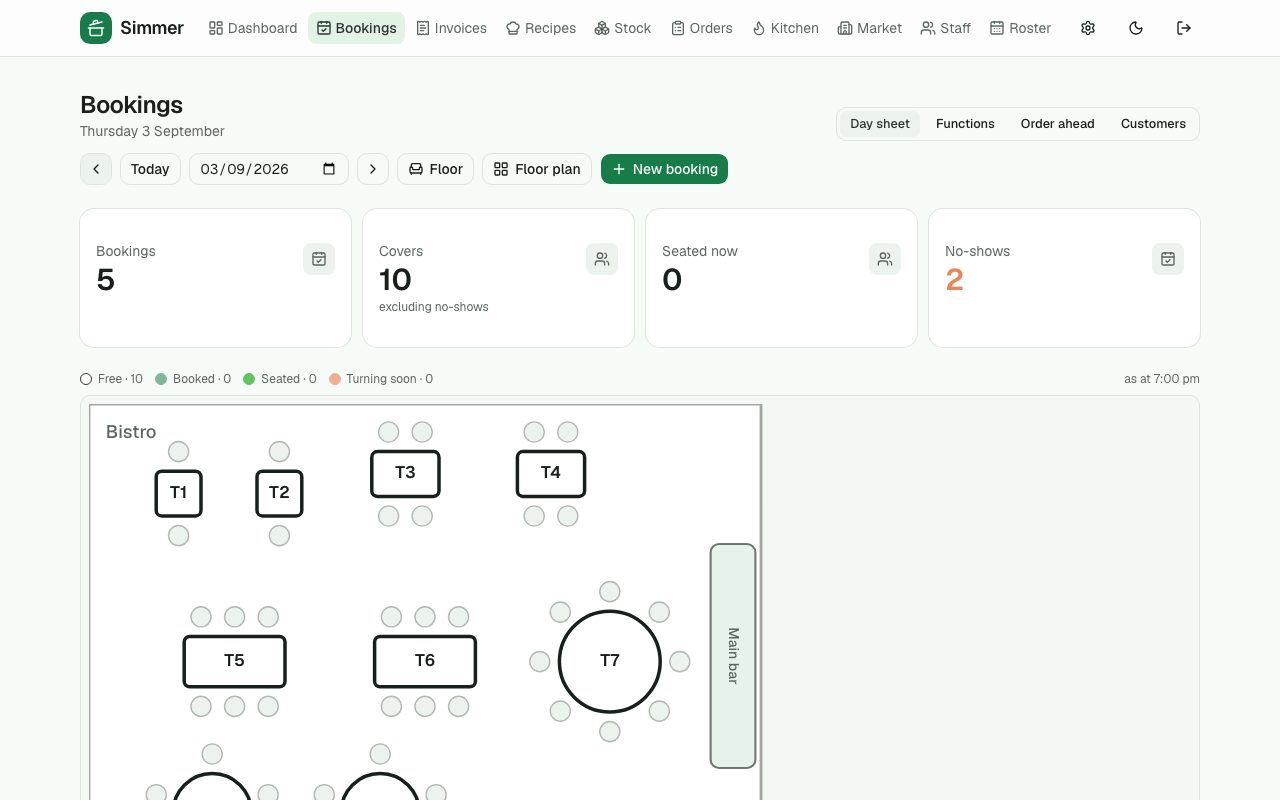
Every booking for the day by service, with covers, no-shows and who's seated right now. Seat, finish or mark a no-show in one tap.
Live floor
Your rooms and tables drawn to scale, coloured by what's happening at each: free, booked, seated, turning soon.
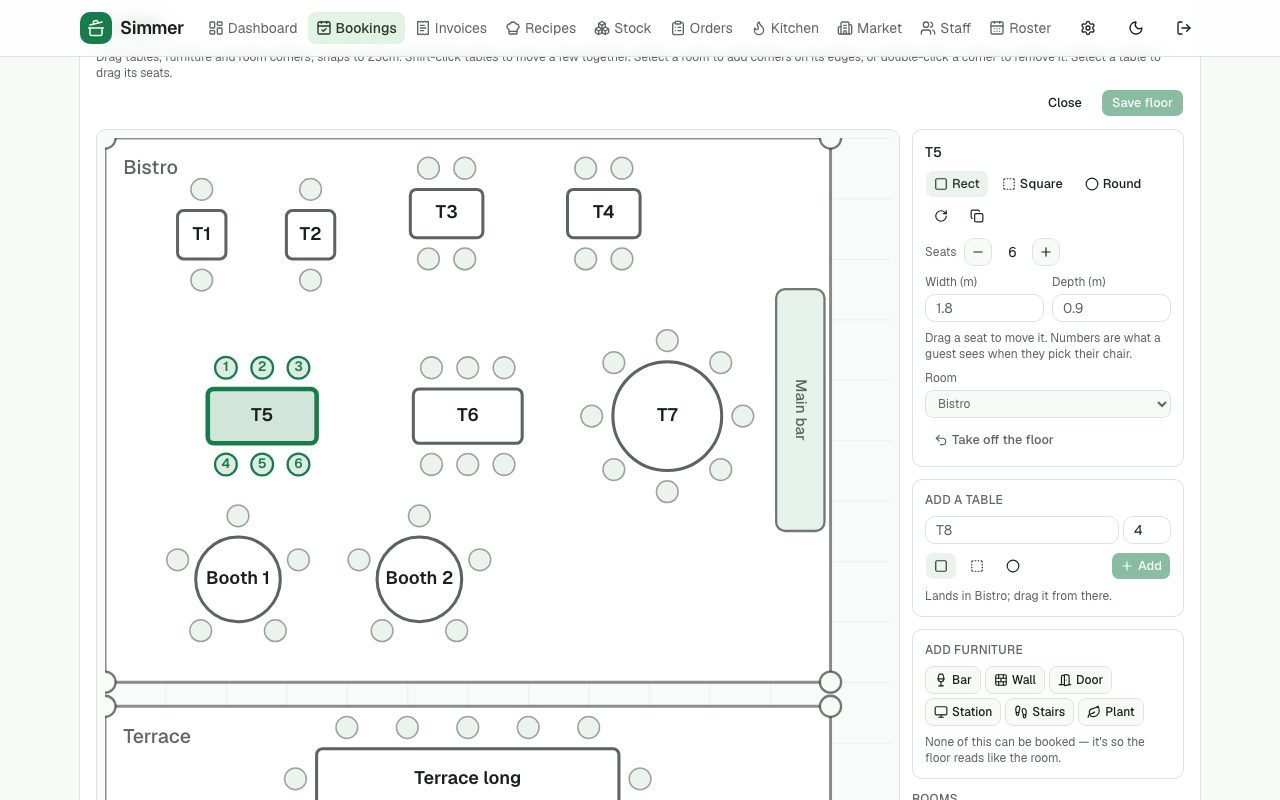
Floor plan editor
Draw the rooms (any shape), add tables in square, round or rectangle, drag the chairs to where they really are, put in the bar and the walls. Snaps to a 25cm grid and to what's already there, with undo, the arrow keys for the fine work, and the whole browser window when you need it.
Trace the plan you already have
Put the architect's PDF or a photo of it underneath, drag along a wall you know the length of to set the scale, and draw over it. Nobody should retype a floor plan from memory.
›12 more features and 9 more screens
It checks as you draw
Your own clearances — between tables, behind a chair, the aisle, the bar, doors and stairs — measured between parties rather than tabletops. It lists what the room breaks as you drag: tables overlapping, chairs on chairs, a chair with nowhere to pull out, a table nobody can walk to.
Benches, booths and pinned tables
A banquette along the wall, fixed booths, and the table that has been in that corner for eleven years — pin it and every suggestion arranges the room around it.
Keep-clear zones
The run from the pass, the front of the fire panel, the dance floor: hatch it and no table or pulled-out chair may be in it.
Suggest a layout
Simmer lays out rows that clear everything they have to clear and tells you what it found — “12 of your 14 tables, 52 covers, room for 3 more”. Arithmetic, not a guess, and ⌘Z puts the old room back.
Sections, and the plan on paper
Name and colour a server's tables, and see the load before the doors open. Print the plan one room per page with every seat numbered, for the wall by the pass.
Does the floor match the bookings?
Your table mix measured against what people actually booked over the last month, three months or year — one weekday at a time, because “Friday is all twos” is a different fact from the month.
Pacing
Cap how many covers can arrive per 15 minutes per service. The book warns when a booking would breach it — it never blocks you, because you know the floor.
Online booking widget
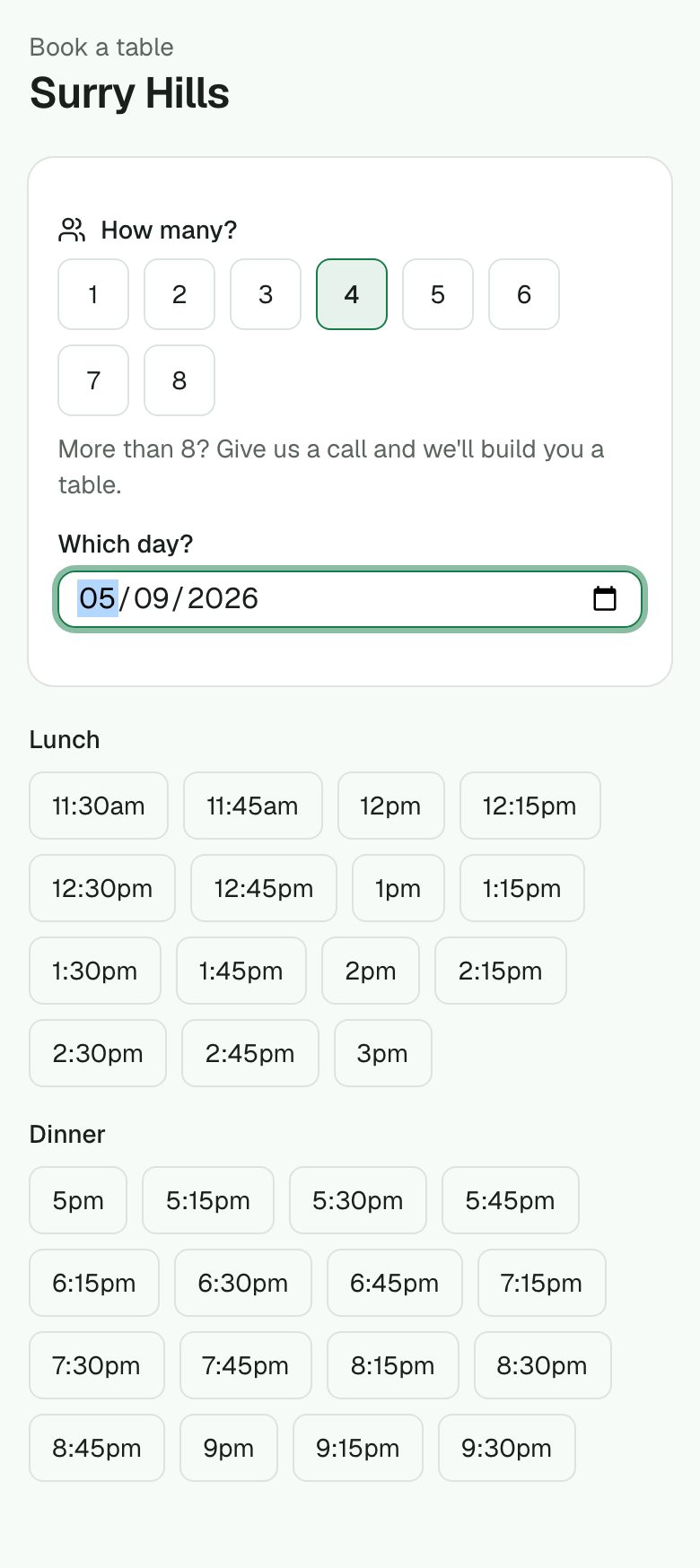
A link guests book from. It checks real table availability, sends a confirmation email and a reminder, and lands on the day sheet marked as web.
Kitchen heads-up
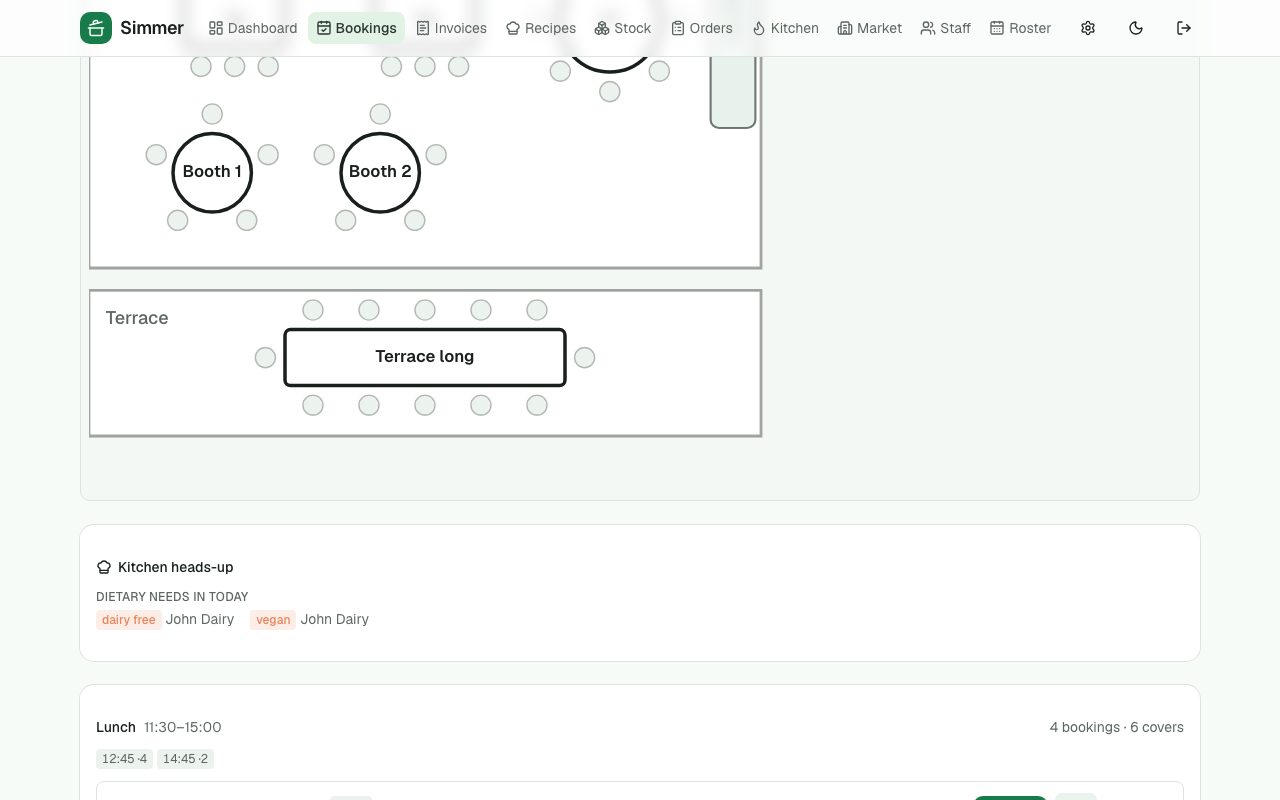
Dietary needs for the day pulled from the guests' profiles, on the day sheet where the pass can see them.
Turn times and blackouts
Default stay by party size; days you're closed that the widget refuses.
Experiences
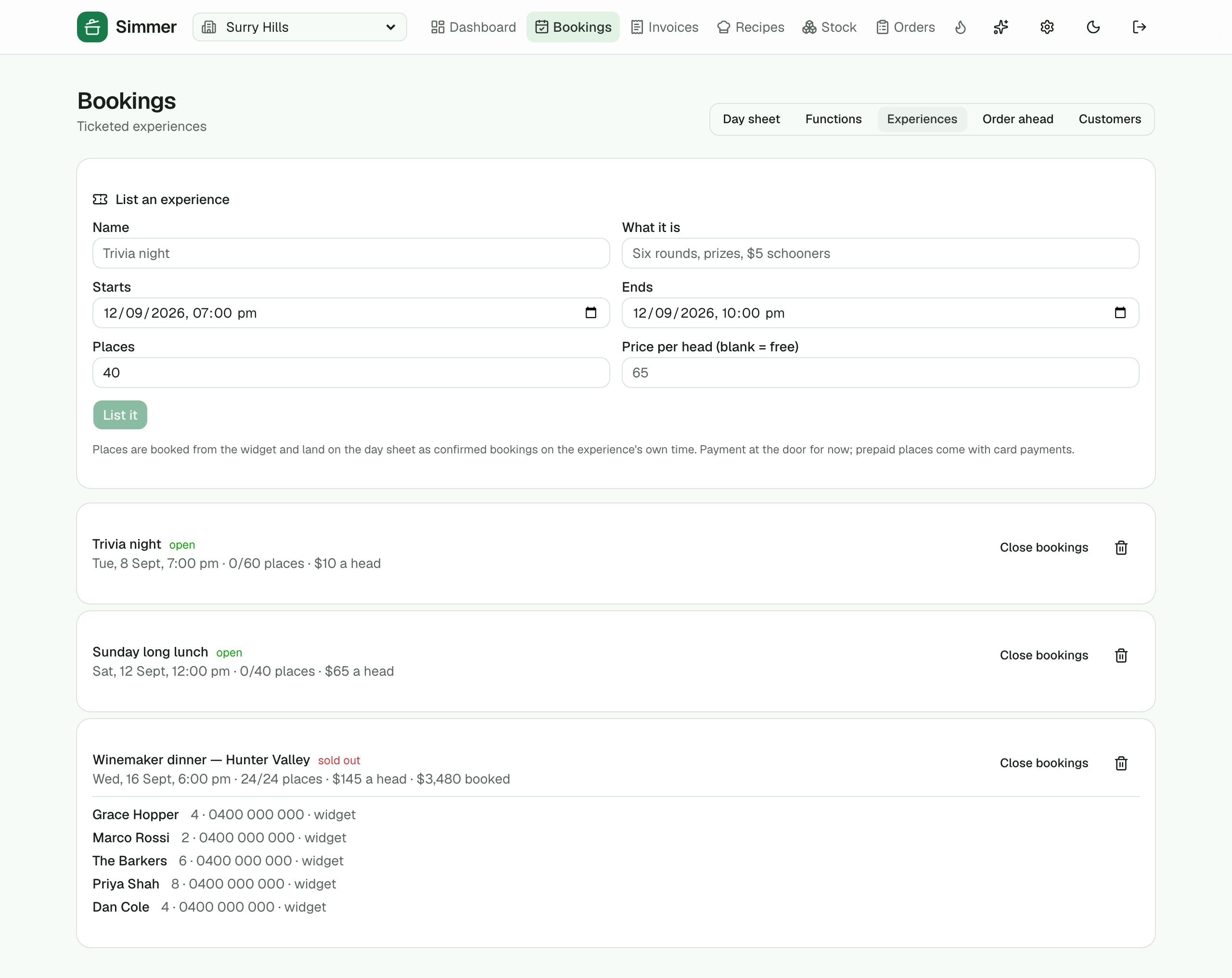
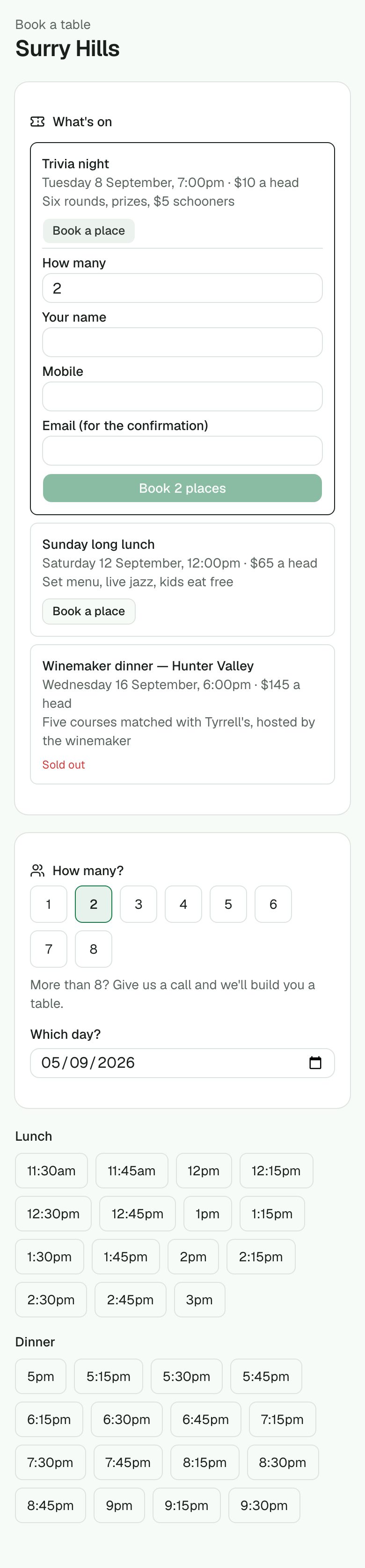
Ticketed, capped events — trivia night, the winemaker dinner, a long lunch — listed on the widget under What's on and on a page of their own for your website or a social bio. Guests book places in one form, a sold-out event says so, and the places land on the day sheet.
Guest feedback
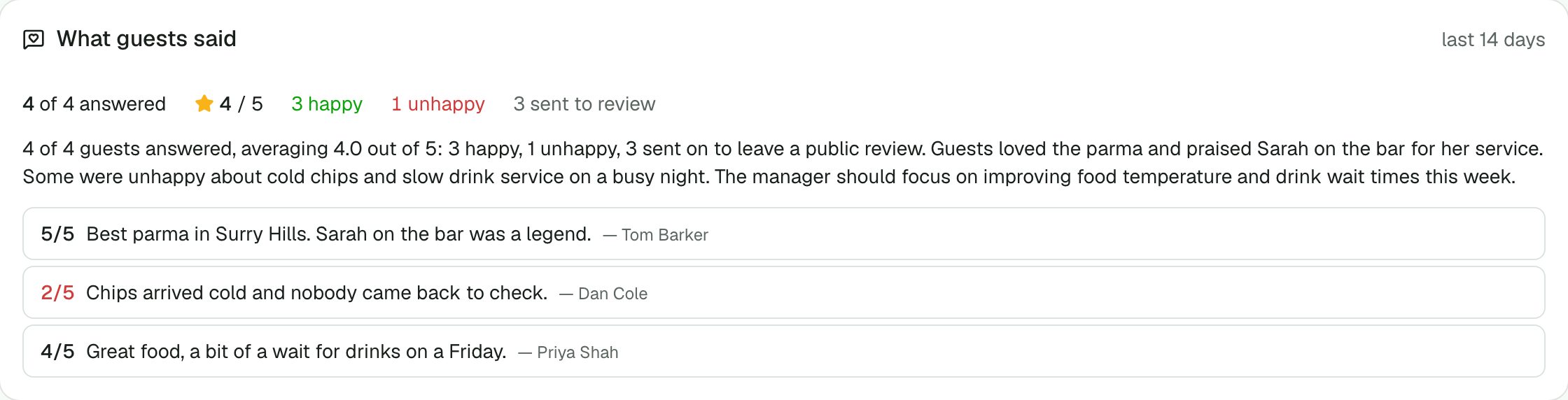
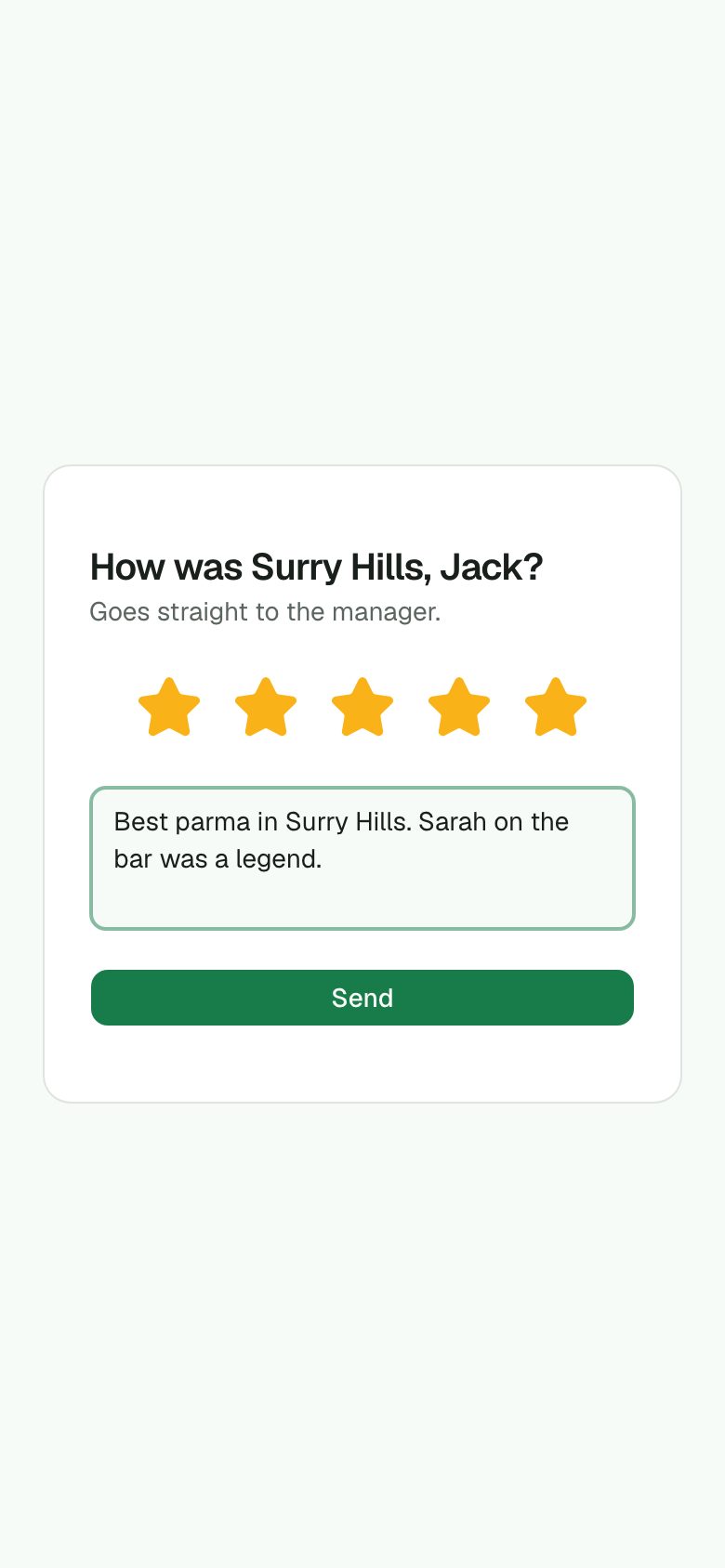
Two hours after a visit, one email with one question. Happy guests are sent to your Google review link; unhappy ones stay private and become an alert with their words. The dashboard sums it up in three sentences.
Service
Orders, the kitchen and the bill
Orders are taken by seat, so the kitchen and the runner know who gets what. Guests can order from their phone at the table. The pass sees a proper kitchen screen with coursing, and the bill splits by seat without anyone doing arithmetic.
Order pad
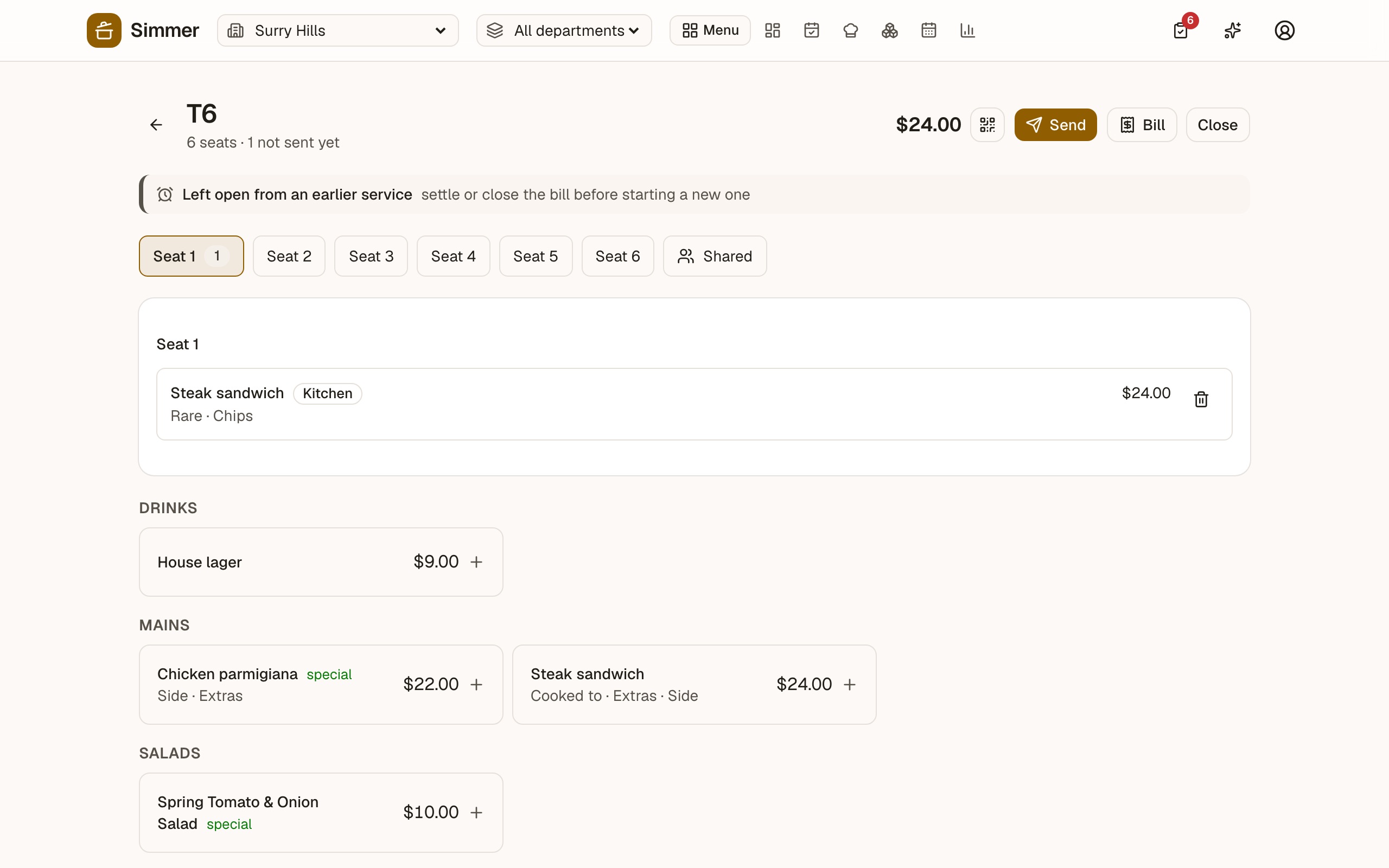
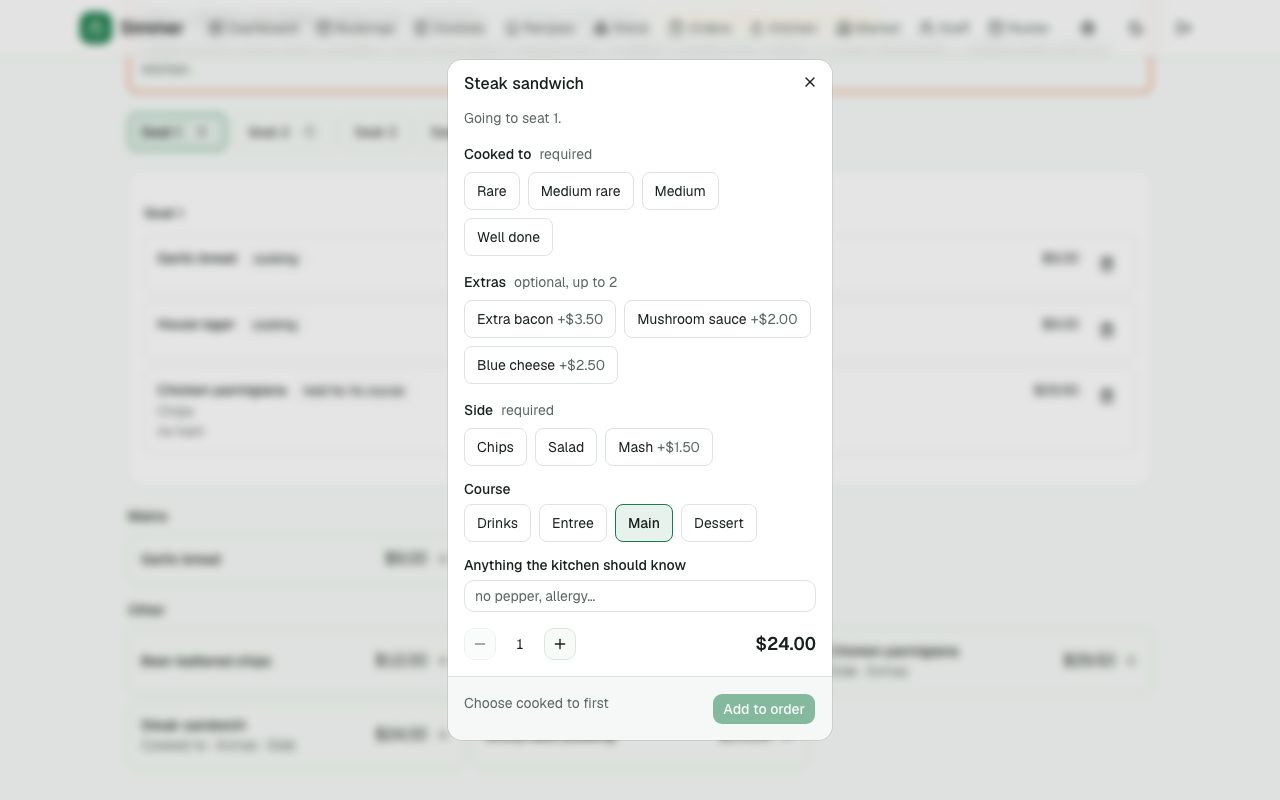
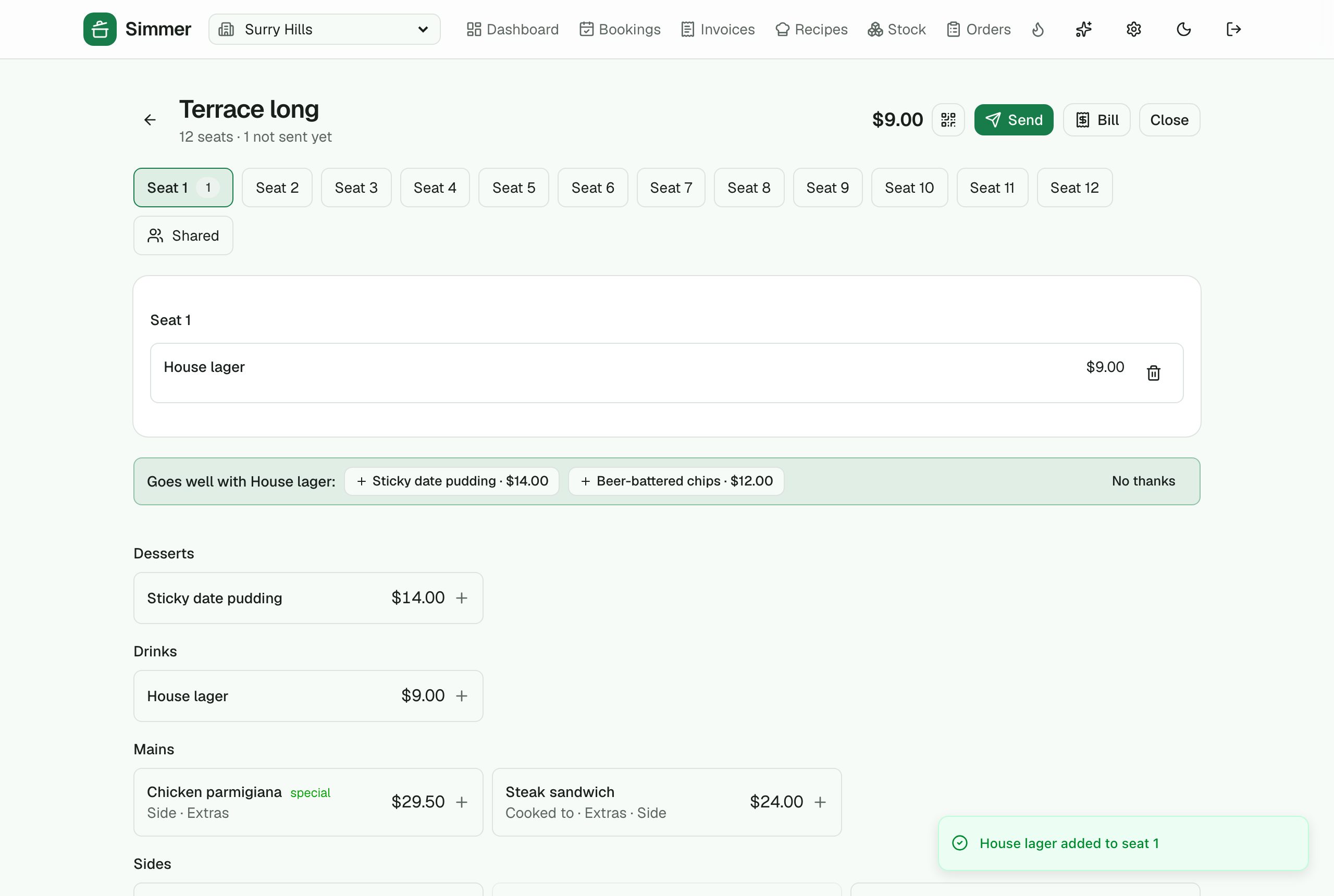
On the venue tablet: pick the table, pick the seat, tap the dish. Choices (cooked to, sides, extras) and notes go with it. Send to the kitchen when ready.
Menu choices
Reusable groups like "Cooked to" or "Side" attached to dishes, with required picks and priced extras.
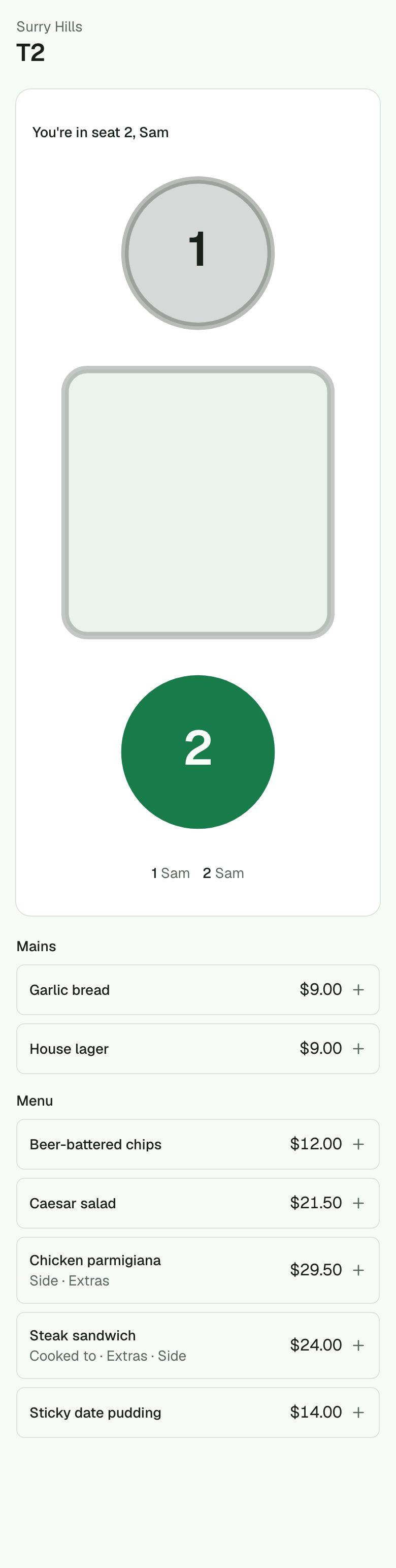
Ordering from the guest's phone
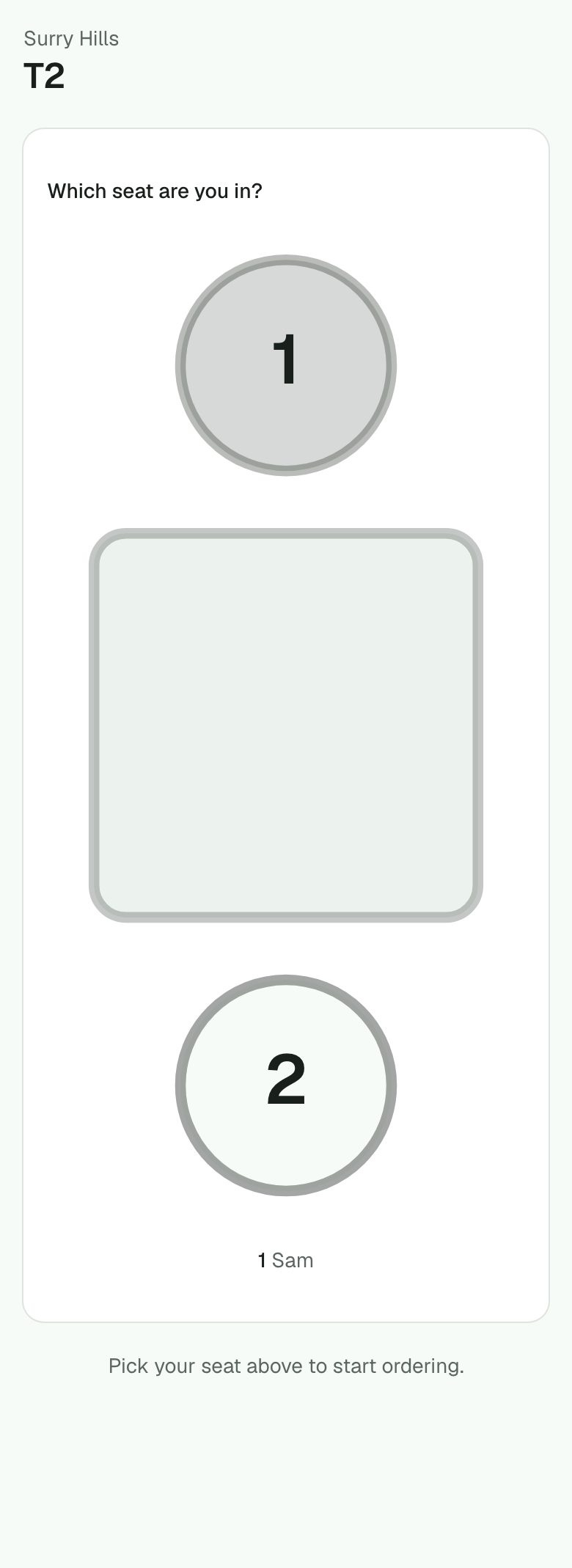
A QR code on the table. The guest picks their actual seat on a drawing of their table, orders for themselves or for the whole table, and the pad shows it for staff to accept.
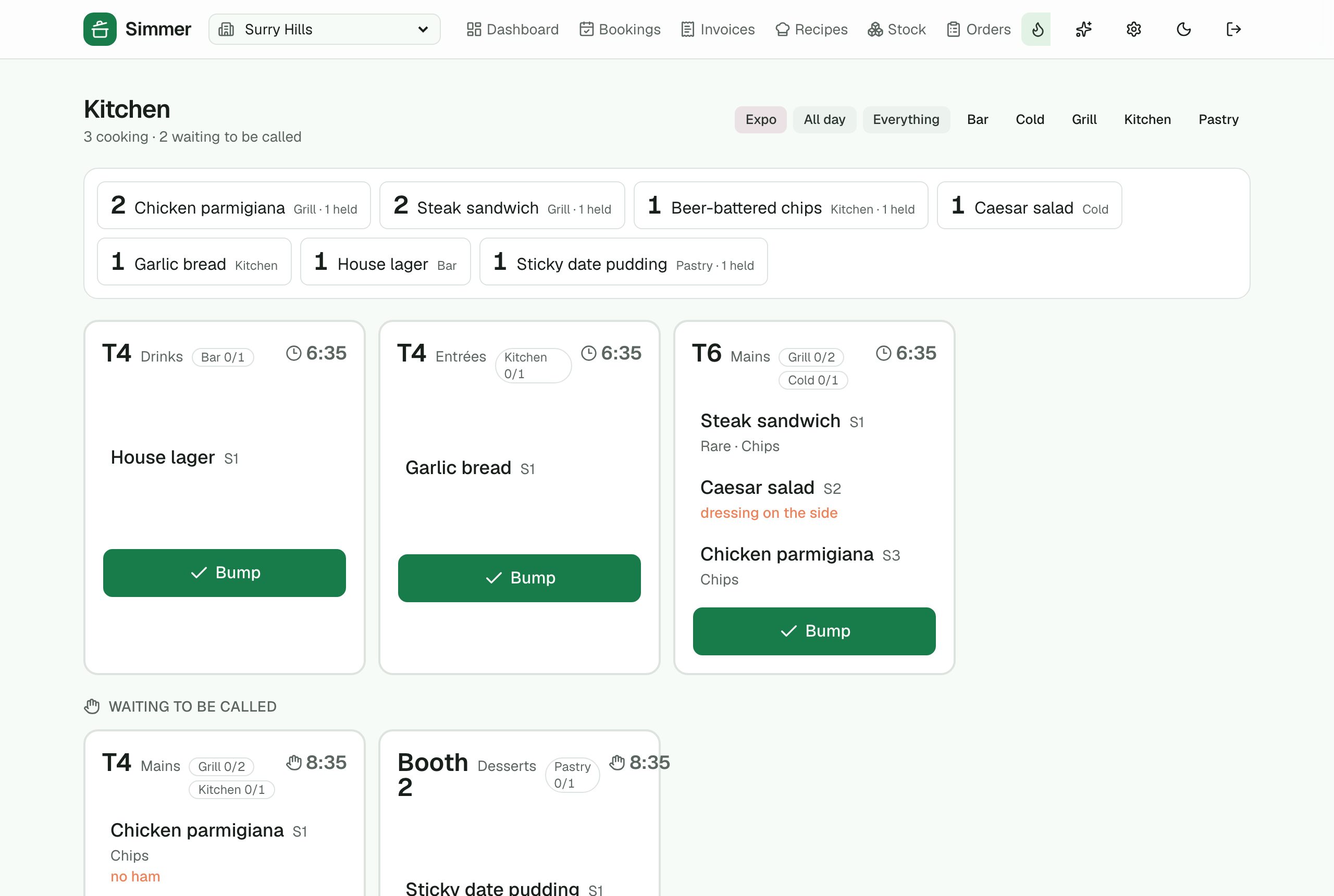
Kitchen screen
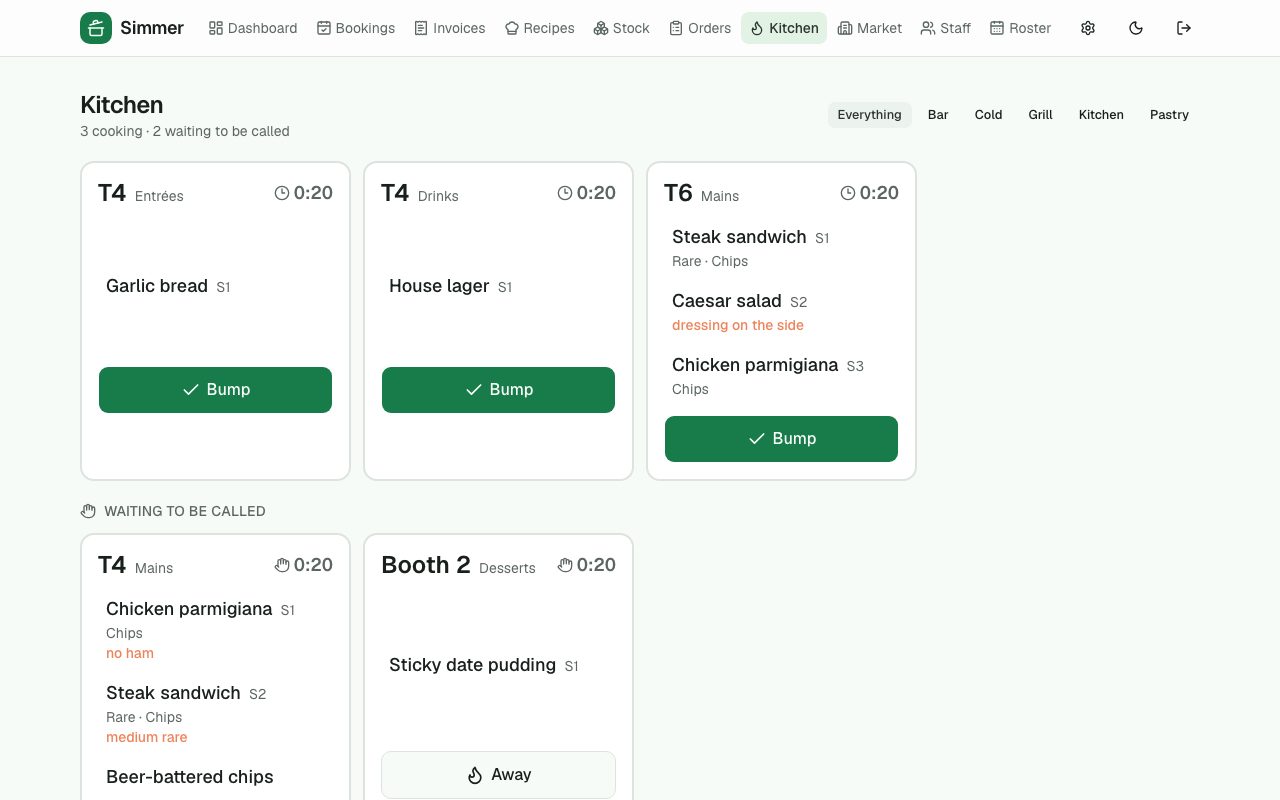
Tickets by table and course. Entrées fire; mains are held until the floor calls them away. Timers turn amber at 10 minutes and red at 15. Bump a ticket, strike a dish, recall a slip. Filter by station — the bar only sees the bar.
›6 more features and 8 more screens
Allergen warnings
Every dish rolls up its allergens from its ingredients (Australian FSANZ list). The pad warns when a guest's flagged allergy meets a dish, and says honestly when a dish hasn't been fully checked.
Bills
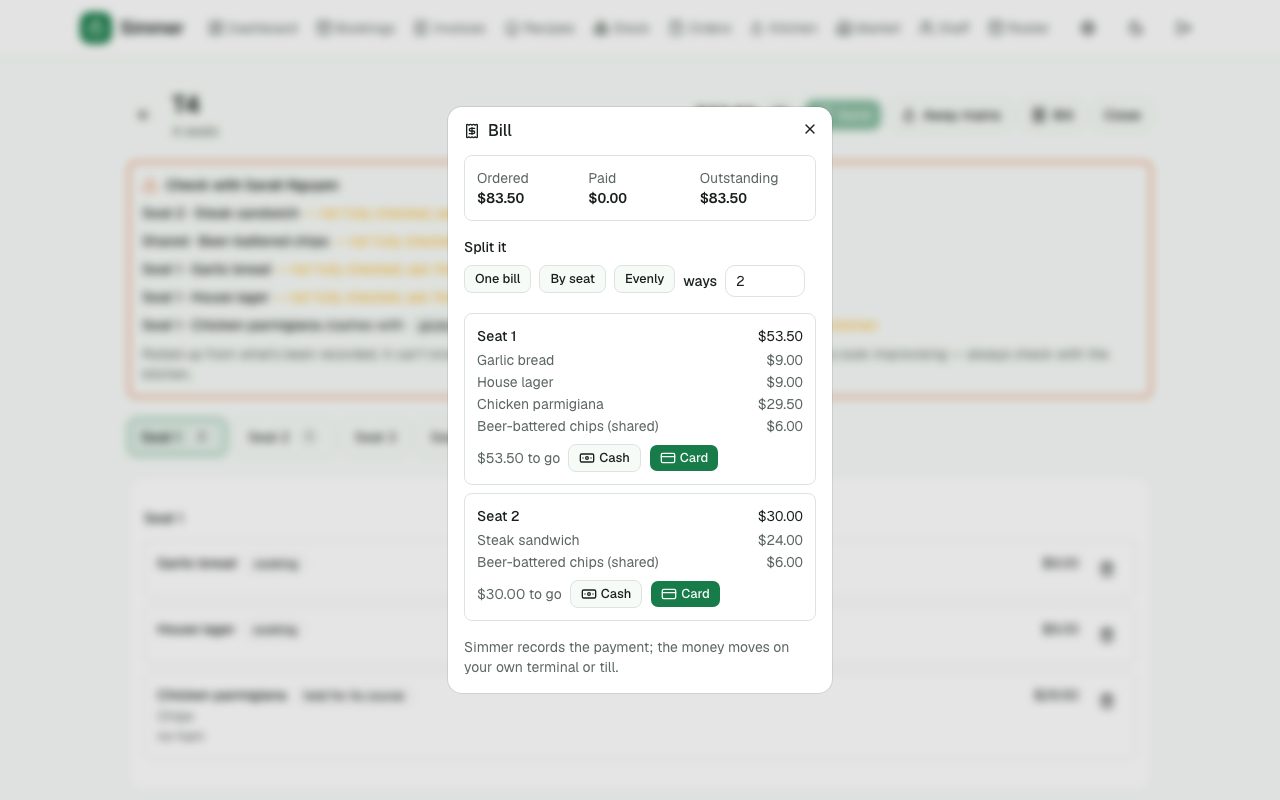
One bill, split by seat, or split evenly. Card or cash recorded against each; Simmer records the payment while the money moves on your own terminal.
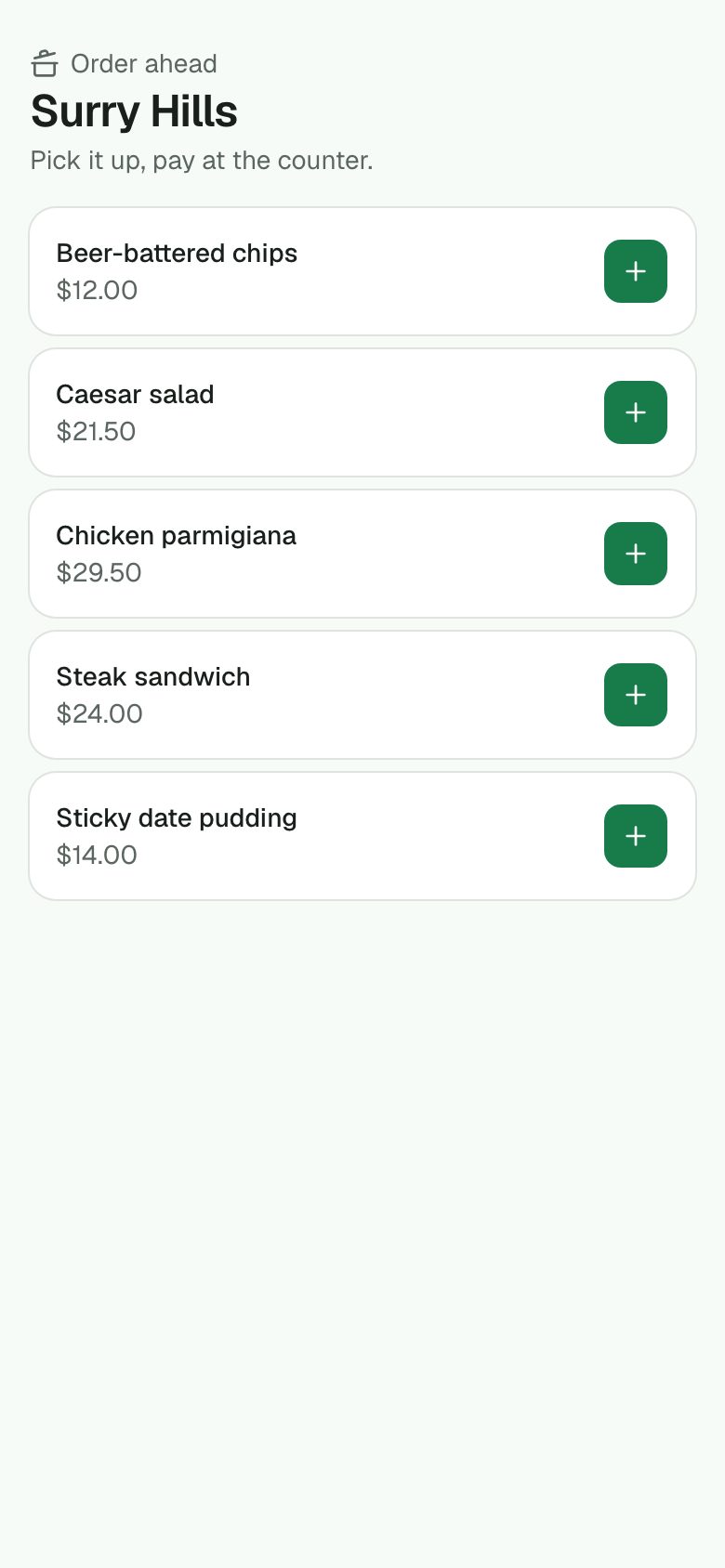
Order ahead
A public link for takeaway orders that land in a queue for the kitchen.
Dishes off, specials and hours
A dish that's run out goes off in one tap: greyed on the pad, refused on sale, gone from the guest menu. Mark specials; limit a dish to breakfast hours.
Goes well with
When a dish goes on, the pad and the guest's phone offer what goes with it — your own pairings first, then the highest-margin sides, drinks and desserts.
All day and the pass view
The kitchen screen's all-day rail shows everything still to go, dish by dish, fired versus held. The pass view shows every ticket with each station's progress. Today's ticket times sit in the header.
Events
Functions and events
Weddings, wakes, Christmas parties and the 21st: an enquiry pipeline, quotes with packages, deposits tracked, spaces held in the bookings book, a run sheet for the day and a signed proposal. Every venue gets this; the event planning add-on below builds on it for venues that live on functions.
Enquiry form
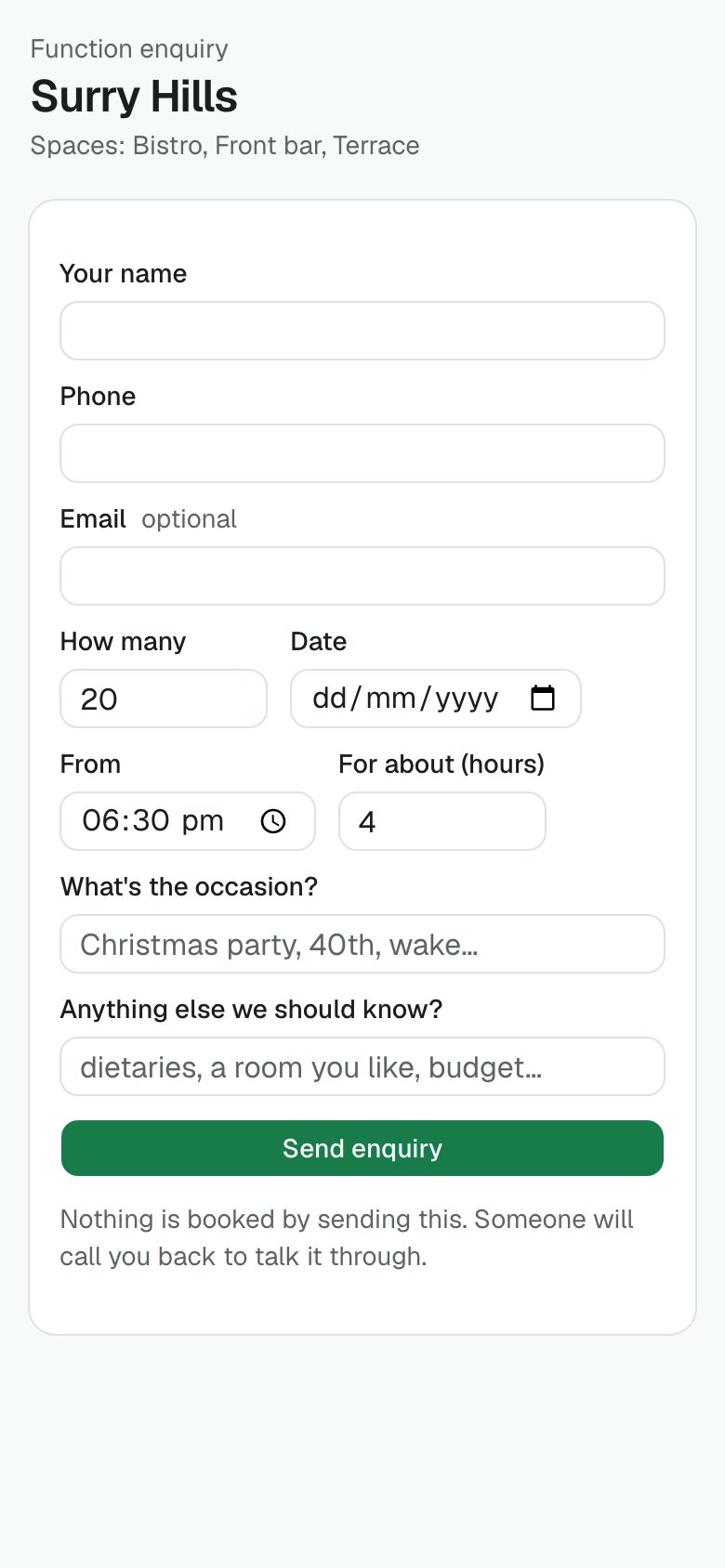
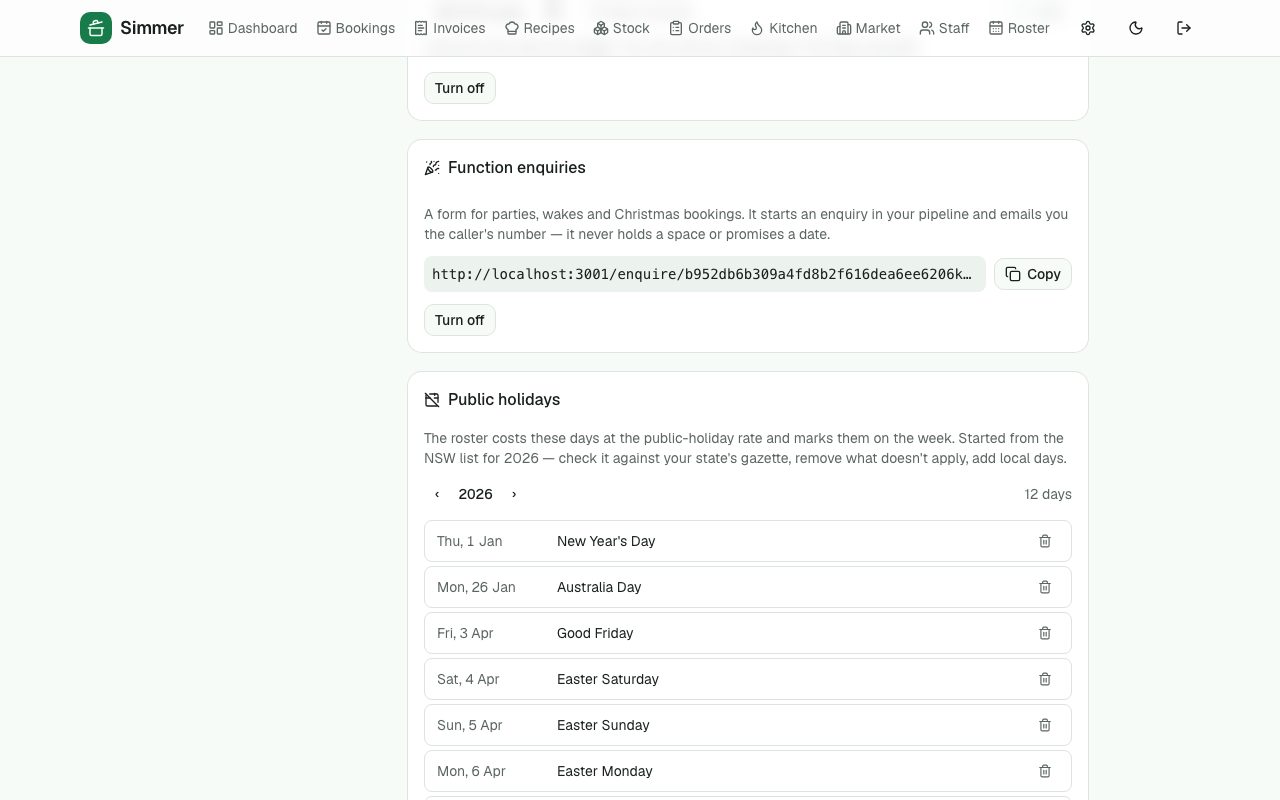
A public form on your website. It starts an enquiry in your pipeline and emails you the caller's number — it never promises a date or holds a space.
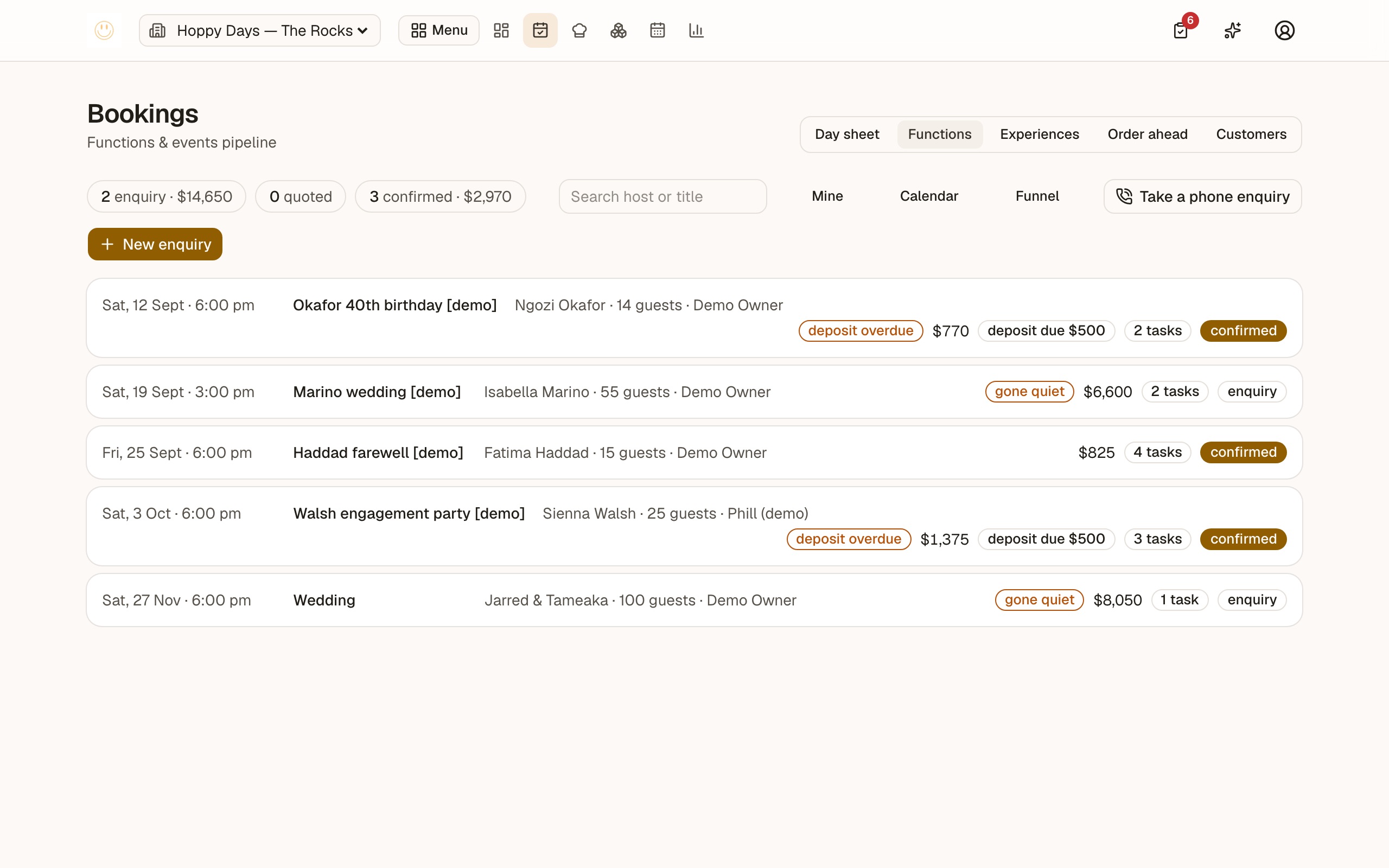
Pipeline
Enquiry → quoted → confirmed → done. Confirmed functions hold their spaces in the bookings book so the floor can't double-sell the room.
Quotes and packages
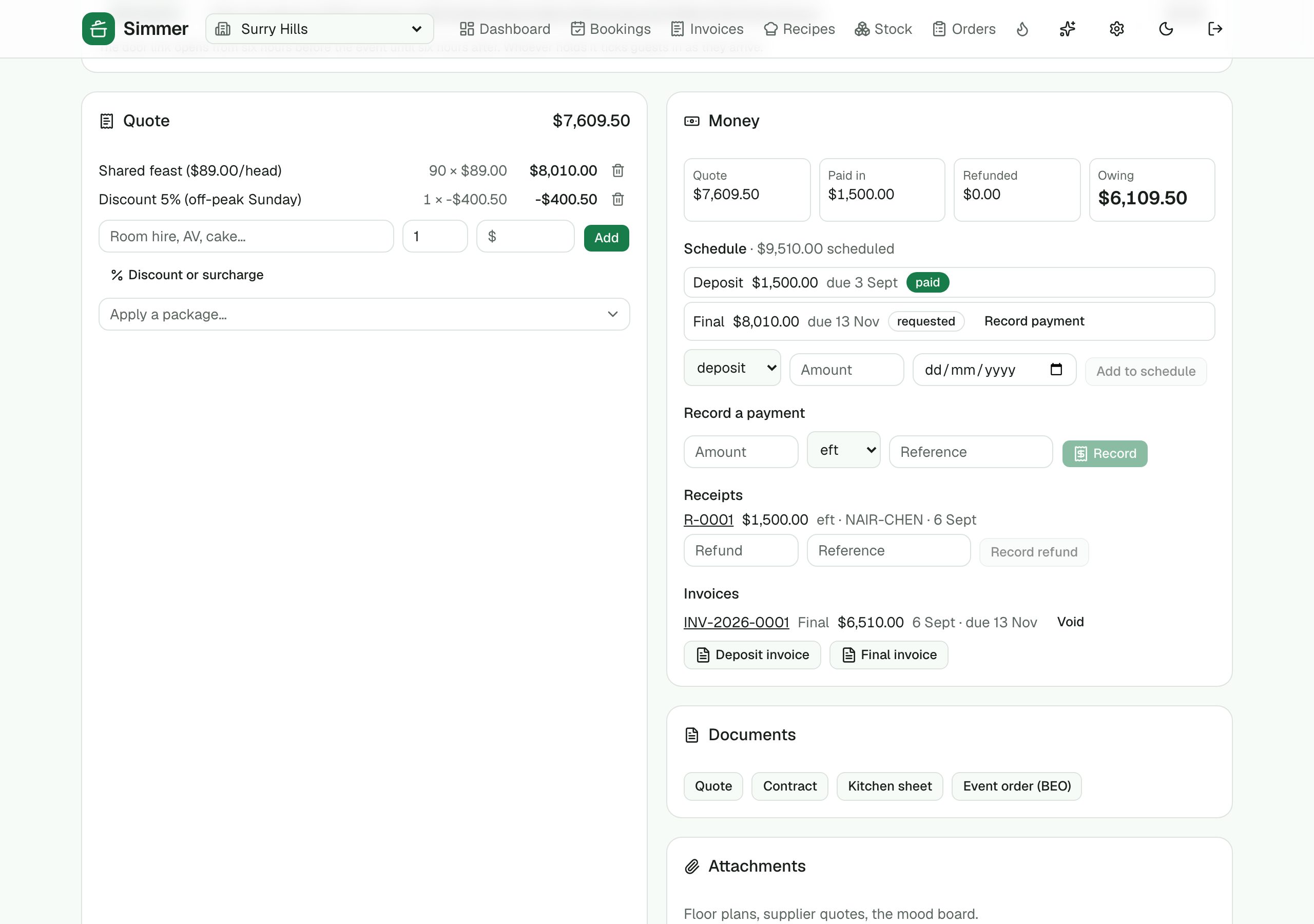
Line items or a saved package (canapés and bubbles at $45 a head). Totals update as you type.
Deposits
Requested, paid, refunded, forfeited — with the reference. Card links plug in when payments connect; the add-on takes it on to schedules, receipts and invoices.
›6 more features and 4 more screens
Find it
The board searches by host, title or email, and every host is a customer record with their functions, bookings and orders in one history.
The day, planned on the roster's own hours
The function's day drawn as a planner: who is on, what the rest of the venue is doing, the parts of the day laid out, and the photographer arriving at four. Turn the other bookings down when they are in the way; open it to the whole window for a wedding.
Run sheet
The tasks for the day, ticked off as they happen.
Signed on the phone
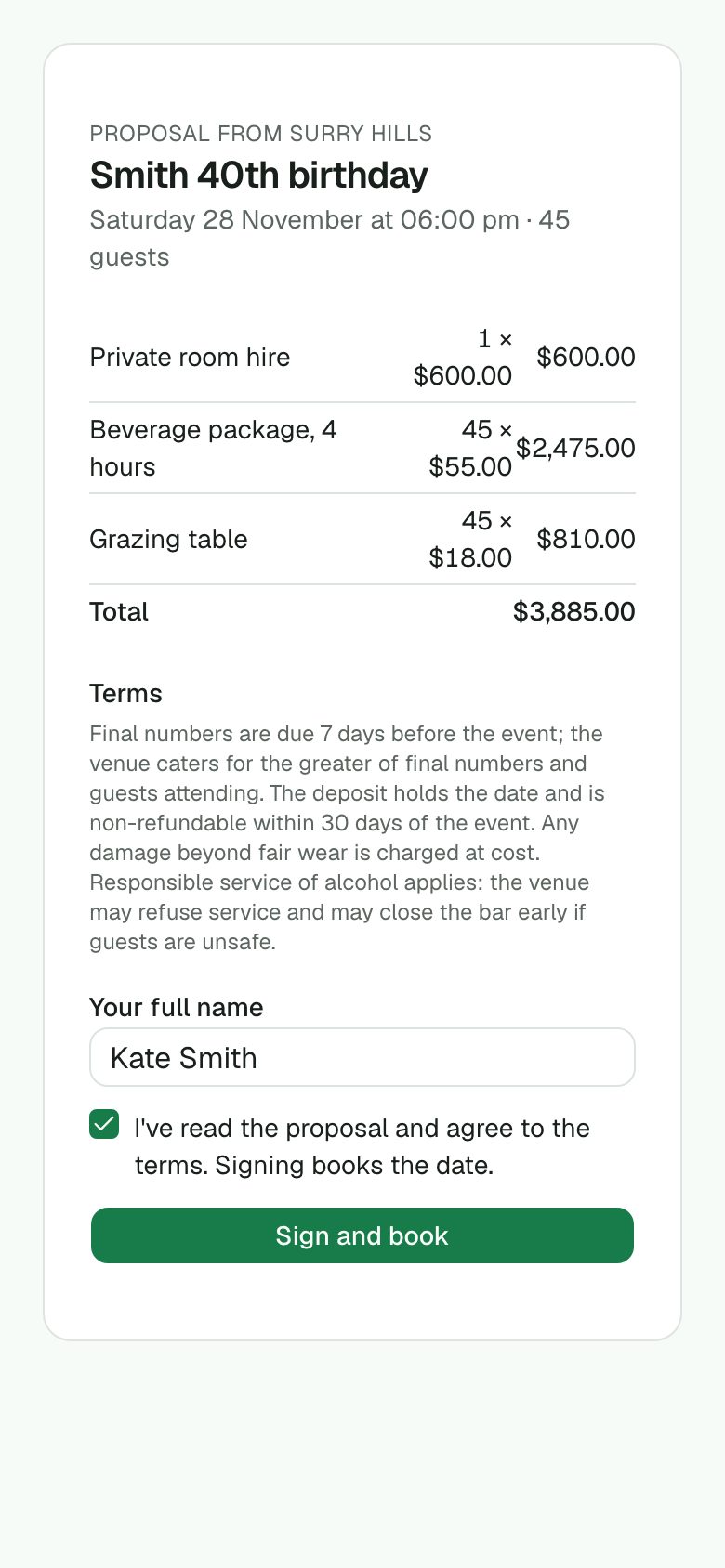
Send the proposal; the host reads it and signs with their name and a tick. Signing books the date and freezes the terms — time and address kept.
Tax invoices, from your own template
Your trading name and ABN, GST inside the prices or on top, your payment terms, bank details and PayID, your logo and your words at the bottom. Email it and the host opens it from a link — no account, prints or saves as a PDF. Each invoice keeps the template as it was the day it went out.
Event order, run sheet, table plan
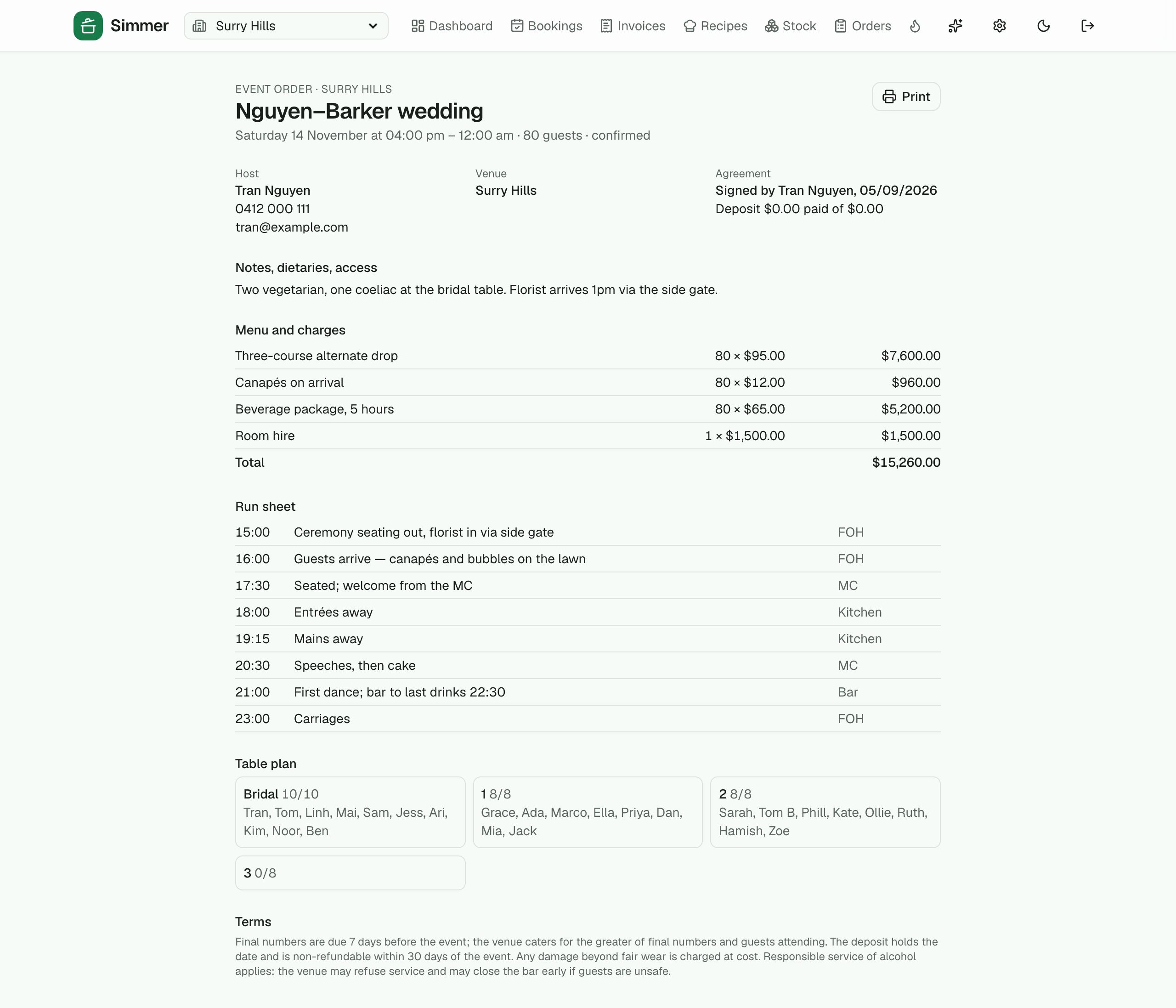
One printable page for the kitchen, the floor and the MC: host, agreement, dietaries, menu and charges, the run sheet in time order, who sits where.
Add-on
Event planning: the middle of a wedding
Between "they asked" and "here's the proposal" is weeks of conversation nobody writes down, and between the proposal and the night is the money, the paperwork, the staff, the suppliers and the guest list. This add-on holds all of it: a brief that fills in over several calls, stages with their own tasks, packages costed from your recipes, a page the host answers through, an AI that reads your notes, then the schedule and receipts, the documents, the calendar, who works it, who is coming and a door to check them in at. And the selling: whose lead it is, a nudge when it goes quiet, messages with the host, and a funnel the owner can read. Off by default; an owner switches it on.
The brief
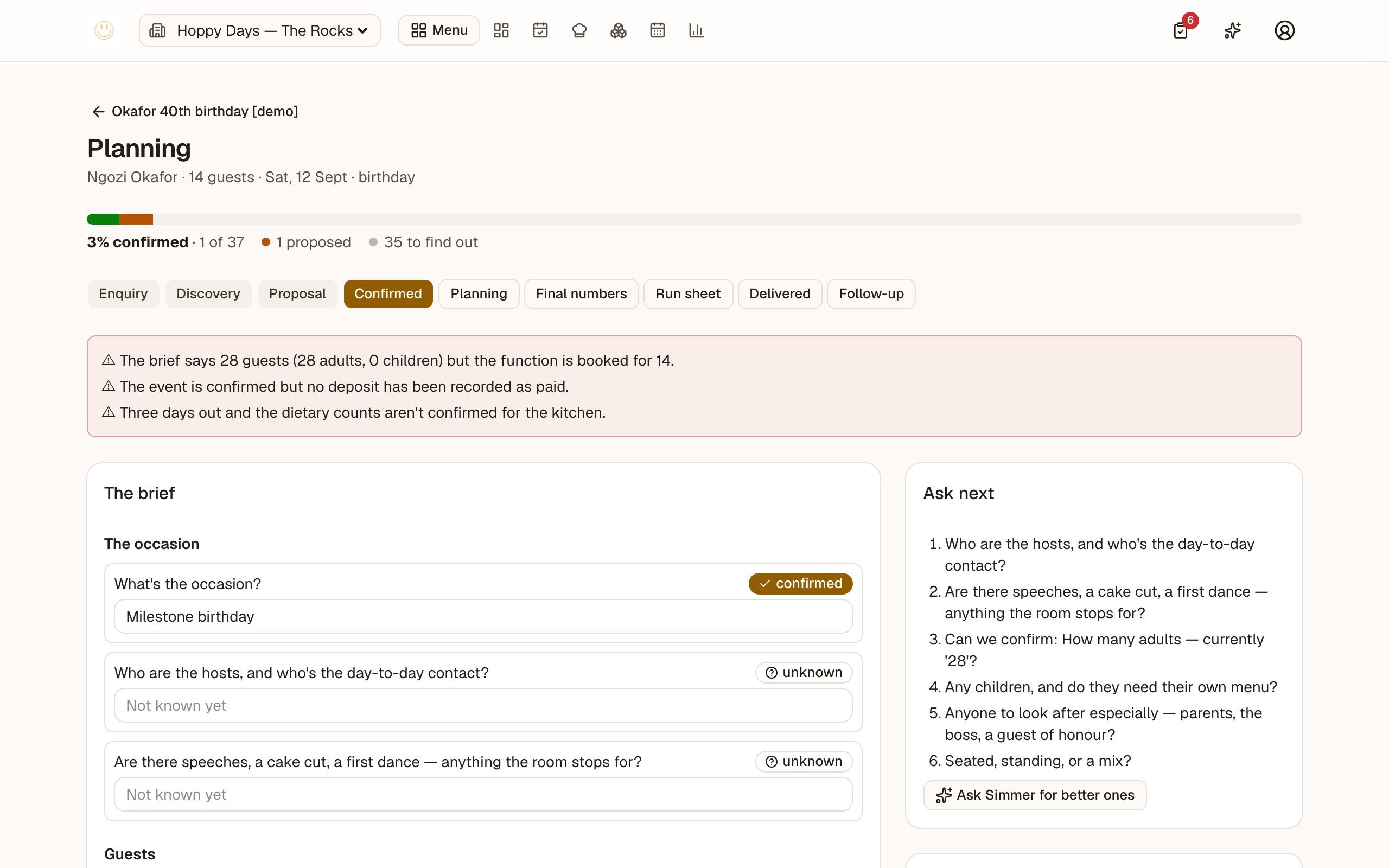
Weddings, corporate functions and milestone birthdays get a brief that fills in over several conversations: ten sections, every answer unknown, proposed or confirmed. Stages from enquiry to follow-up put their own tasks on the list, and conflicts are flagged: numbers over a room, an allergy a package contains, a confirmed event with no deposit.
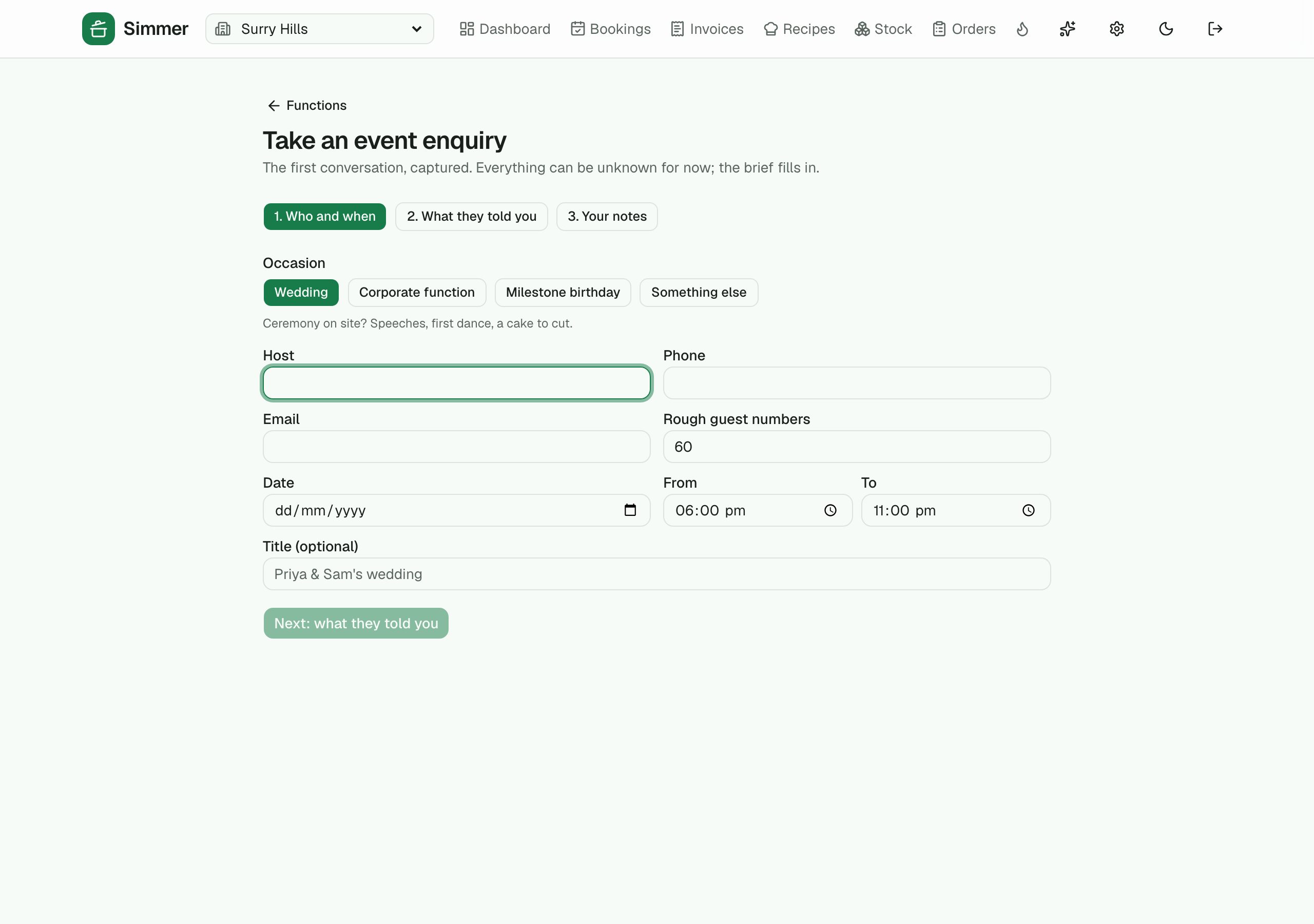
Two ways in, one brief
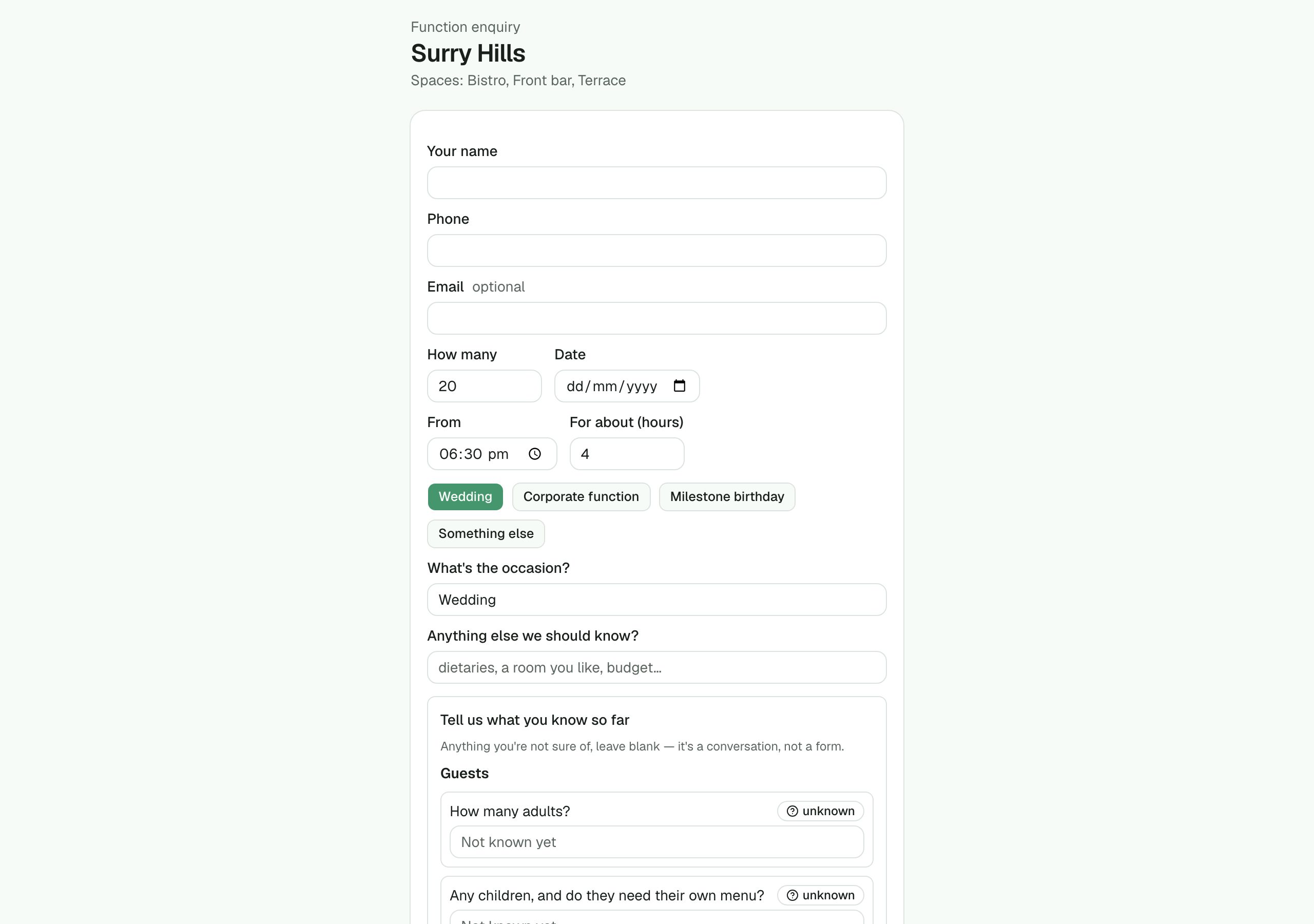
Hosts apply online through the venue's own form, which asks what their kind of event needs. Or a coordinator takes the phone call in a three-step wizard. Both land in the same pipeline with the brief already started.
Packages costed from recipes
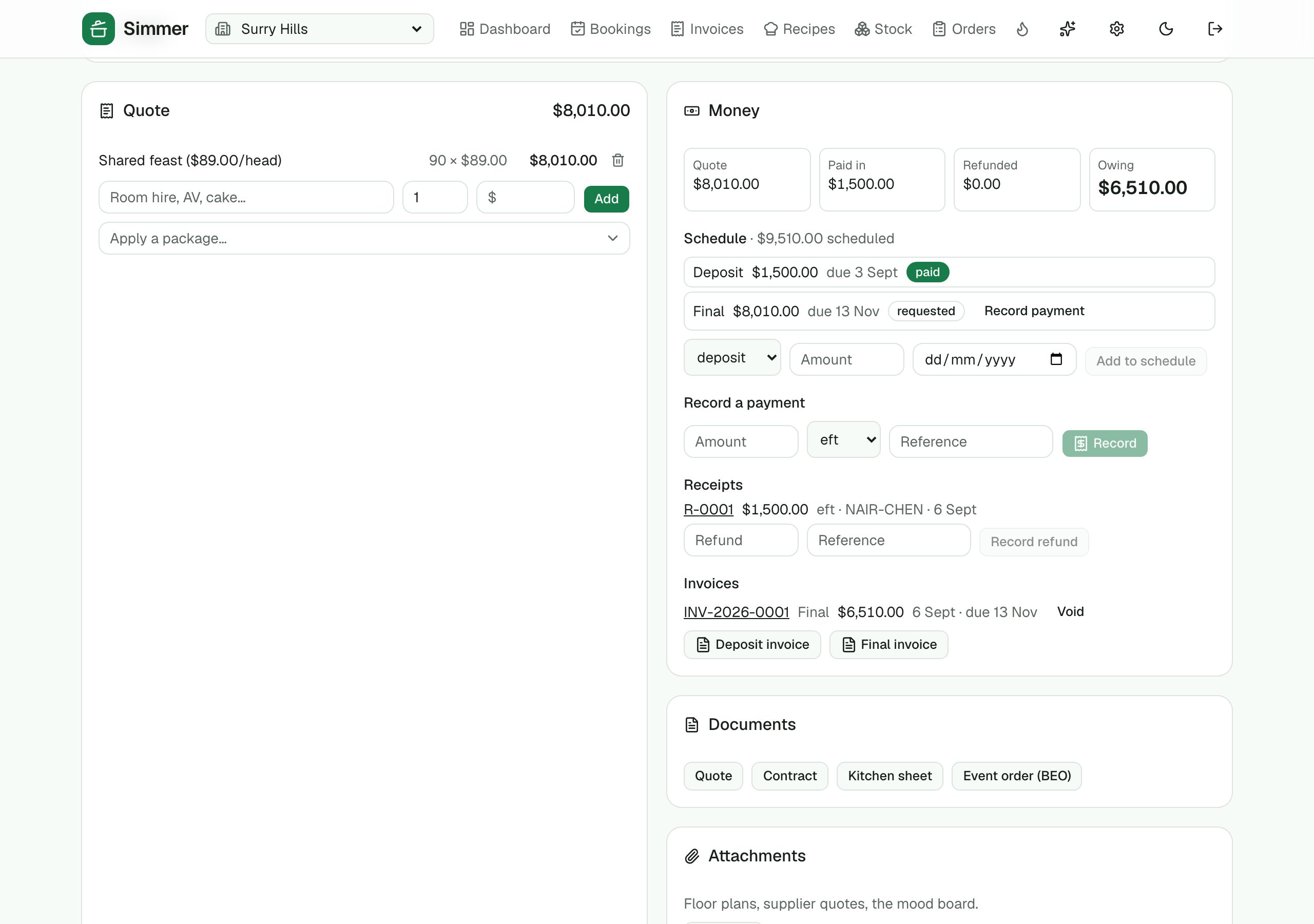
Per head, flat, per item, or a selection where each guest picks one. Give a package the recipes behind a head and Simmer shows what it costs to make, the margin, and the allergens it contains, before it goes on the quote.
The host's own page
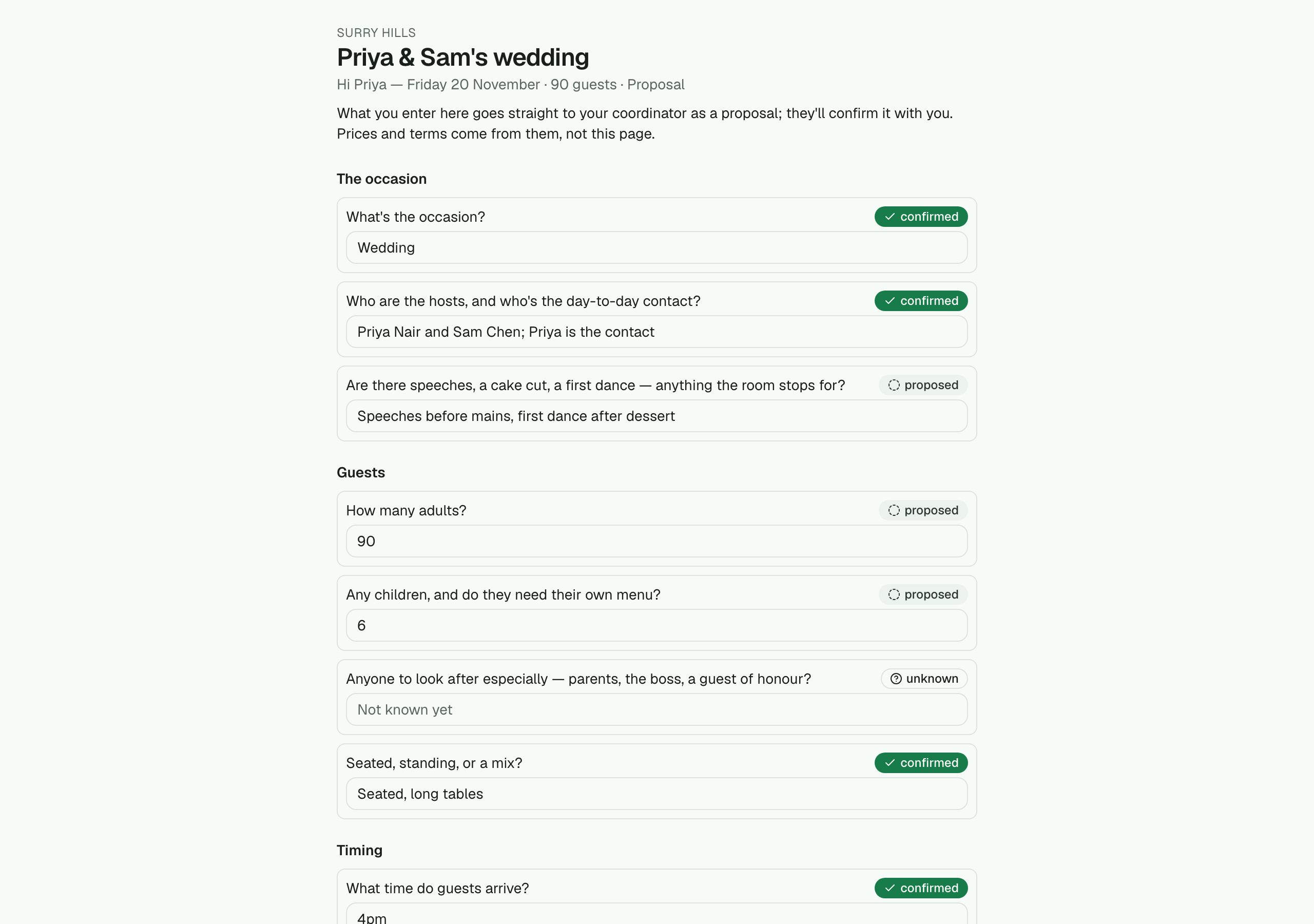
A link where the host answers their own questions: guest numbers, timings, dietary needs. Everything they enter arrives as proposed, for the coordinator to confirm. They never see prices or terms.
›13 more features and 11 more screens
AI that reads the call
Paste how a conversation went and Simmer proposes brief fields from it, suggests the next questions to ask, and drafts the proposal letter. It only ever proposes; a person confirms.
Money after the deposit
A schedule of what's due — deposit, progress, final, bond — with overdue flagged. Every payment becomes a numbered receipt, each invoice keeps its figures as they were on the day it was dated, and the balance owing is always on the page. The host sees their quote, balance and receipts too.
Documents you can send
Quote, contract, kitchen sheet and event order as clean printable pages. The contract comes from your own template with merge fields; the kitchen sheet pulls numbers, dietaries and the run of show from the brief.
A calendar with a feed
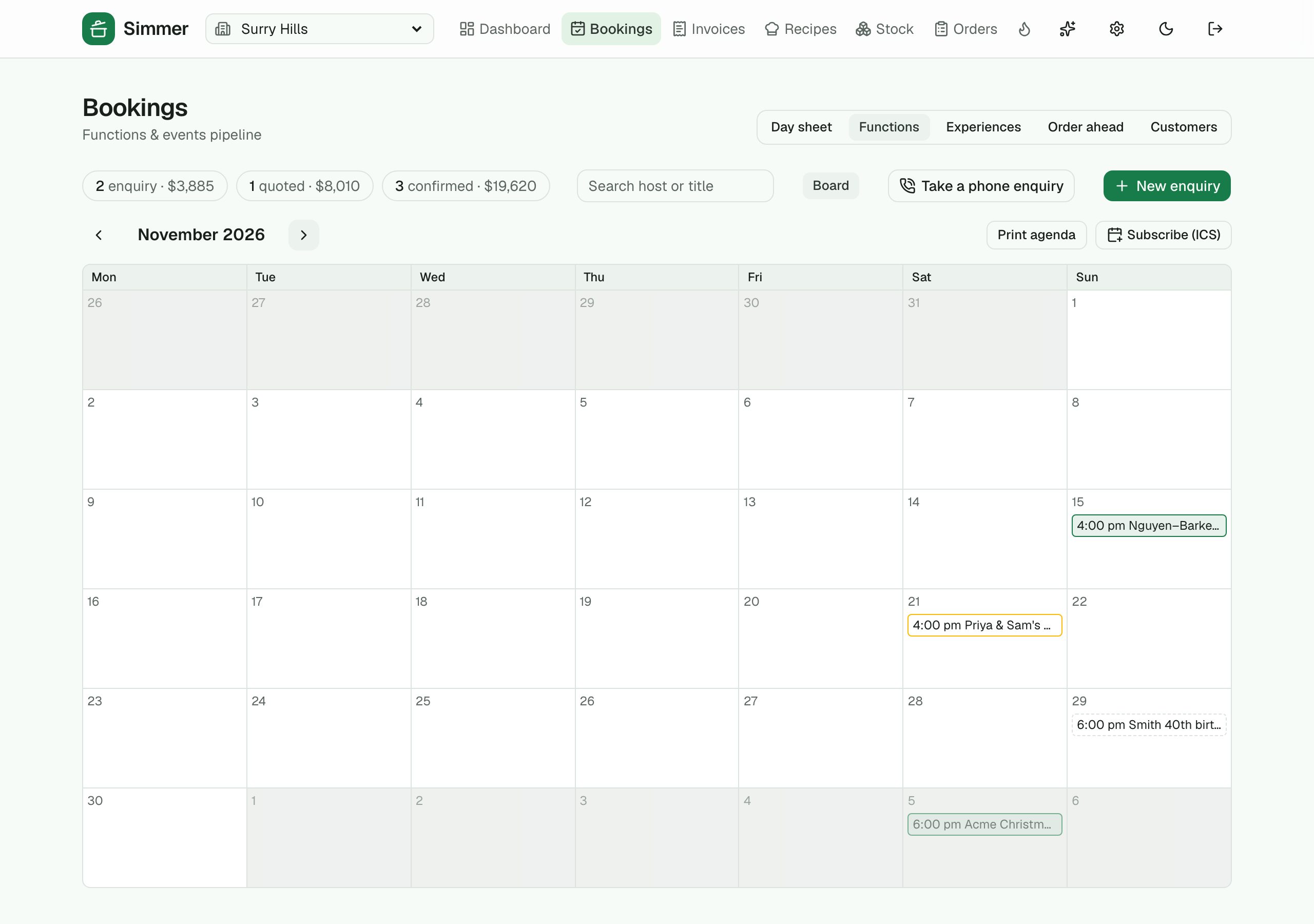
A month of functions with the spaces held. Drag one to another day. Subscribe from Google Calendar or Outlook with a private address.
Attachments and the host as a customer
Floor plans and supplier quotes on the event, shared with the host when you say so. Every host is a customer record: their history across events, search by host, and a campaign segment for past hosts.
Staff, contractors and the labour on the quote
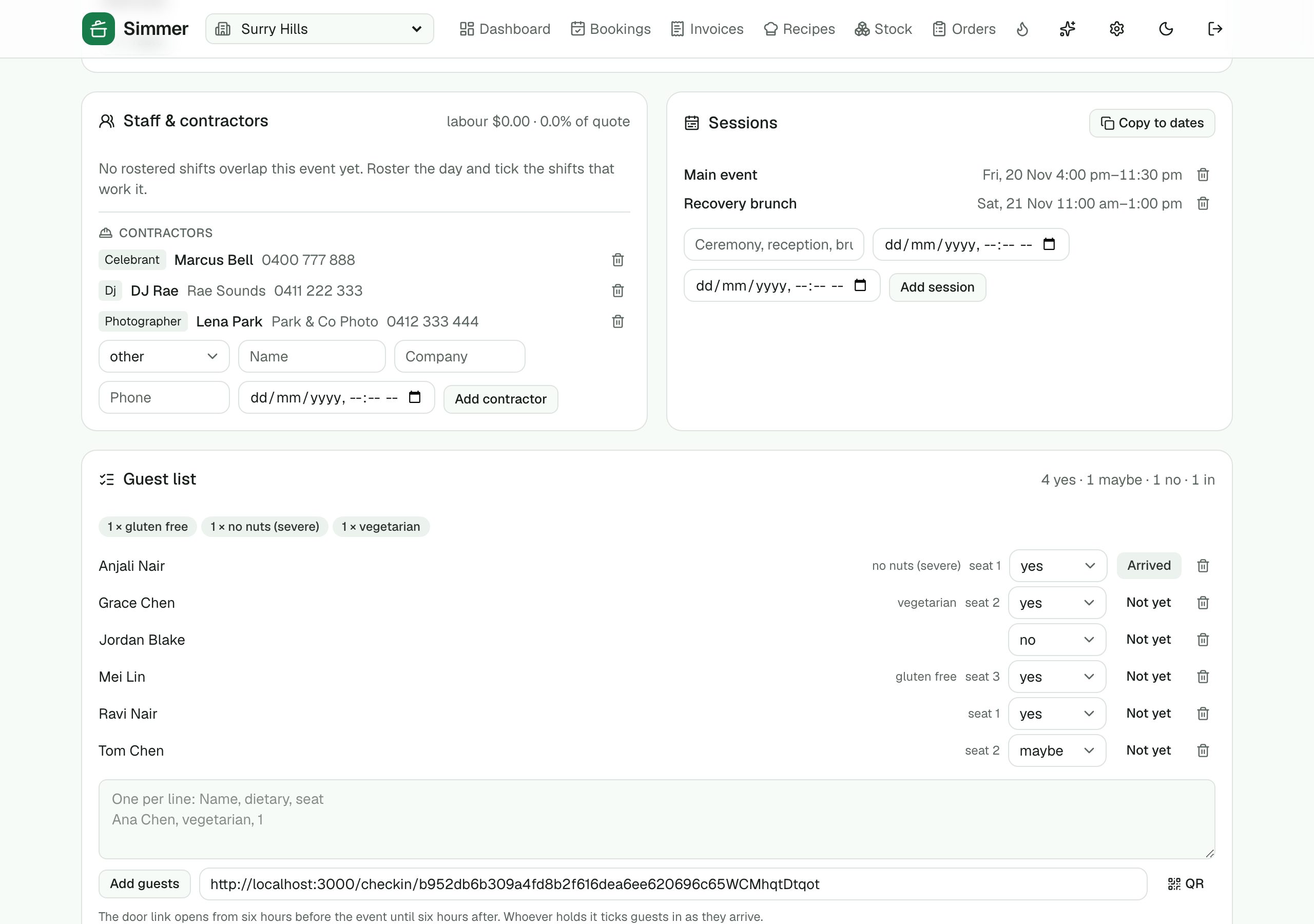
Tick the rostered shifts working the event and their cost shows as a share of the quote. The photographer, florist, celebrant and DJ go on the event with arrival times, and print on the event order.
Sessions, copies and adjustments
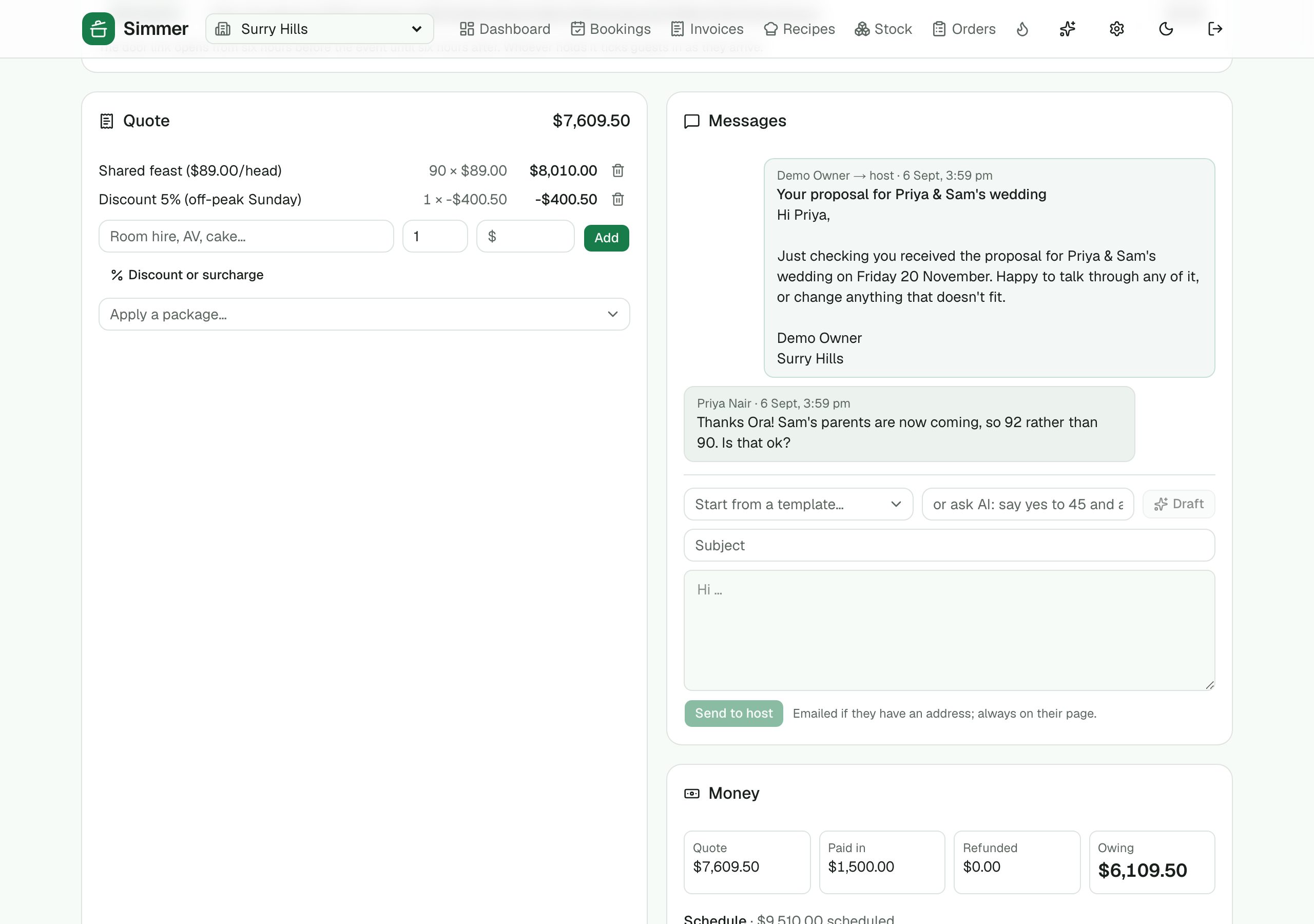
A three-day conference or a ceremony-reception-brunch wedding is one event with sessions. Copy an event to new dates for the weekly trivia night or last year's Christmas party. A discount or a surcharge is a line on the quote.
The guest list and the door
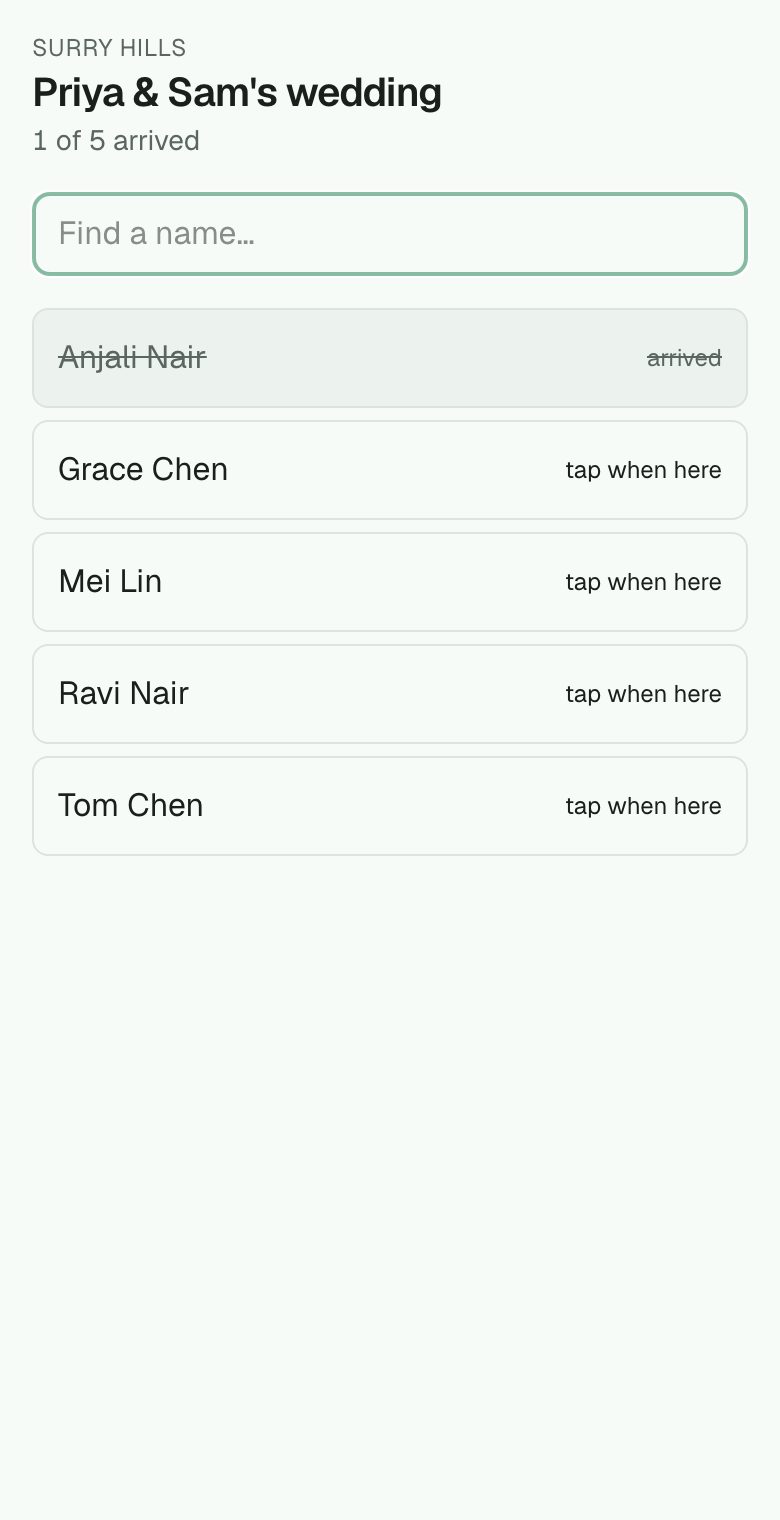
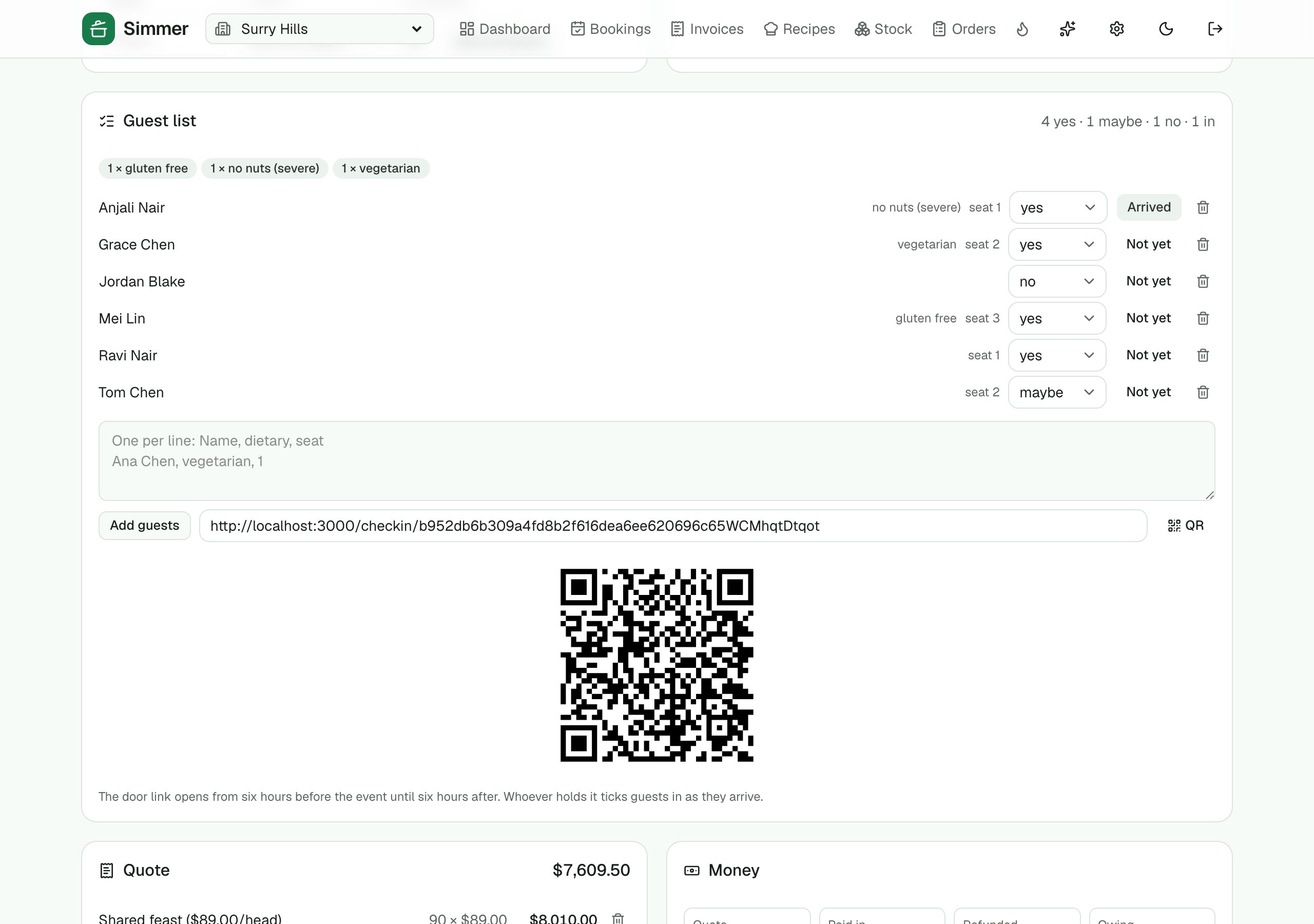
Names, RSVPs, dietaries and seats; the host adds their own on their page. A door link opens around the event so whoever holds the phone taps people in as they arrive.
Whose lead it is, and when it goes quiet
Every lead has a source (the host picks from your list) and a coordinator, routed by occasion, a default person or round robin. Nudges fire on their own: a proposal sent and not signed, a host link nobody answered, an enquiry gone quiet, a deposit overdue. Each flags the board, puts a task on the list and buzzes the coordinator's phone; the host can get the matching email too.
Messages with the host
Write to the host from the event: start from a template with the event's facts filled in, ask AI to draft it from the brief and the thread, or type it. It lands in their inbox and on their page; their replies come back to the event, and the whole conversation stays on the timeline.
The funnel
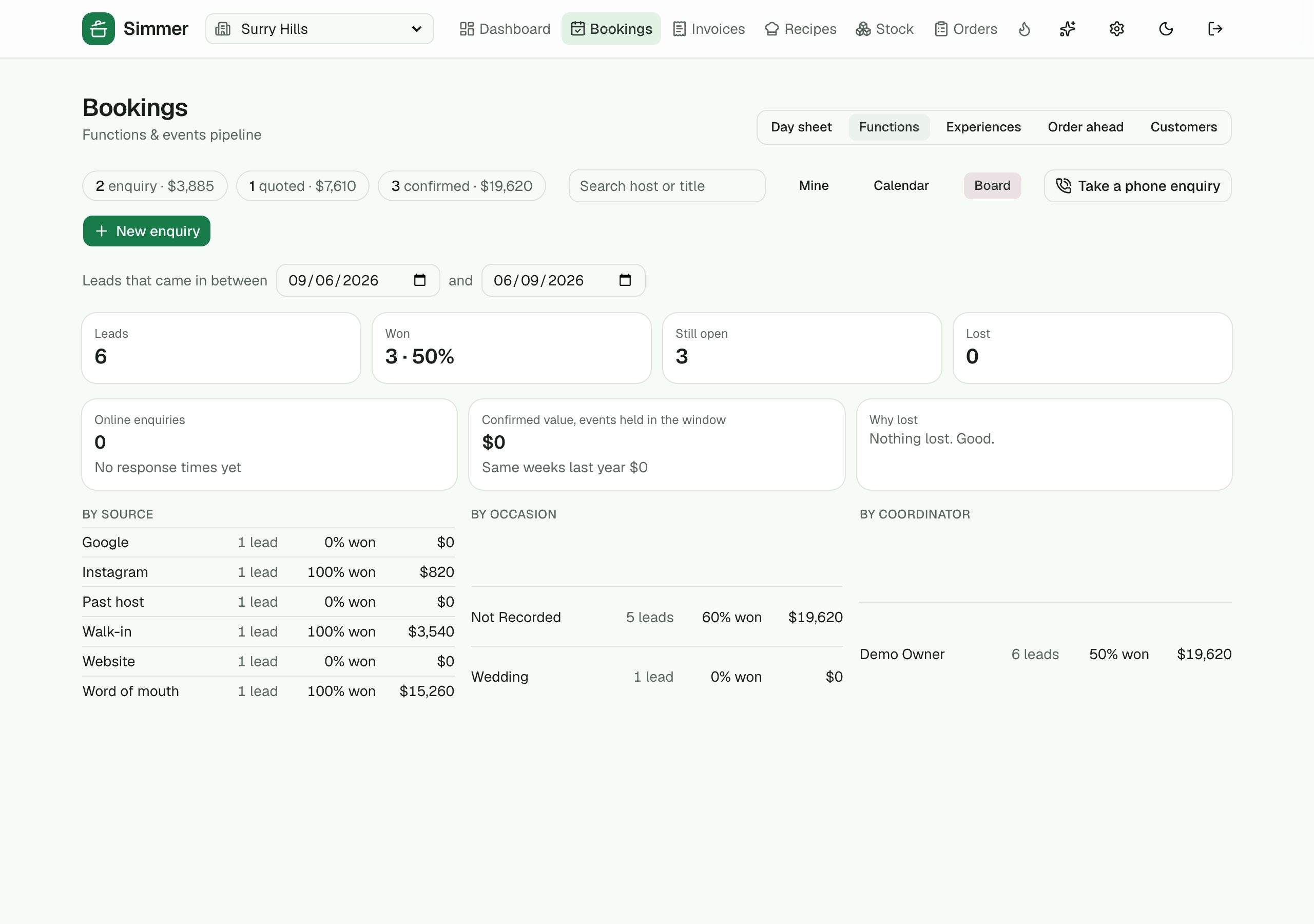
Leads by source, occasion and coordinator with conversion and value, how fast online enquiries were answered, why the lost were lost, and confirmed value against the same weeks last year. So the owner knows which channel books the weddings, not just how many there were.
The host's page, whole
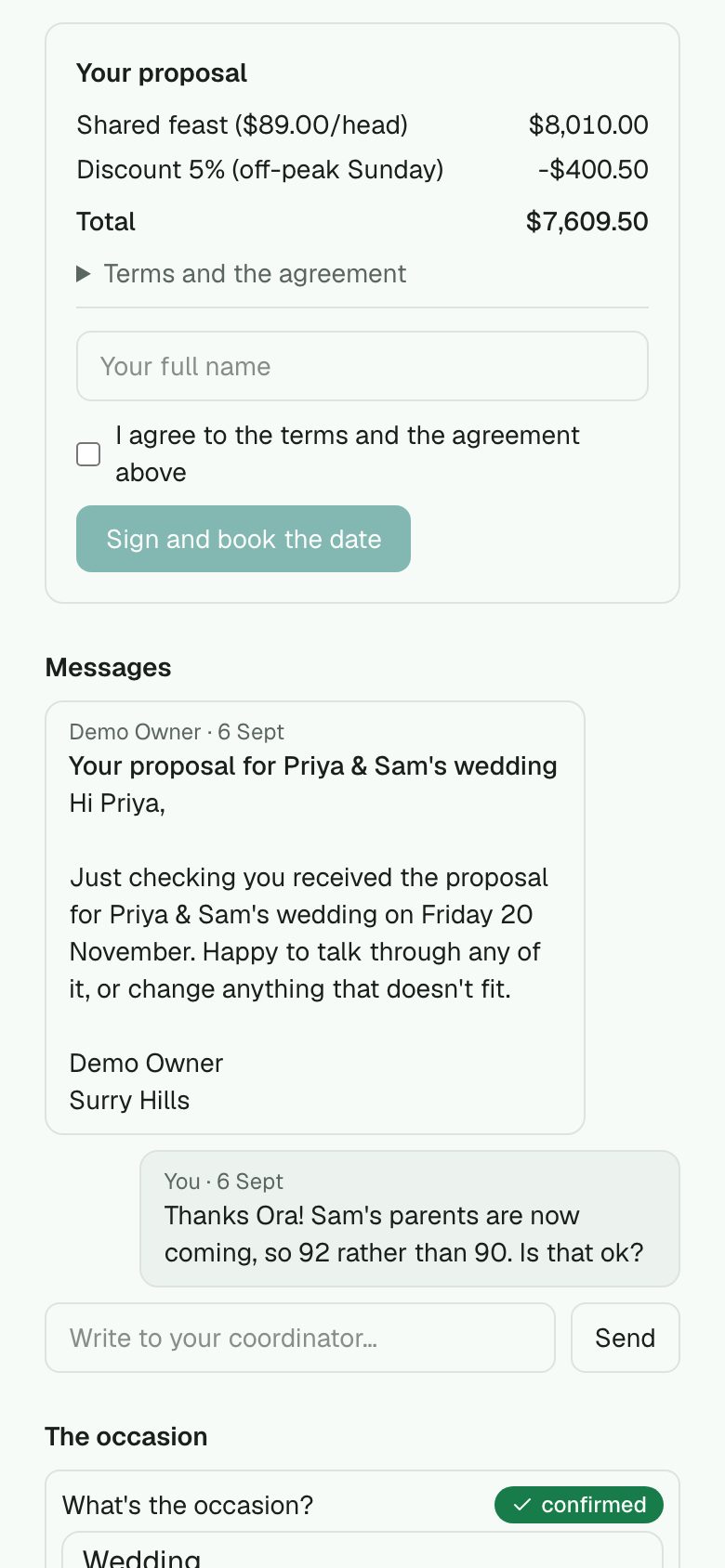
The proposal with its terms and agreement, signed there with a name and a tick. Menu choices for a pick-one package. Messages, the coordinator's name, and the venue's own colour and tagline. One link for the host, start to finish.
Room hire, your own occasions, the report
Price each space by evening, half day, full day or hour with a minimum spend, and holding it puts the hire on the quote. Rename, hide or add occasions and set the tasks each stage seeds. A functions report with source, booked by, paid, labour and margin.
Regulars
Customers and loyalty
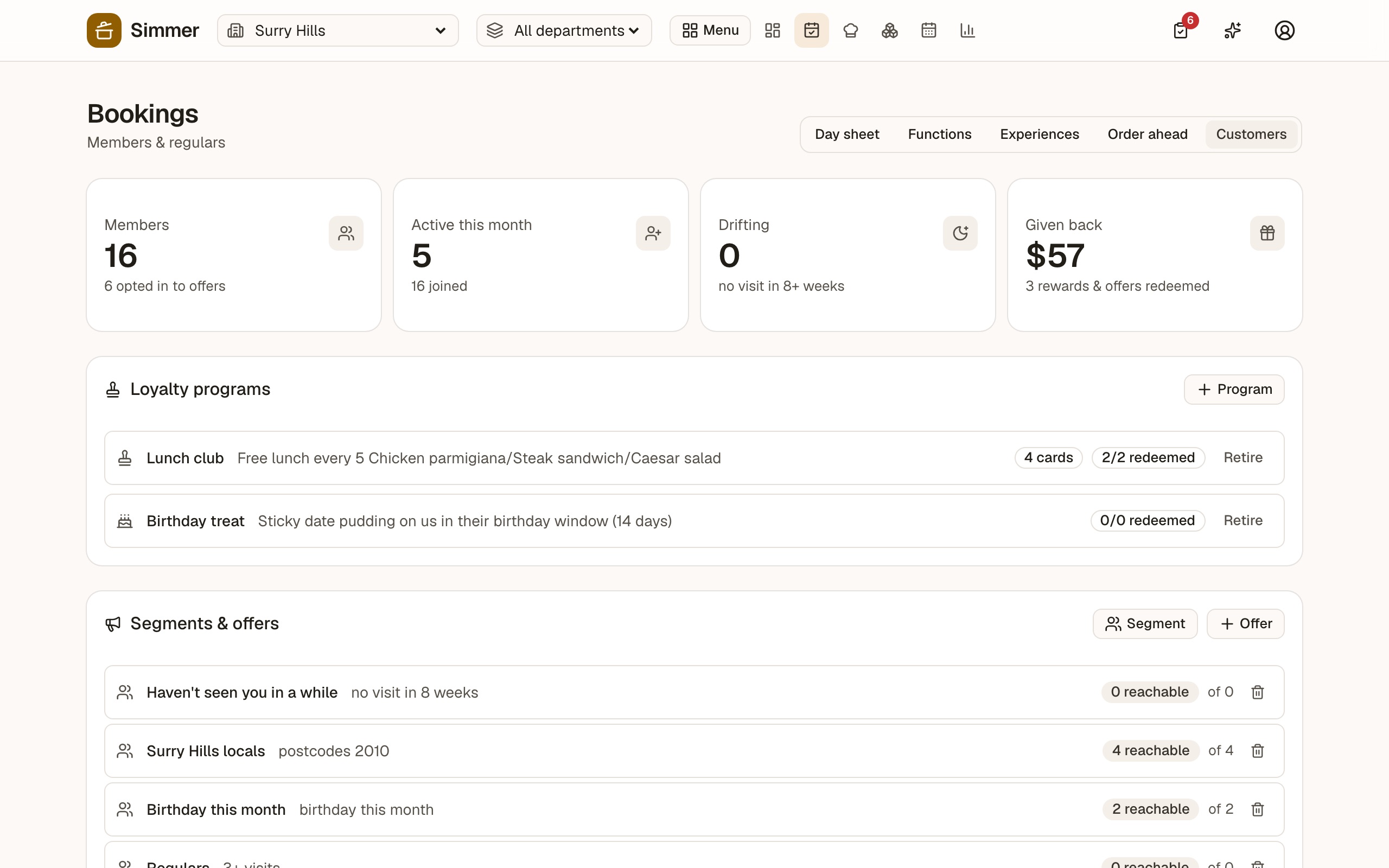
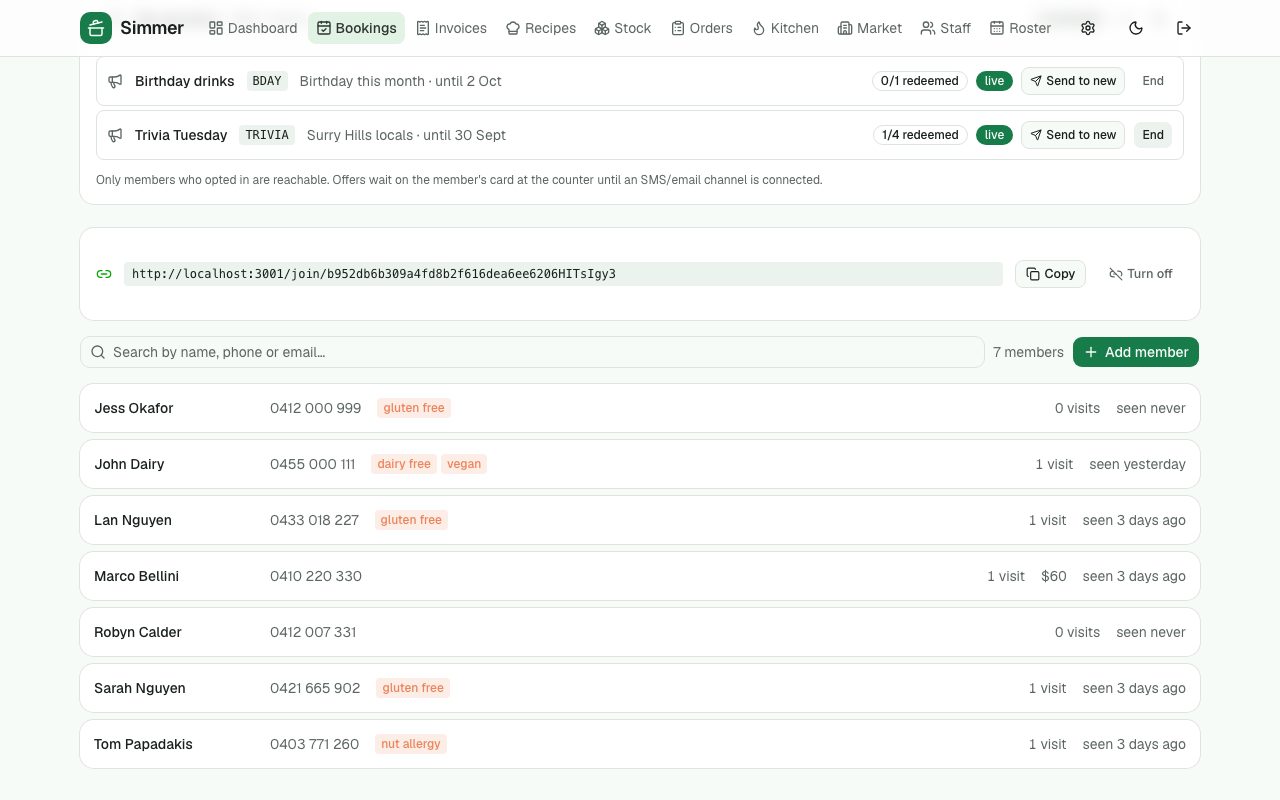
A record of every guest that gets richer on its own — bookings and orders link by phone number — plus stamp cards, birthday treats, segments and offers by email, and a card on the guest's own phone.
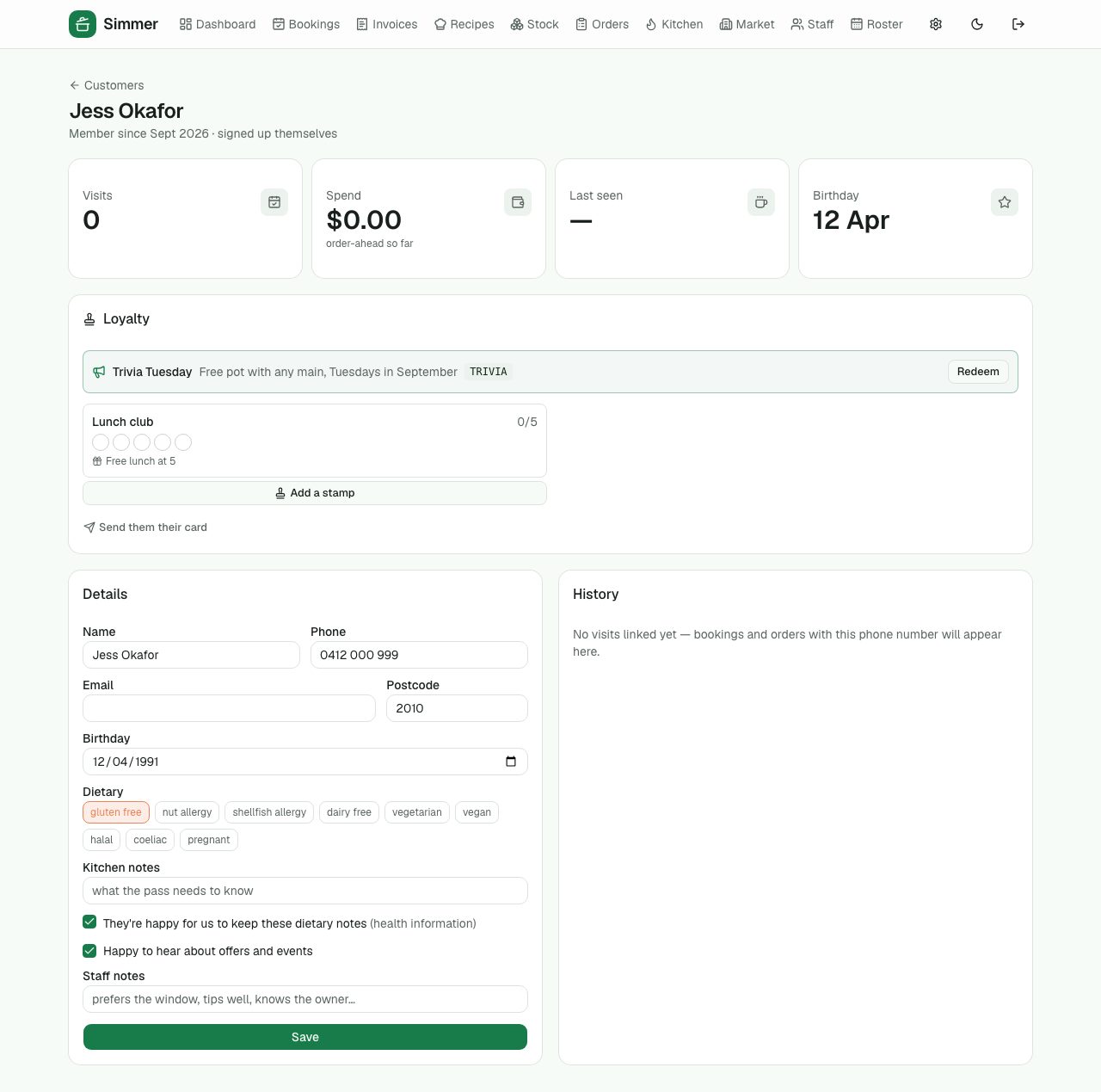
Customer profiles
Visits, spend, last seen, birthday, dietary needs and kitchen notes, staff notes, consent to be contacted. History fills itself in.
Stamp cards and birthday treats
Buy 5 lunches, the 6th is free. Stamps are added on the tablet; rewards redeemed there too.
Segments and offers
"Lapsed regulars", "Tuesday lunchers" — pick a segment, write an offer with a code, send it by email. Redemptions tracked.
The member's card
A link on the guest's phone with their stamps and offers. They can update their own details and dietary needs.
›1 more feature and 3 more screens
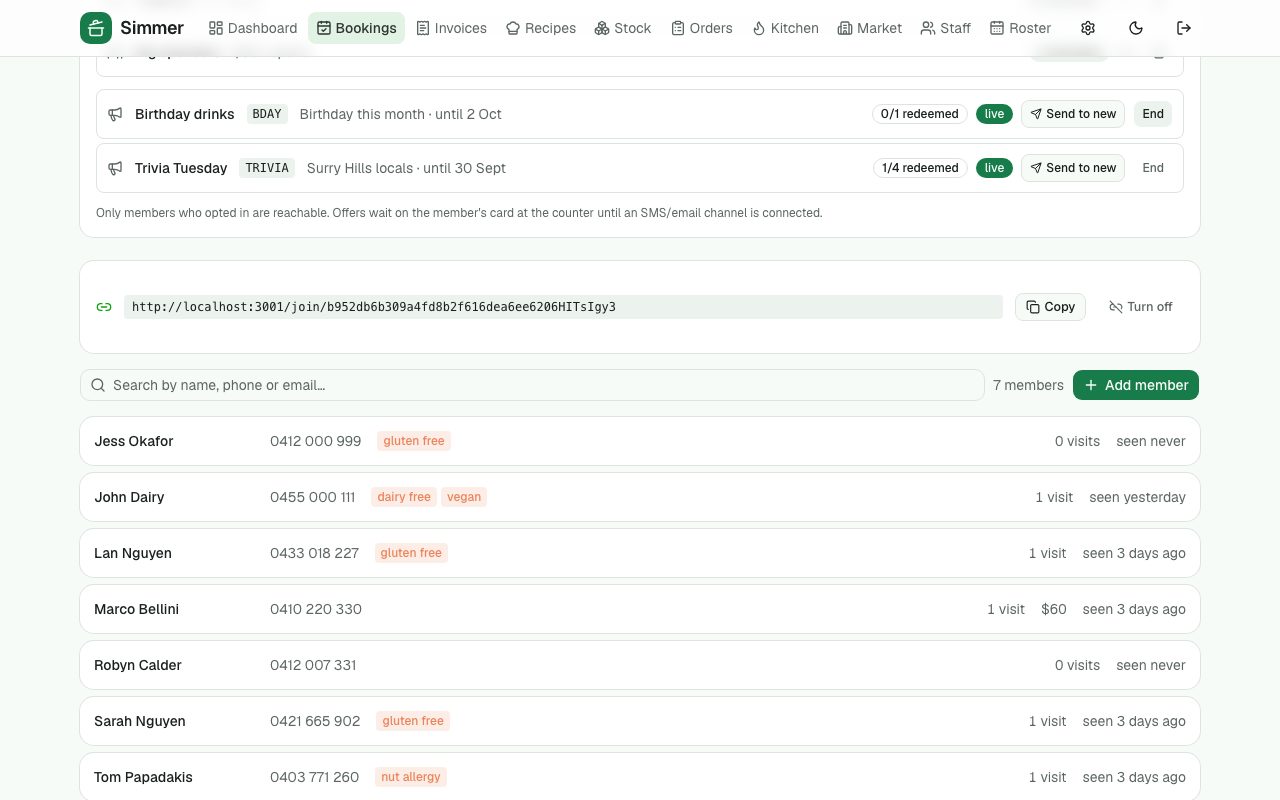
Join from a QR
A public join page so a guest can sign themselves up at the bar.
People
Rostering, time and staff
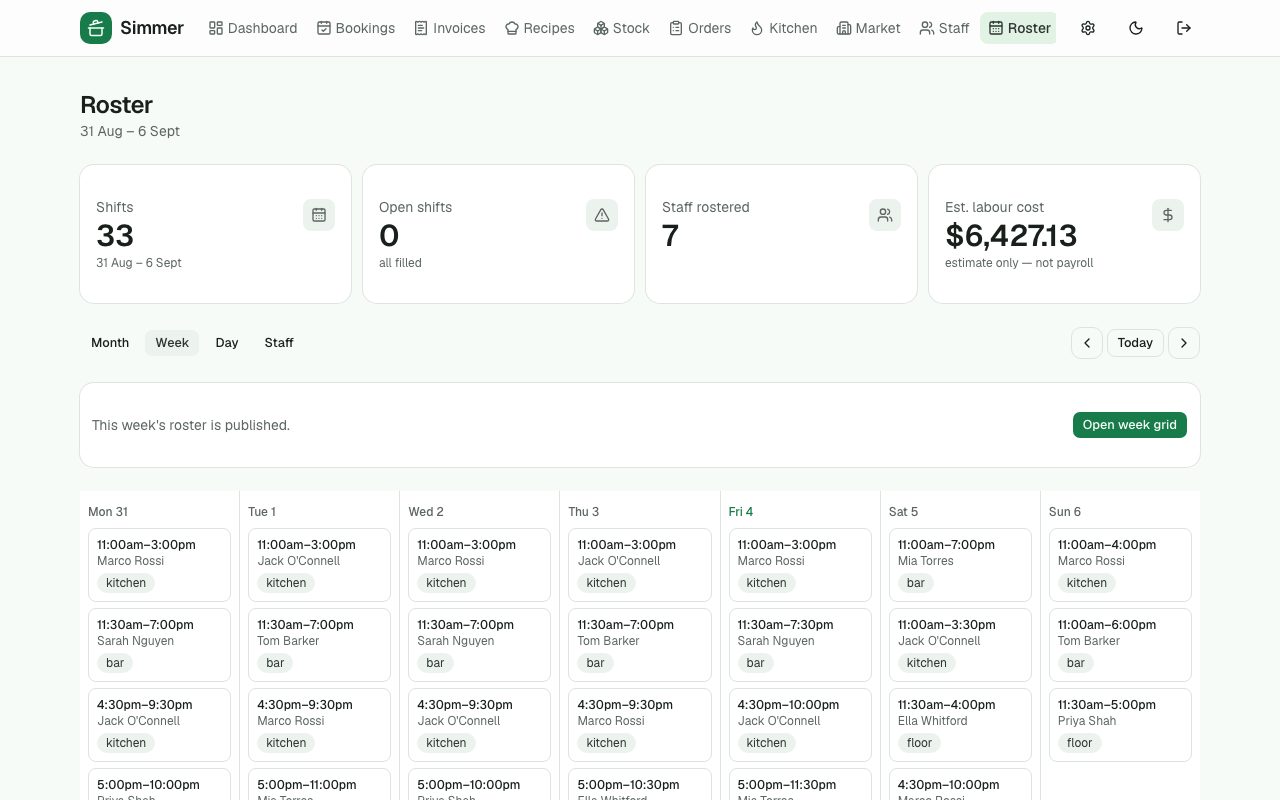
Build the week by dragging shifts, see what it will cost before you publish, get warned about the things that make someone unsafe on a floor. Staff clock on a tablet with a PIN, and see their shifts on their own phone.
The weather, where you roster
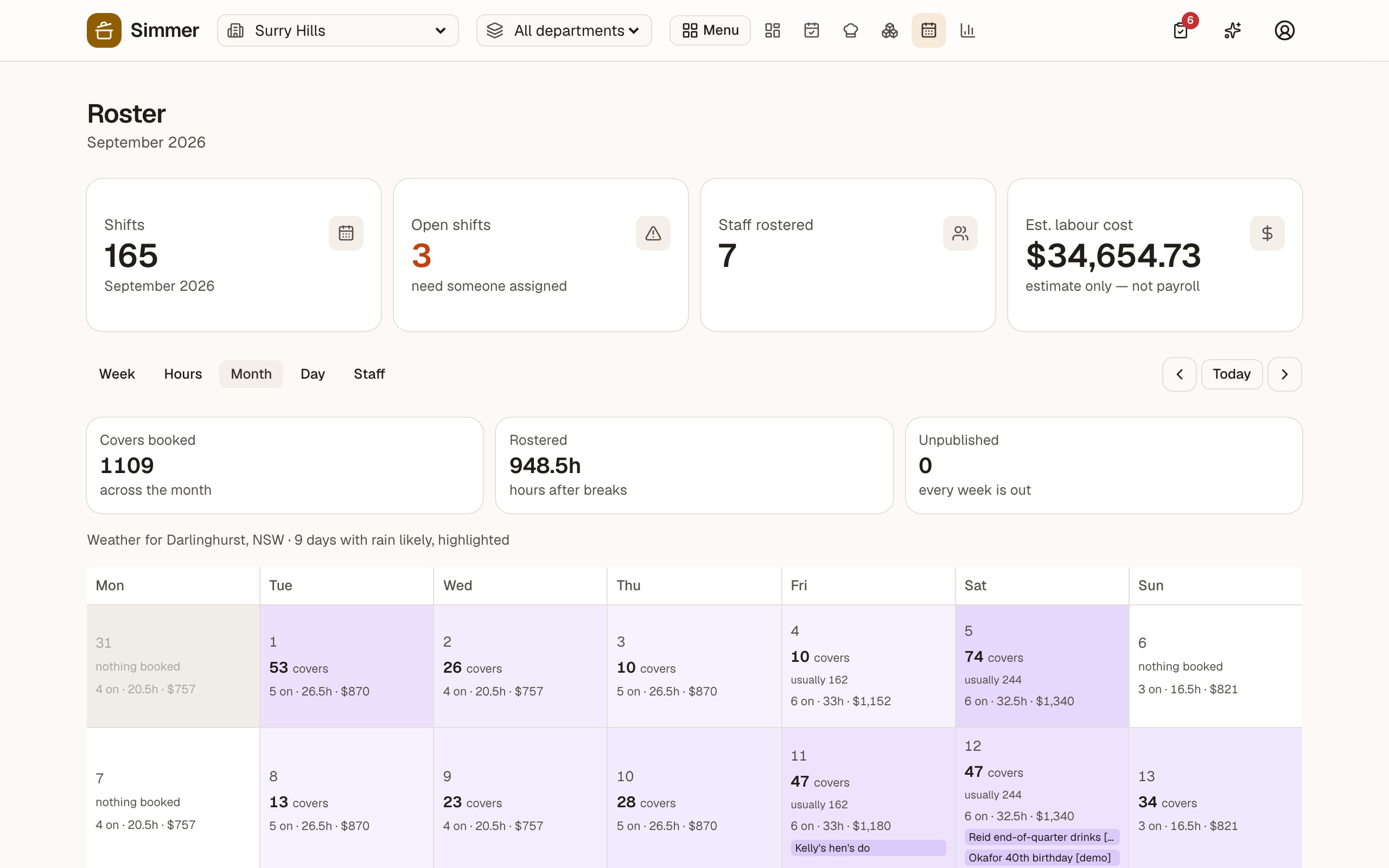
Put in your postcode and the forecast sits on the roster: the day's icon and temperature, with days where rain is likely highlighted. Tell Simmer which areas are covered, blinded or heated and it names the seats a wet day actually threatens — a covered terrace with the blinds down trades through drizzle, an open courtyard doesn't.
A month you can plan from
Every day shows the covers booked, what that weekday usually takes, who is on and for how long, what it will cost, anything still unfilled, functions and public holidays — shaded by how busy it is. The shape of the month reads at a glance.
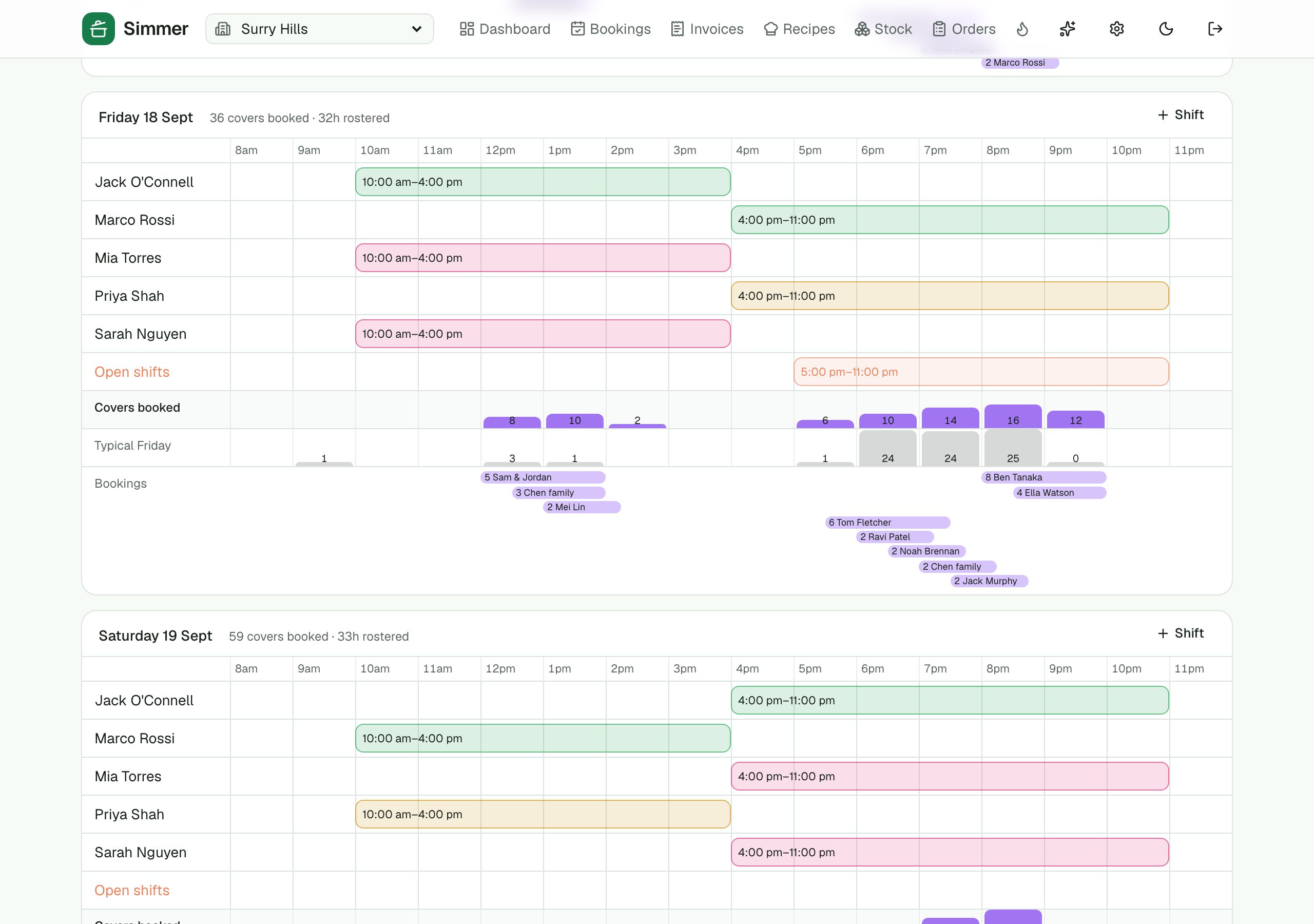
Coverage: people against covers, hour by hour
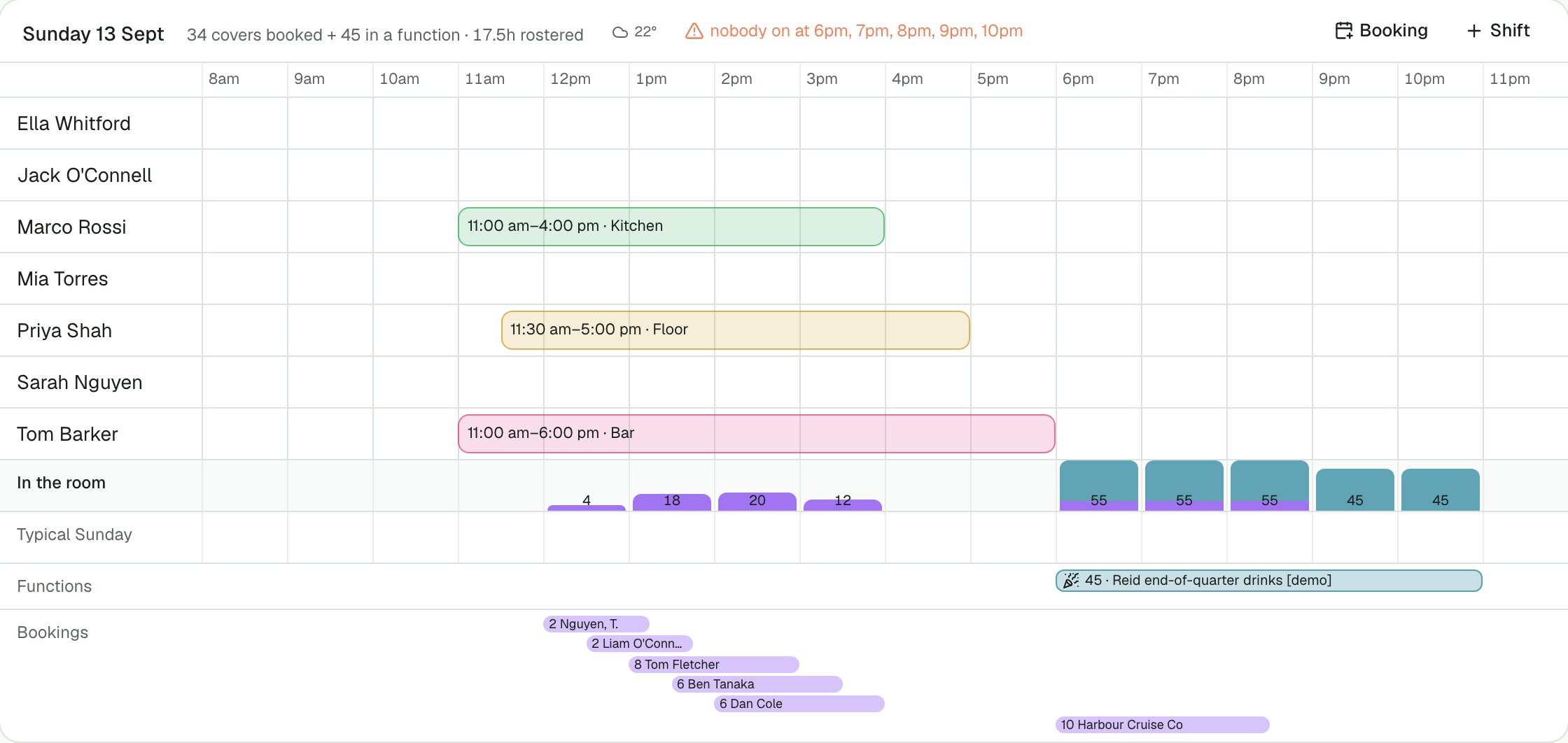
The week exploded into days: a row per person with their shift as a span, the covers in the room each hour underneath, and what that weekday-hour usually does. A busy hour with nobody on it is flagged on the day. Shifts are painted by role.
Run the day from the one screen
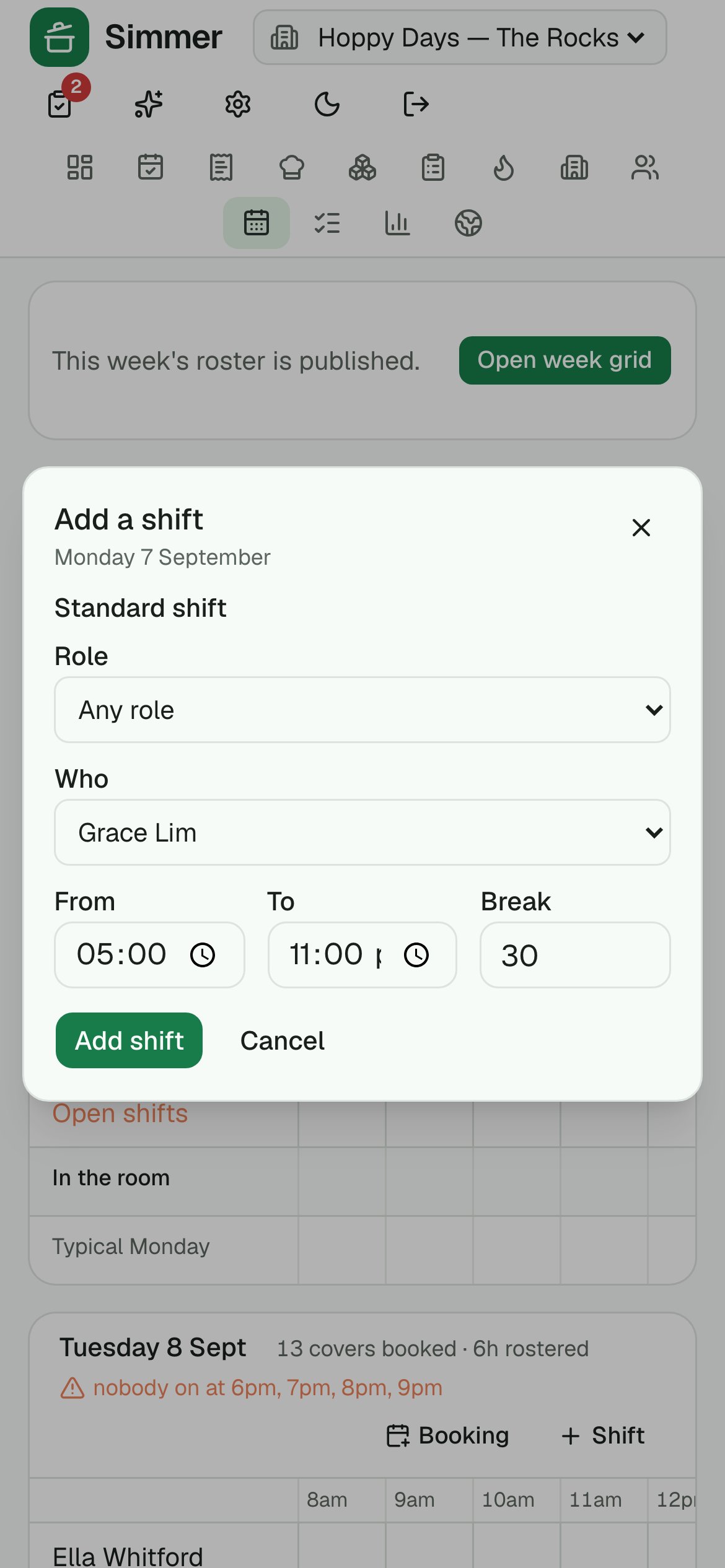
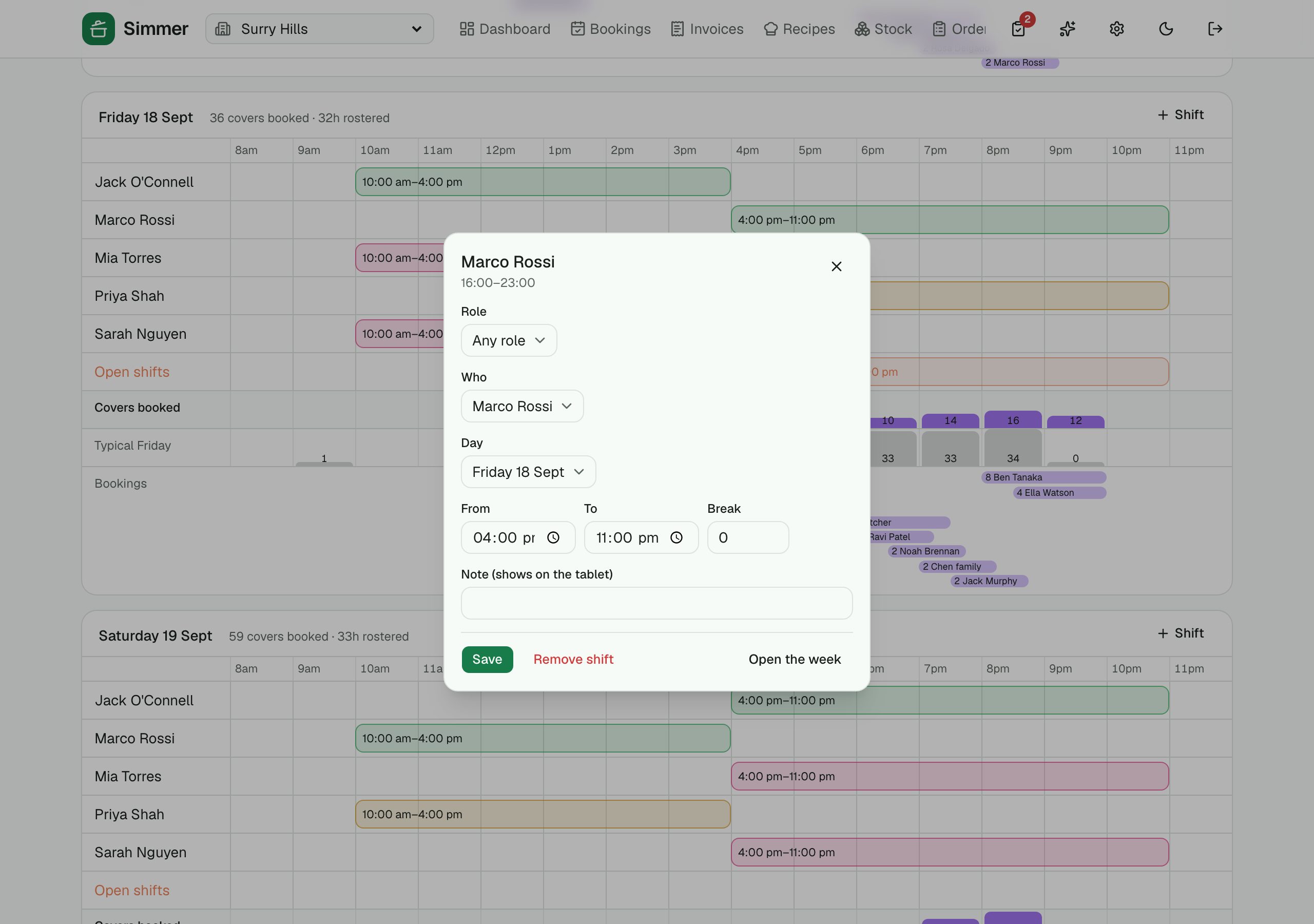
Click a shift to change who is on it, move it, add a break, send someone home now or take it off with an undo. Click a booking to change the party, move it, seat it, finish it, mark a no-show or cancel. No hopping between screens to fix a Friday.
›12 more features and 20 more screens
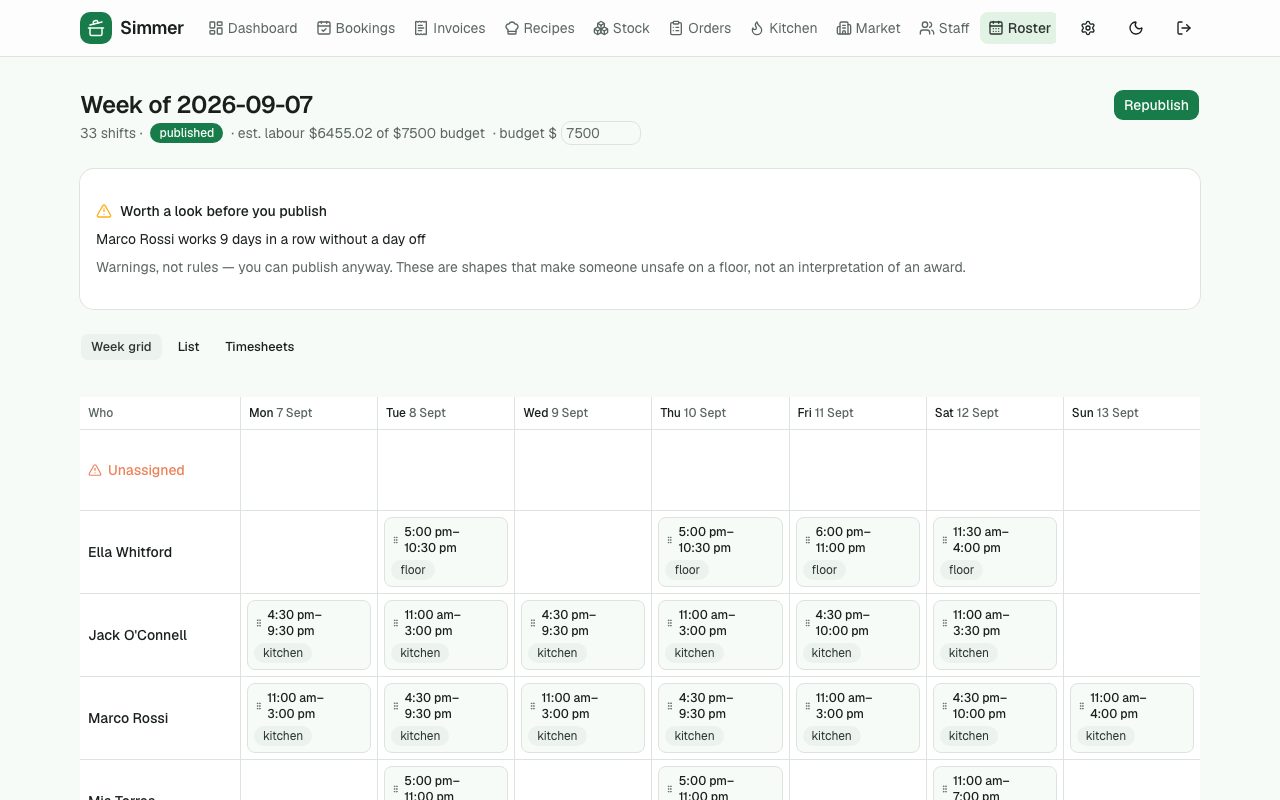
Week grid
Drag shifts between people and days. Month, week, day and per-person views. Copy last week forward.
Labour cost, live
Estimated cost against your weekly budget as you build, with weekend and public-holiday rates. Estimates, clearly labelled — payroll stays payroll.
Warnings, not rules
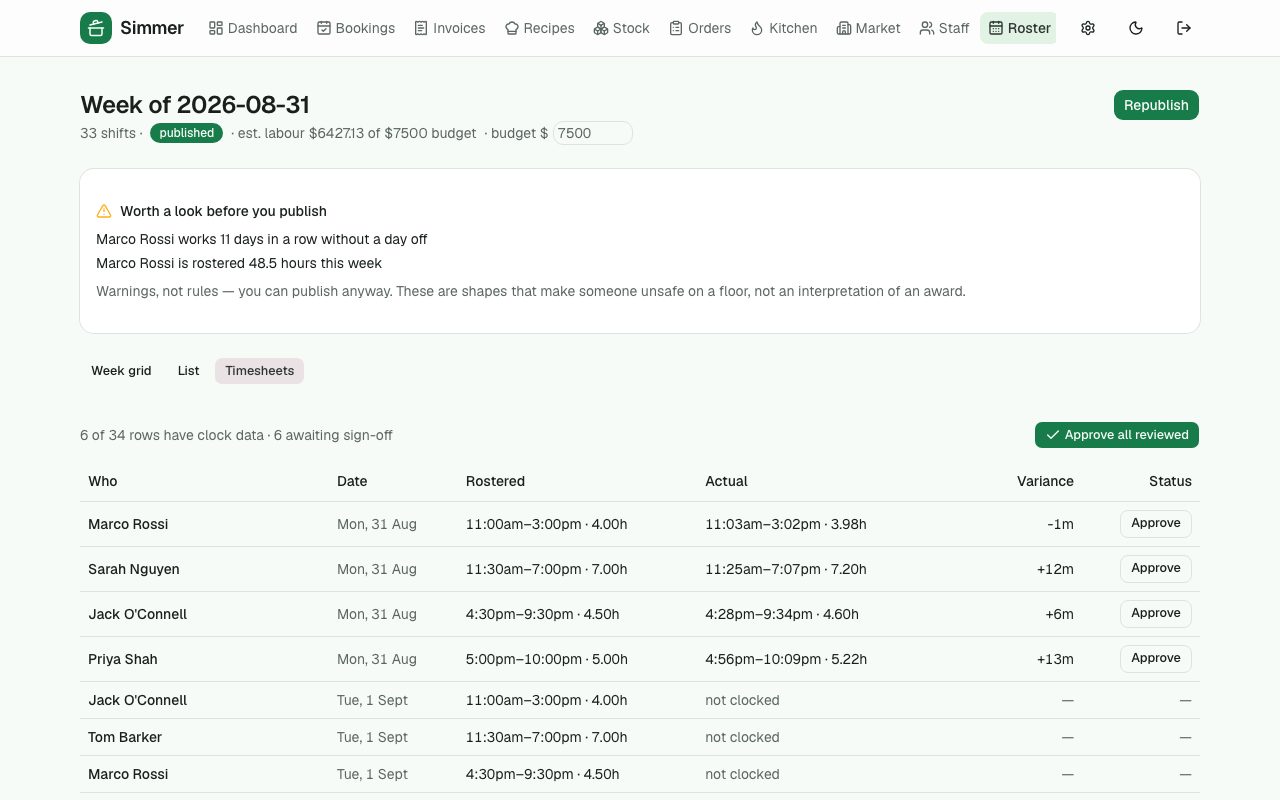
Expired RSA on a rostered shift, ten days in a row, not enough rest between a close and an open, over 48 hours. You can always publish anyway.
Open shifts and swaps
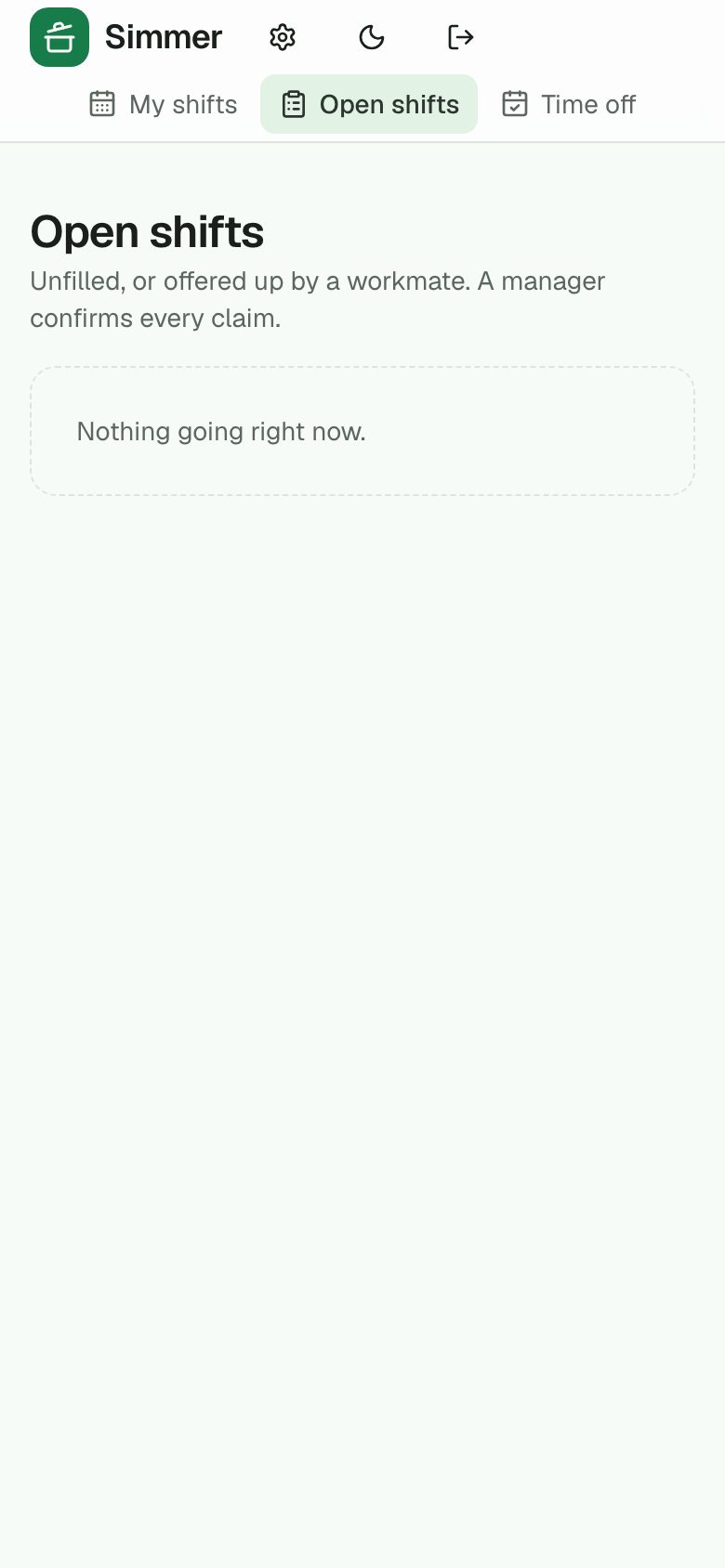
Leave a shift open or let someone offer theirs up; staff claim from their phone; a manager approves.
Tablet clock-in
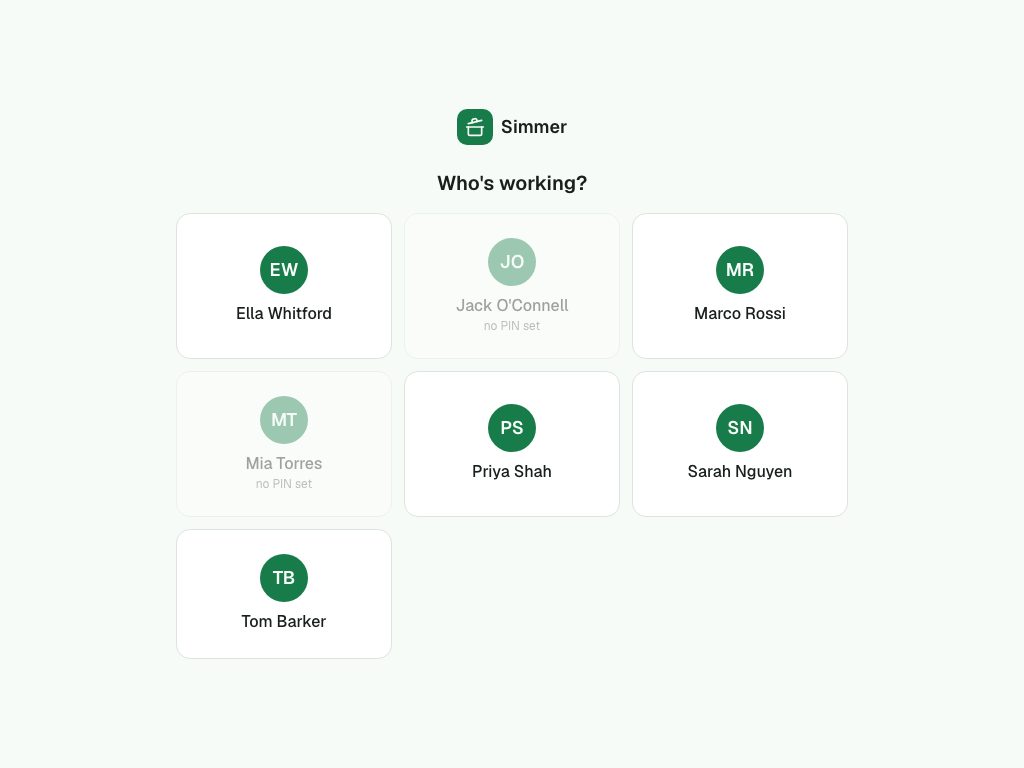
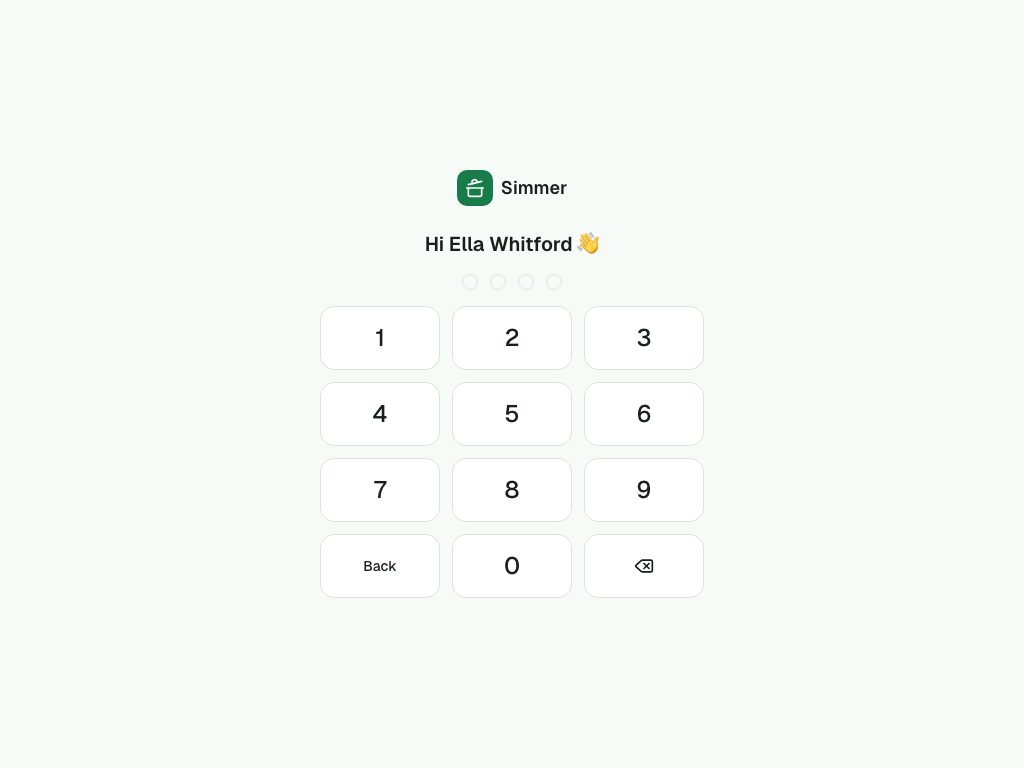
Staff pick their name and PIN in on the venue tablet. Optional photo at clock-in (with an opt-out that never loses). Breaks tracked.
Timesheets
Rostered against actual, variance in minutes, approve one or all, export a CSV for payroll.
Time off and availability
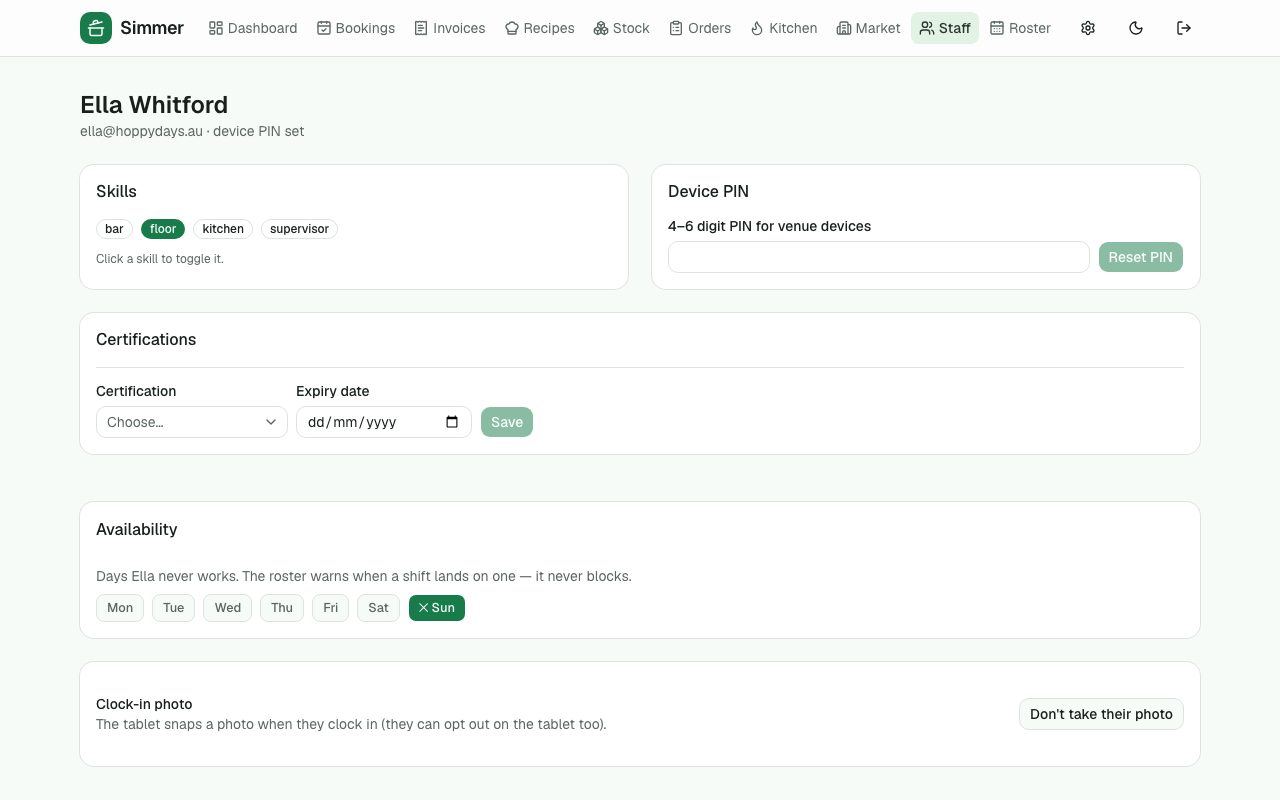
Requests from the phone; approved leave and "never works Sundays" warn when a shift lands on them.
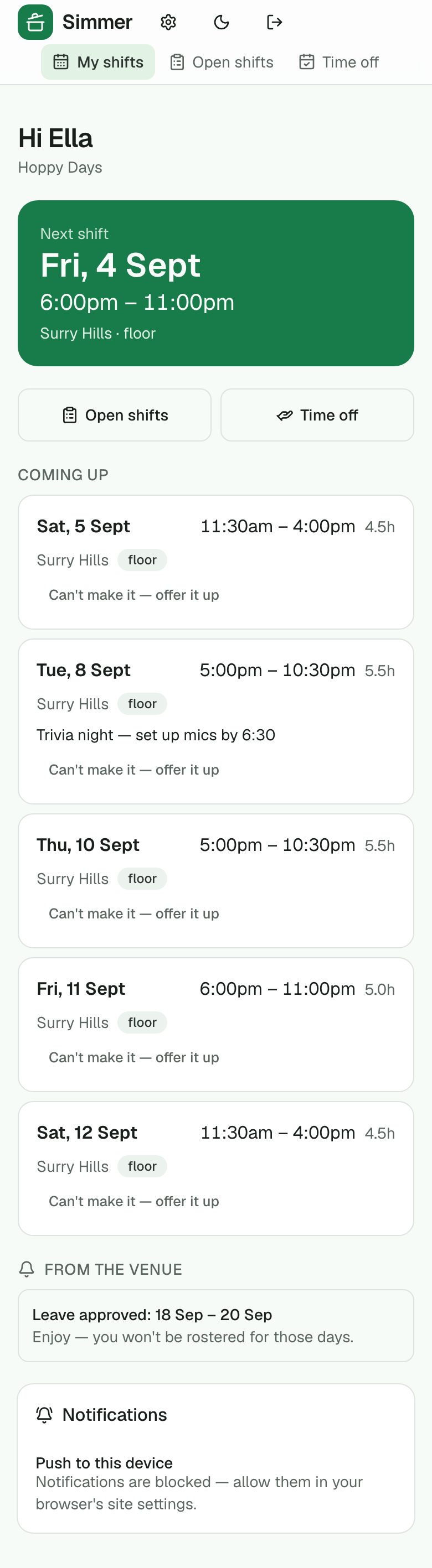
Staff phone app
Their next shift, the week, open shifts to claim, time off, and a nudge when the roster is published.
Forecast and suggested shifts
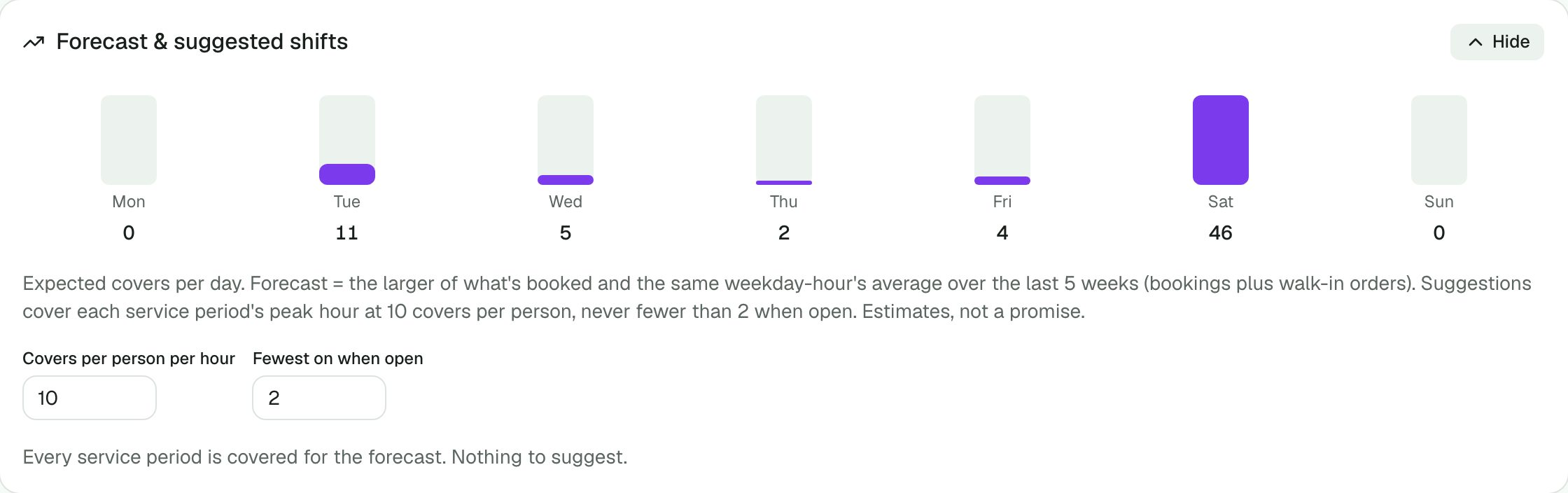
Expected covers per day from what's booked and the last eight weeks; shifts suggested per service at your covers-per-person ratio, people offered by fewest hours, costed against the budget. Tick and add.
Pay rates on the venue clock
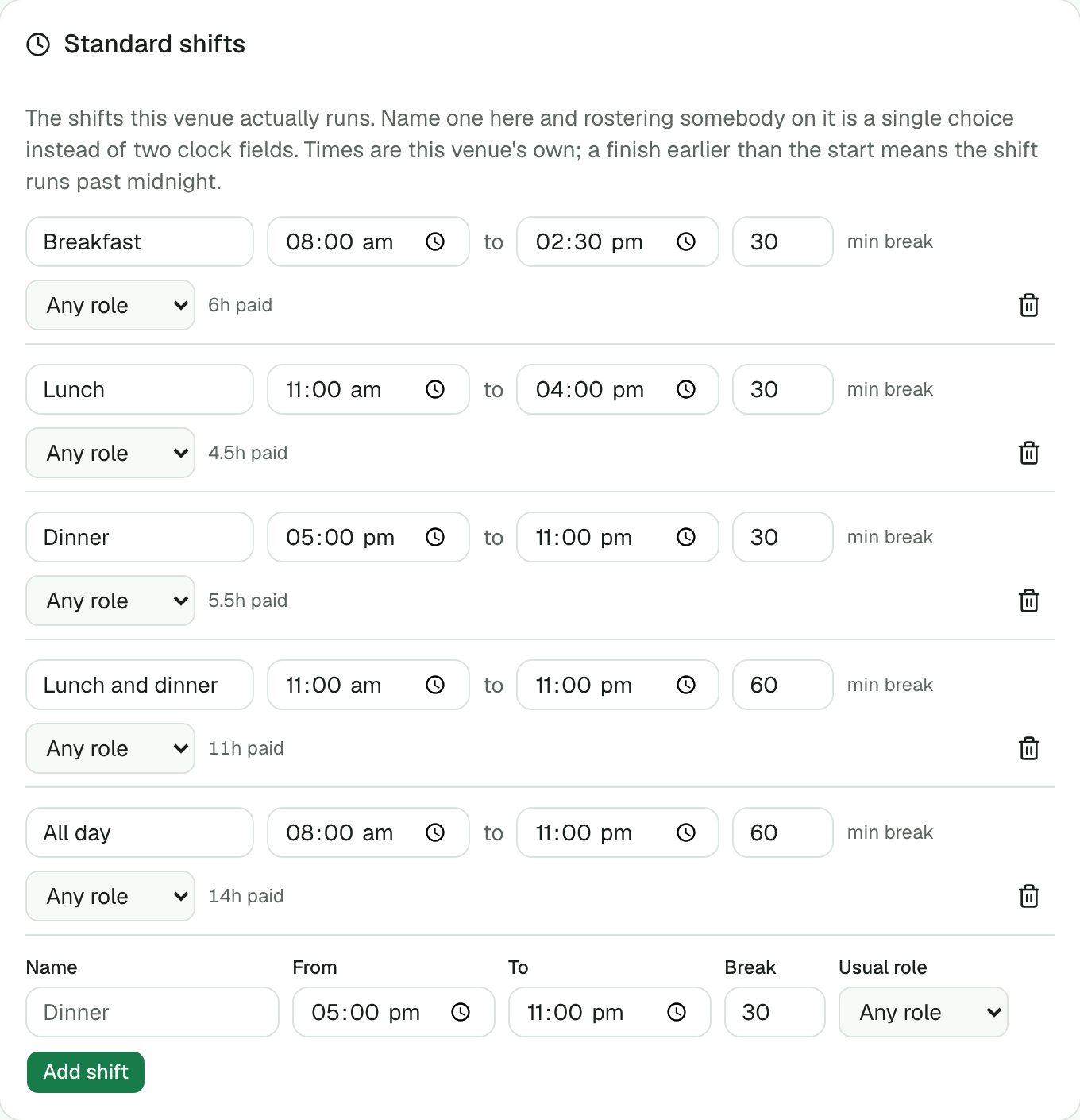
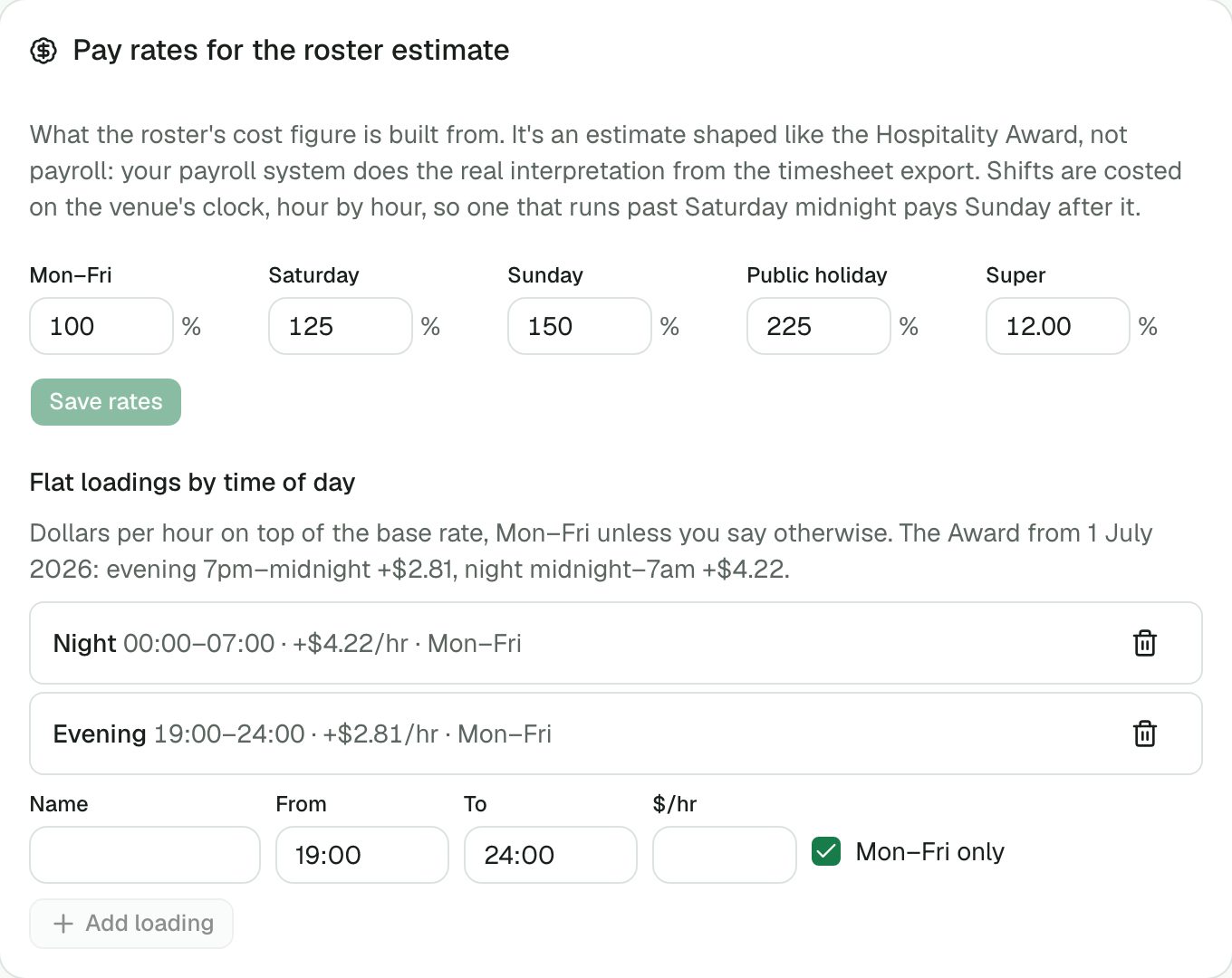
Shifts costed hour by hour in the venue's own time, with the Award's flat evening and night loadings, not just weekend multipliers. Estimates that are shaped like the real thing.
Checklists and food-safety logs
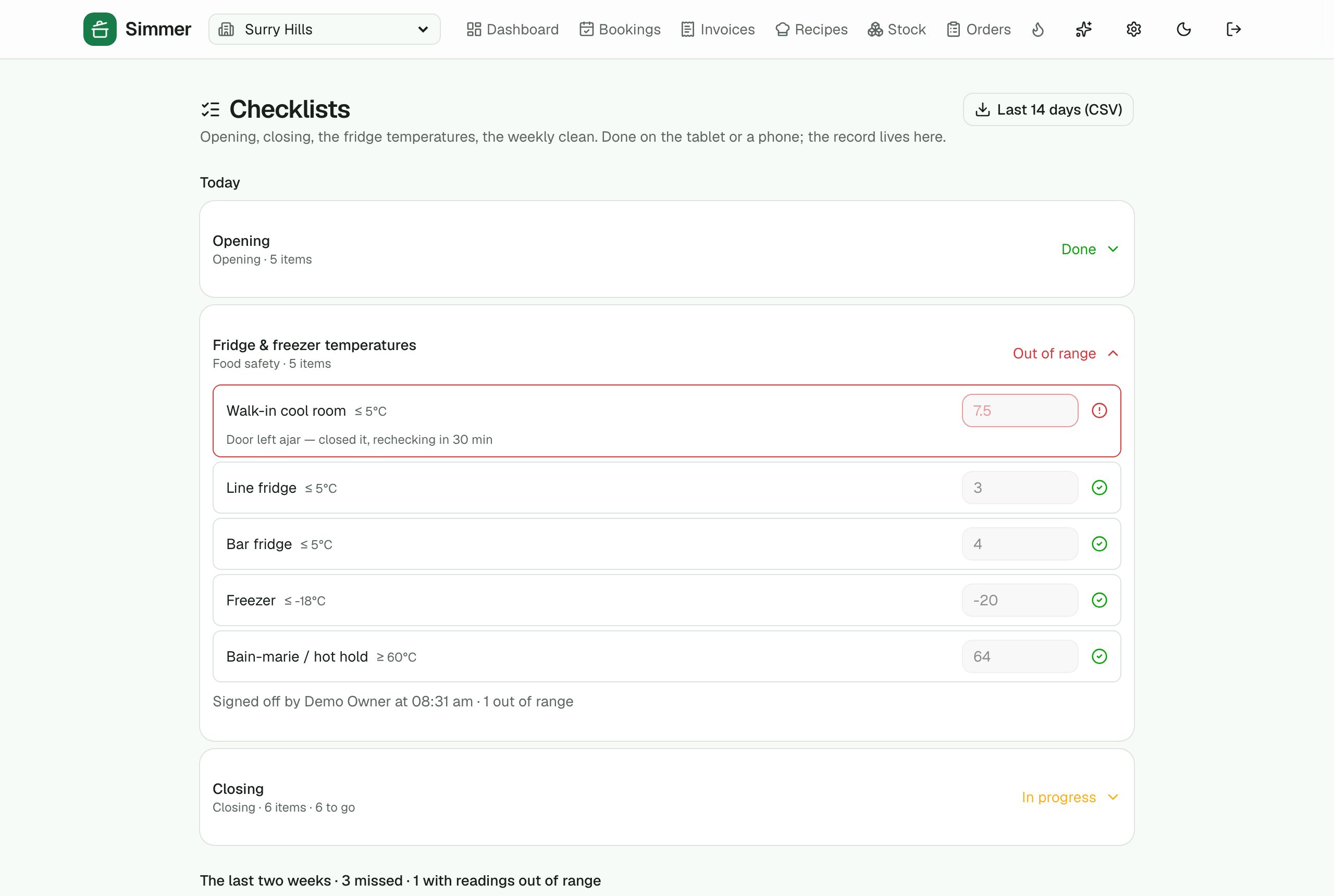
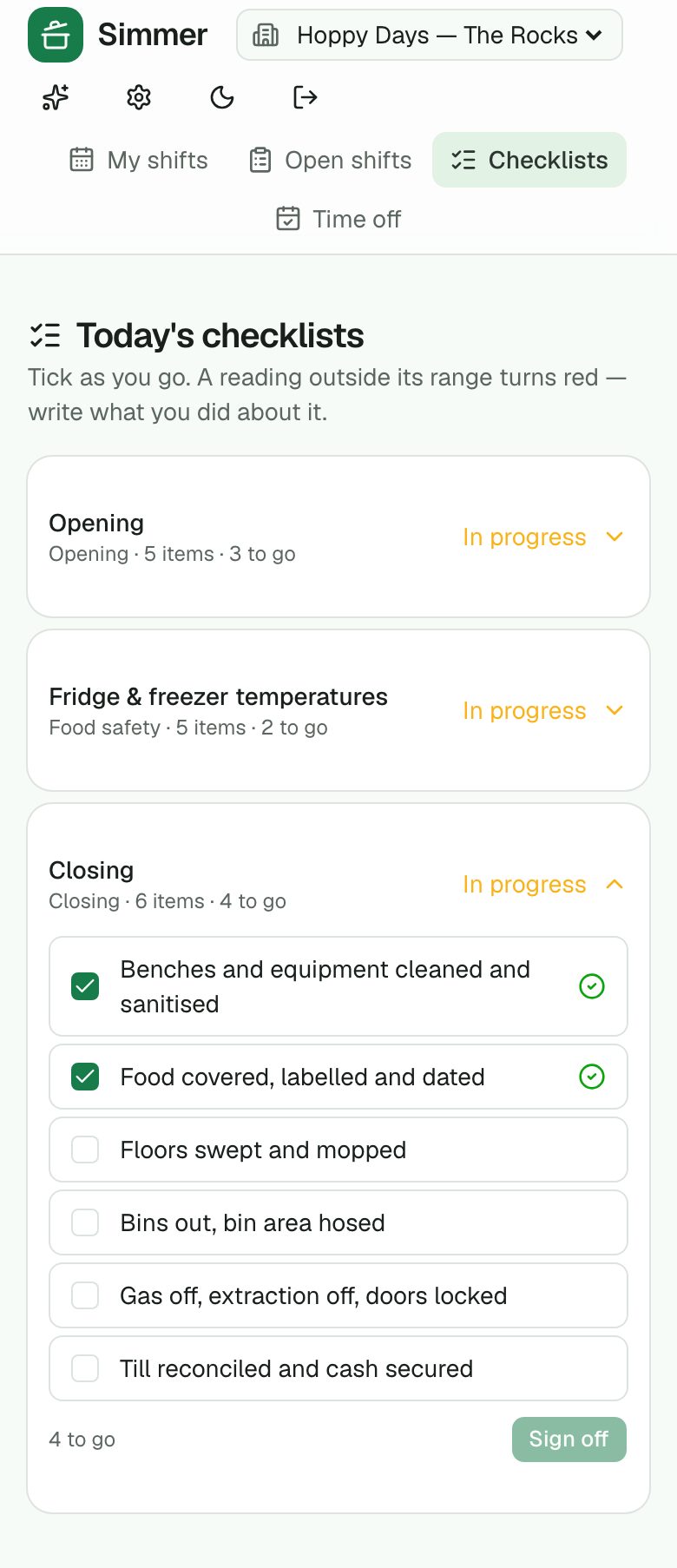
Opening, closing, fridge temperatures with FSANZ limits, the weekly clean. Readings out of range turn red and raise an alert; a missed list is flagged next morning. A fortnight's record and a CSV for the inspector.
Just not available
Staff mark a day they can't do from their phone, no approval needed; the roster and the forecast respect it.
Back of house
Invoices, stock and ordering
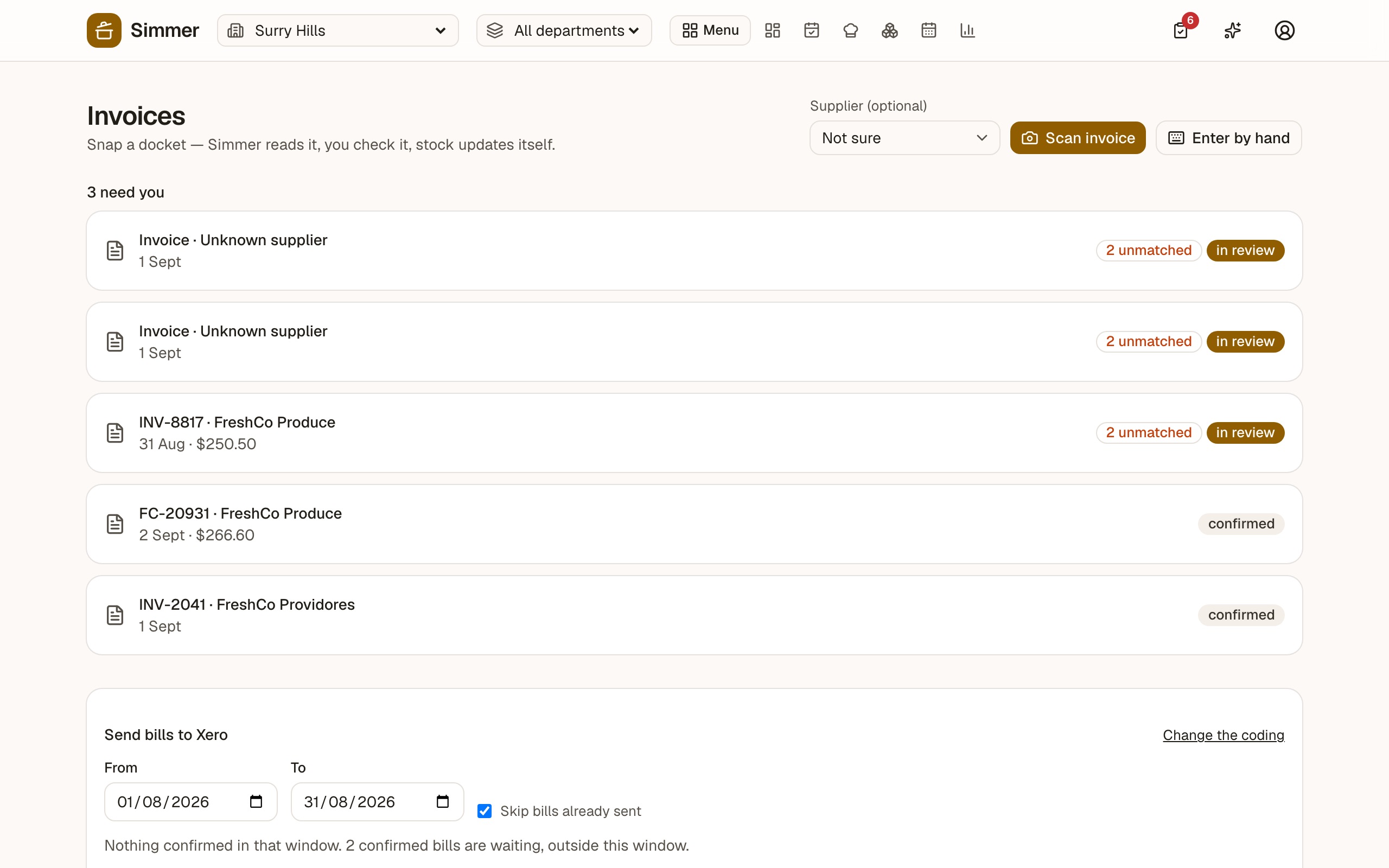
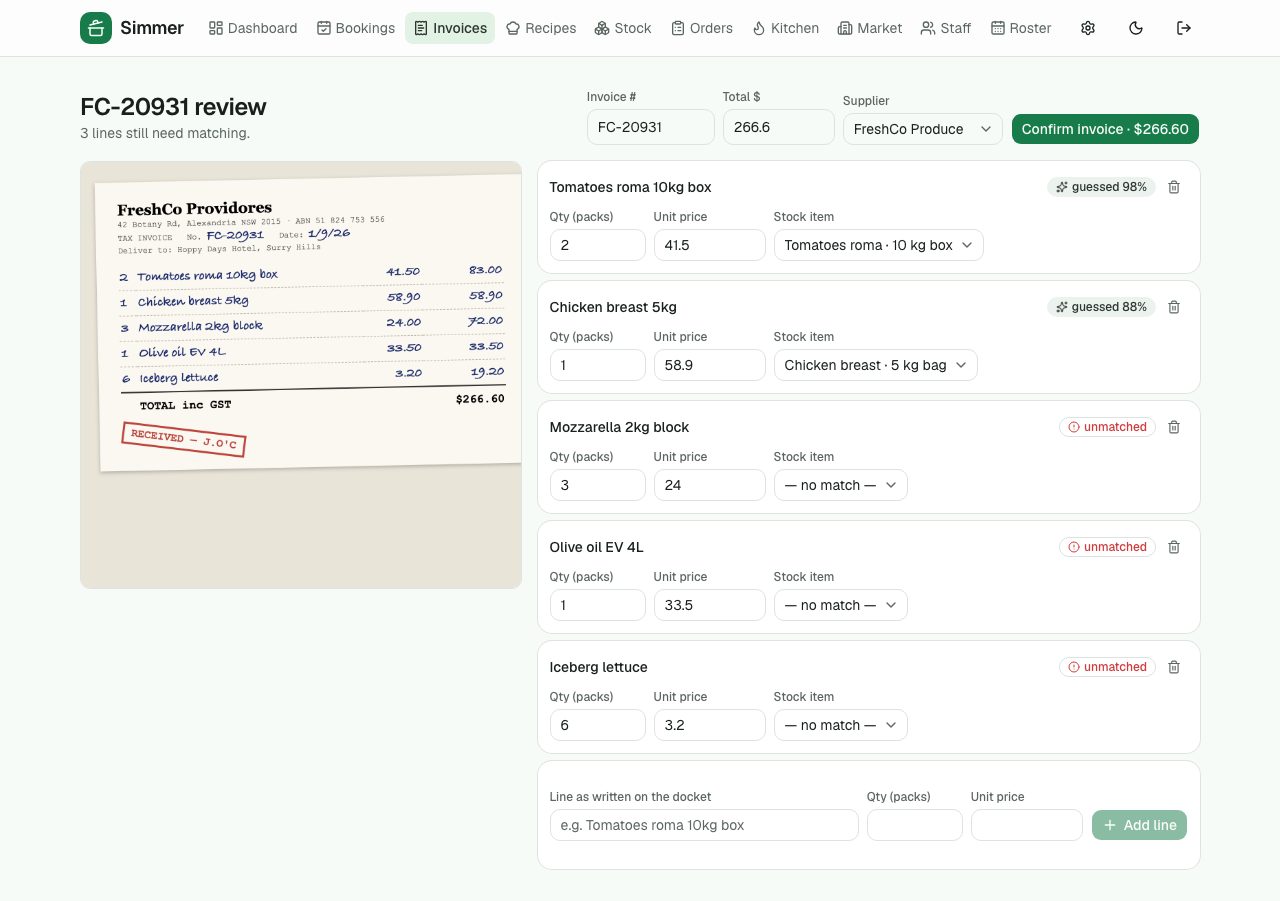
Snap a supplier docket — even a handwritten one — and Simmer reads it, matches the lines to your stock items and updates what's on hand. Or type it in. Stock levels drive a par-based order pad grouped by supplier.
Docket scanning
Photograph the invoice; the lines are read and matched to your stock items with a confidence score you check. Handwriting included.
Enter by hand
Type the lines as they read on the docket; unknown items become new stock items in one step.
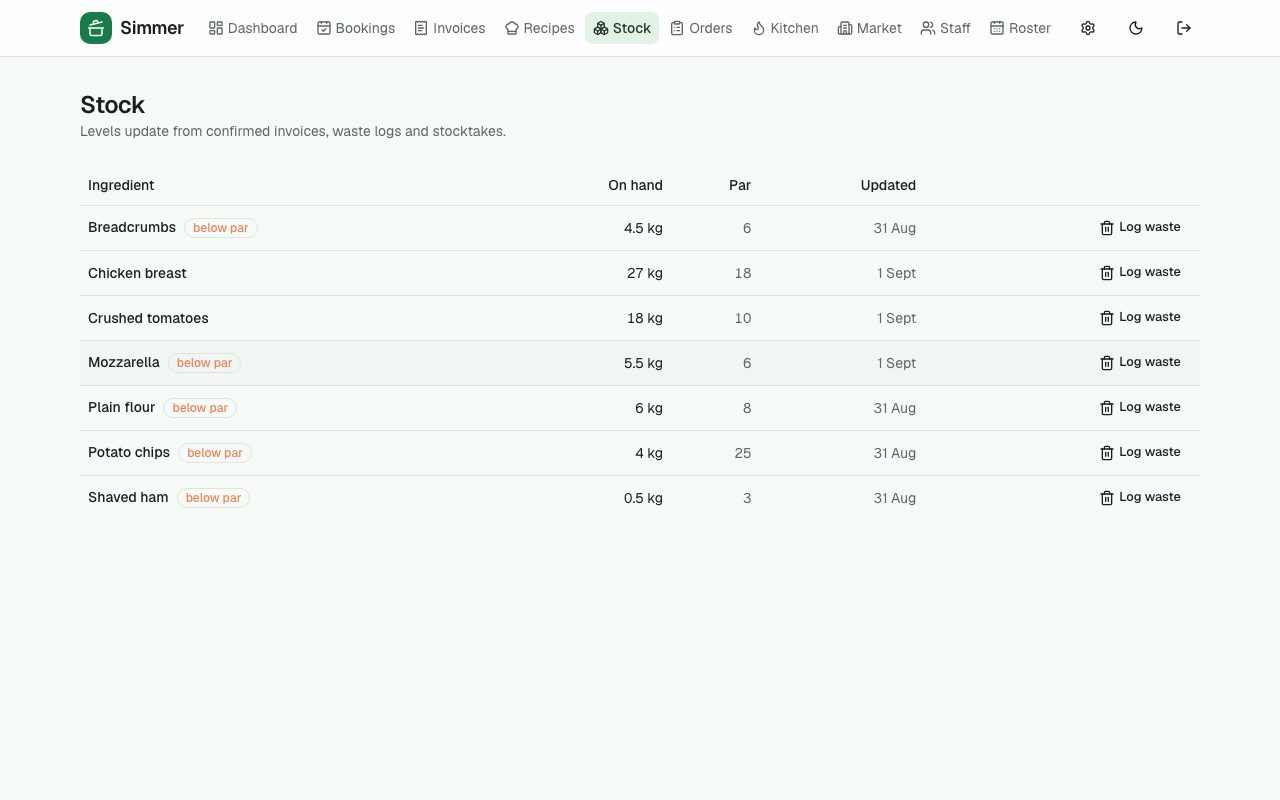
Stock on hand
Levels update from confirmed invoices, waste logs and stocktakes. Below-par items are flagged.
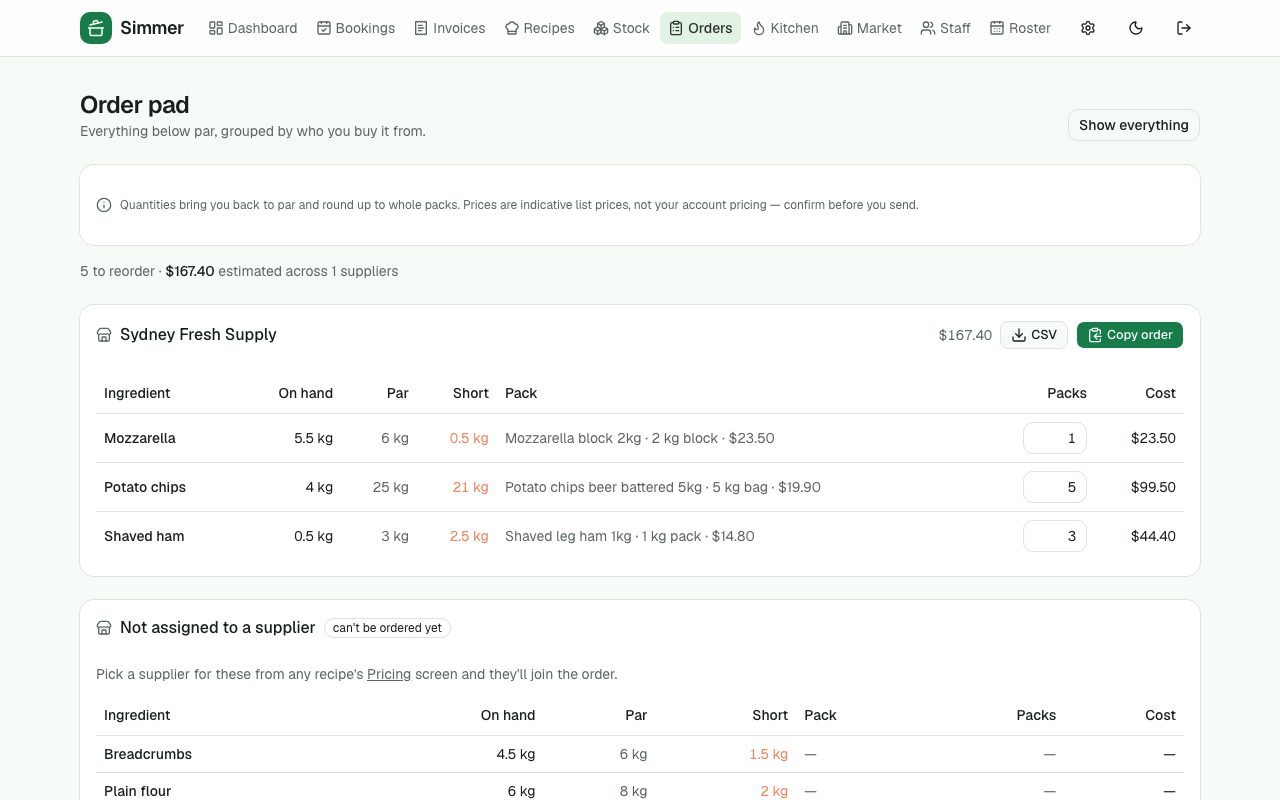
Order pad
Everything below par, grouped by wholesaler, rounded up to packs. Copy the order or download it.
›5 more features and 4 more screens
Tablet stocktakes
Big rows and an on-screen keypad; every count saved as you go; a partial count never zeroes what wasn't counted.
Waste log
What went in the bin and why, so the waste report means something.
Count sheets by area
Give every item an area and a shelf order; the tablet's stocktake walks the room in that order, and the count sheet prints the same way.
Stock between venues
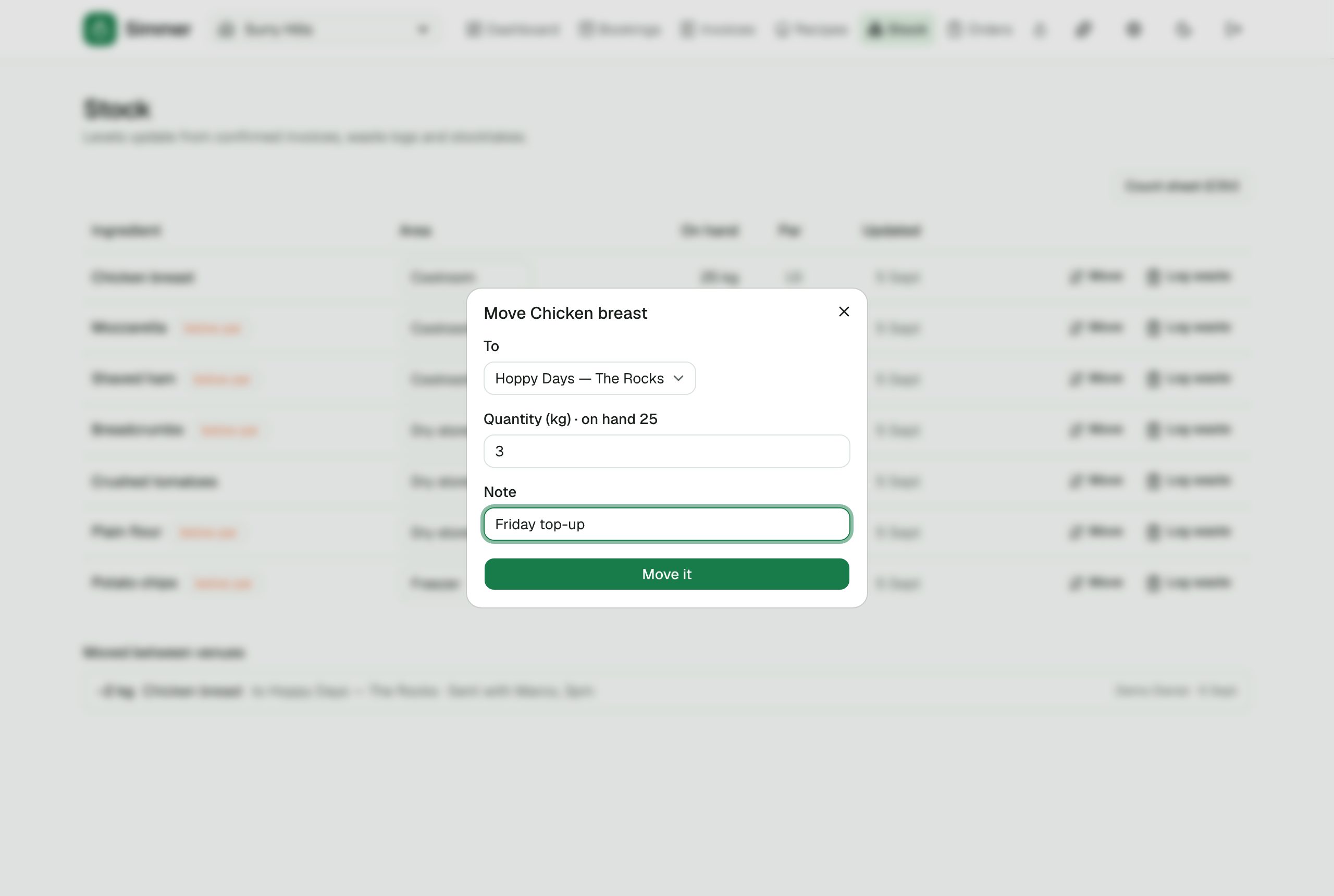
Move stock to another of your venues: both levels change at once and either stock page lists who sent what.
Order pad, forecast-adjusted
One toggle scales every par to the week ahead's expected covers, so the packs follow the week you're about to have.
Back of house
Recipes, costing and the menu
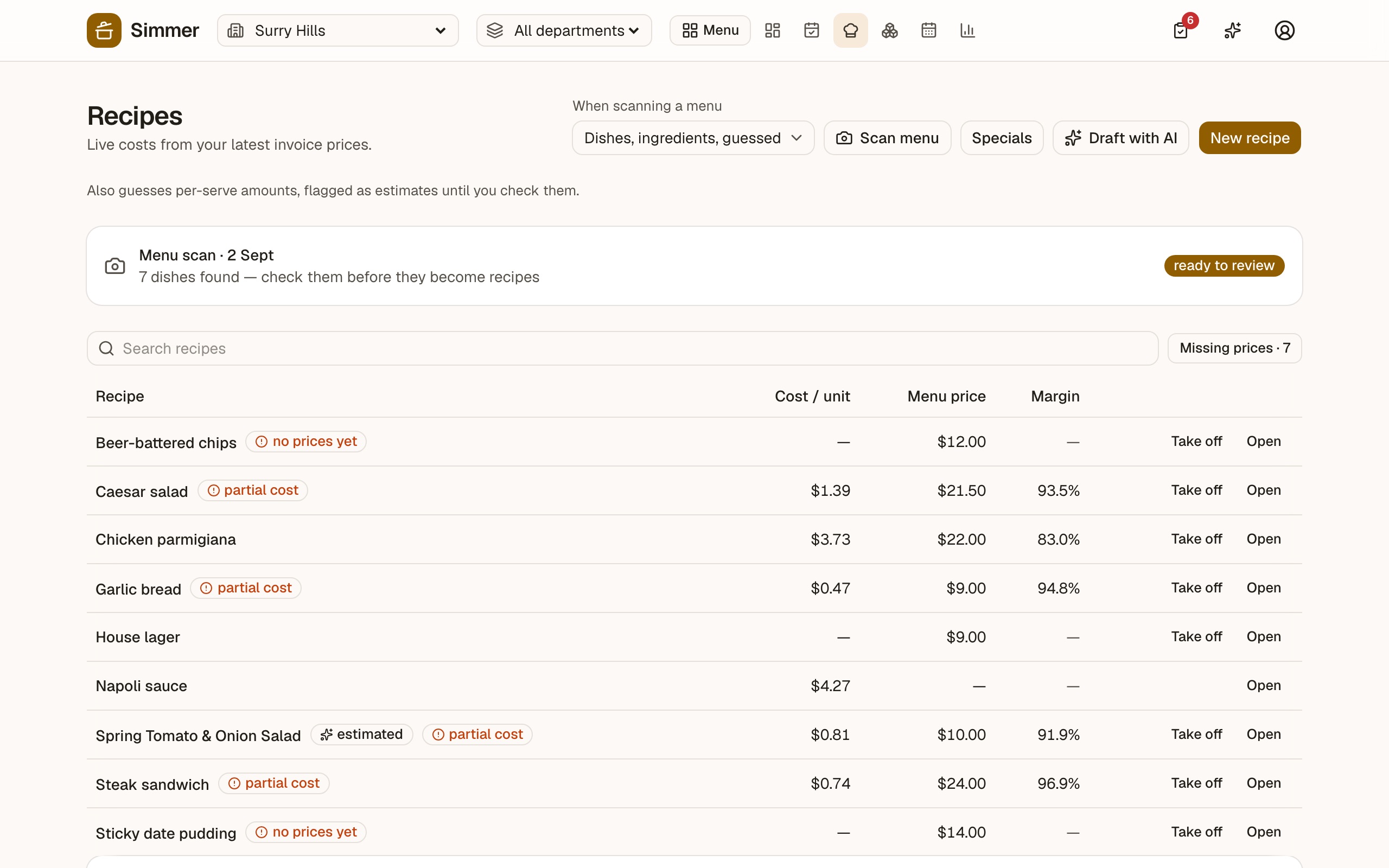
Every dish knows what it costs to make right now — from the prices you're actually paying — and what margin the menu price leaves. Allergens roll up from the ingredients. A photo of your menu can set the whole thing up.
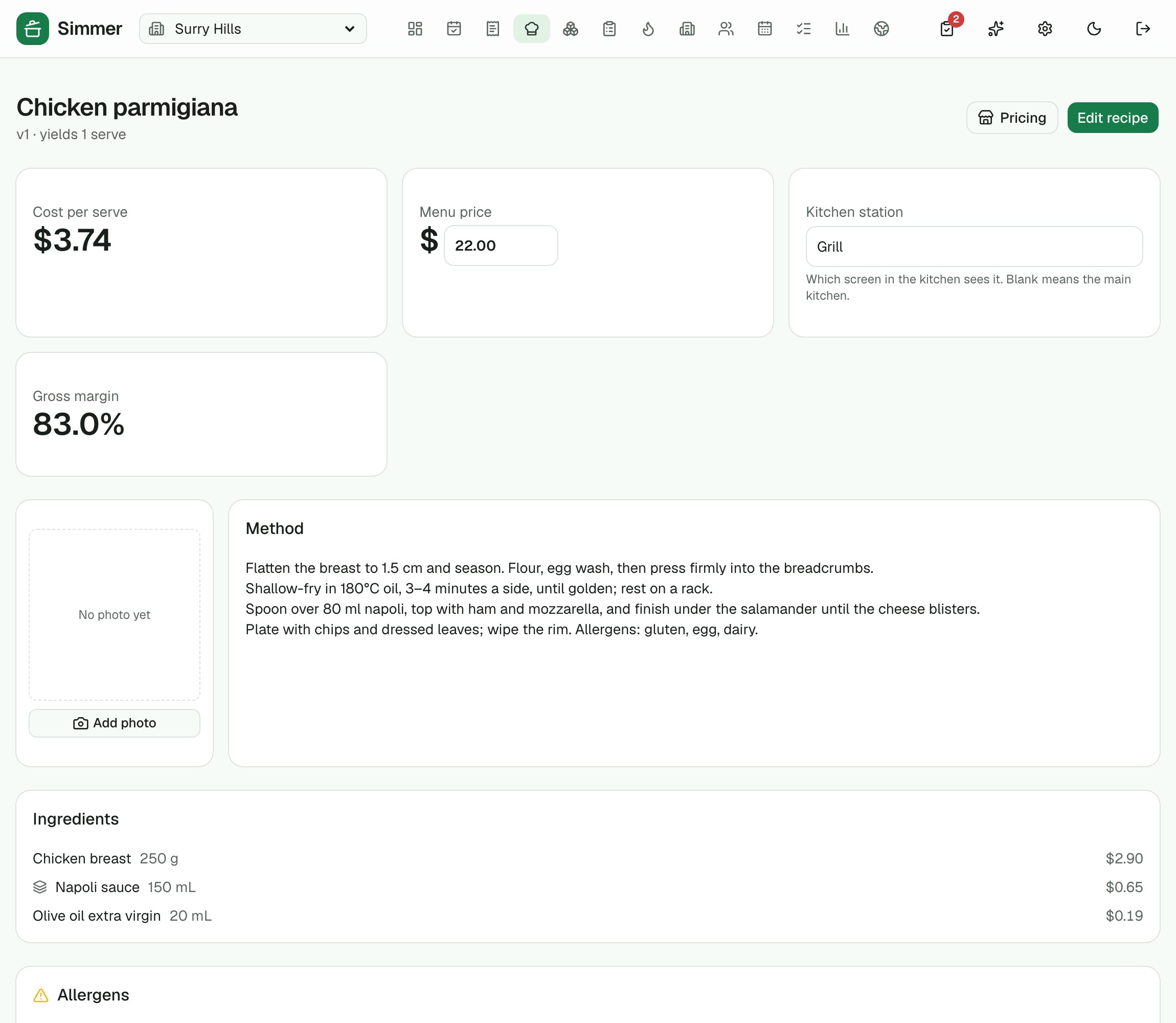
Recipes with live costing
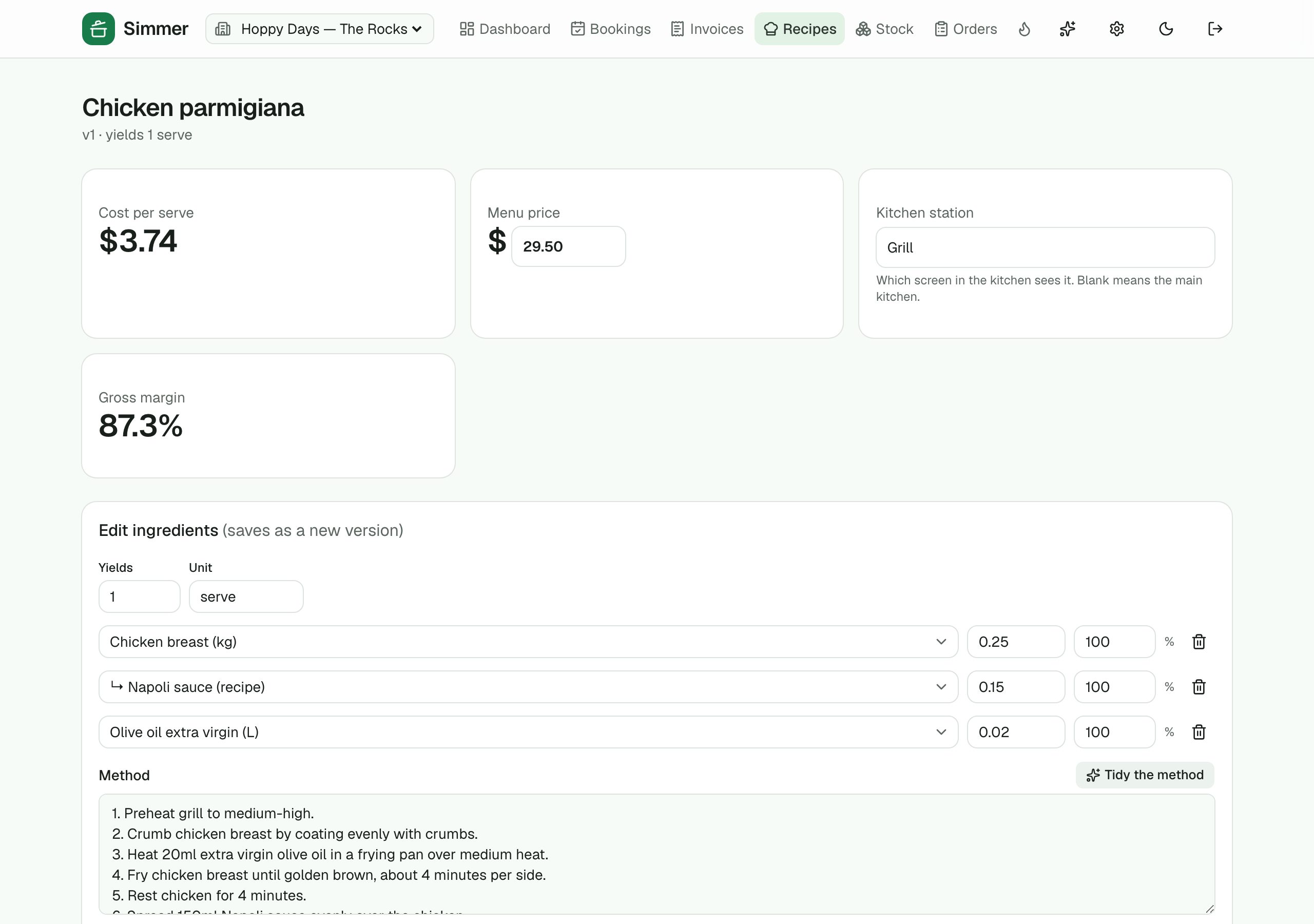
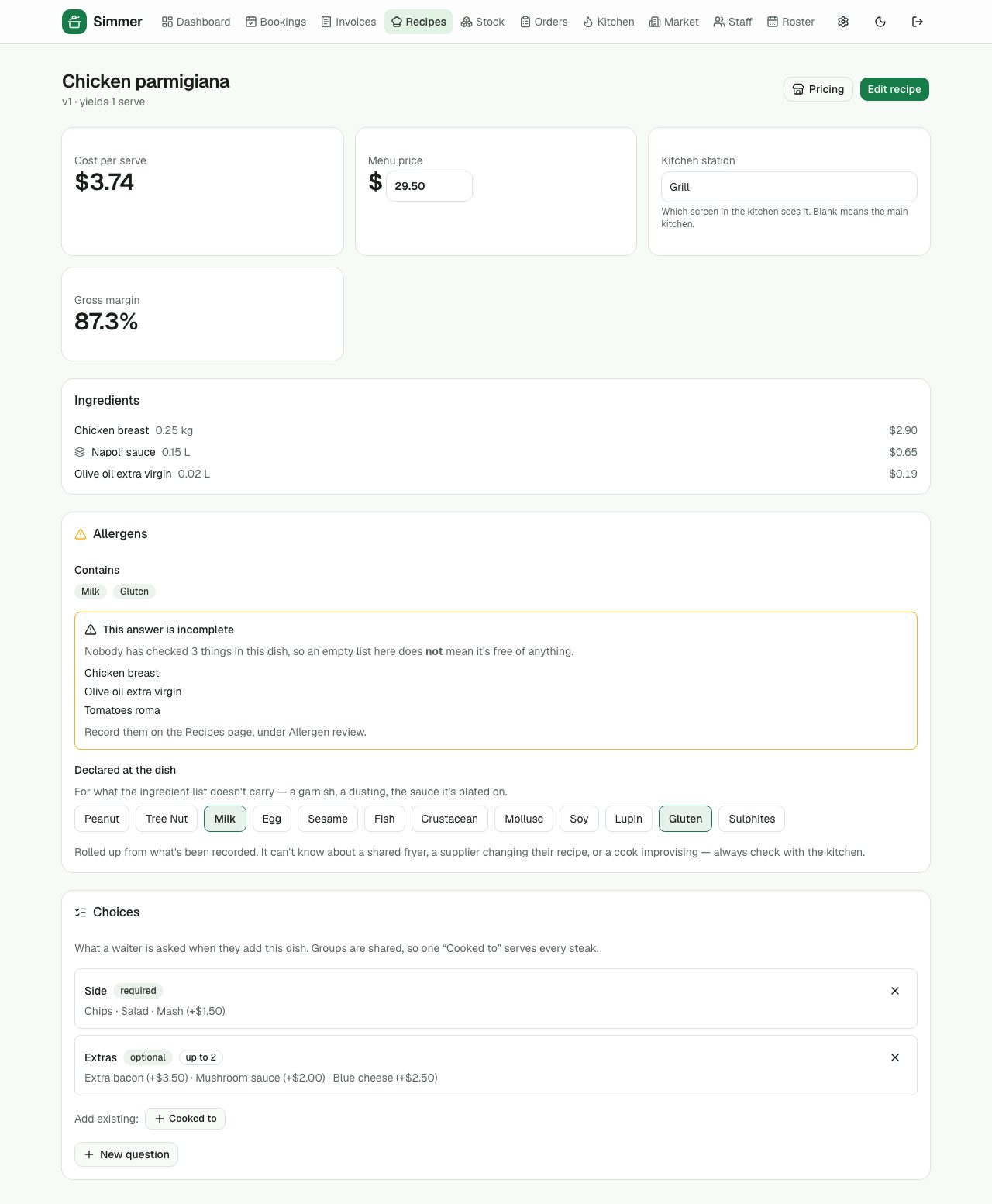
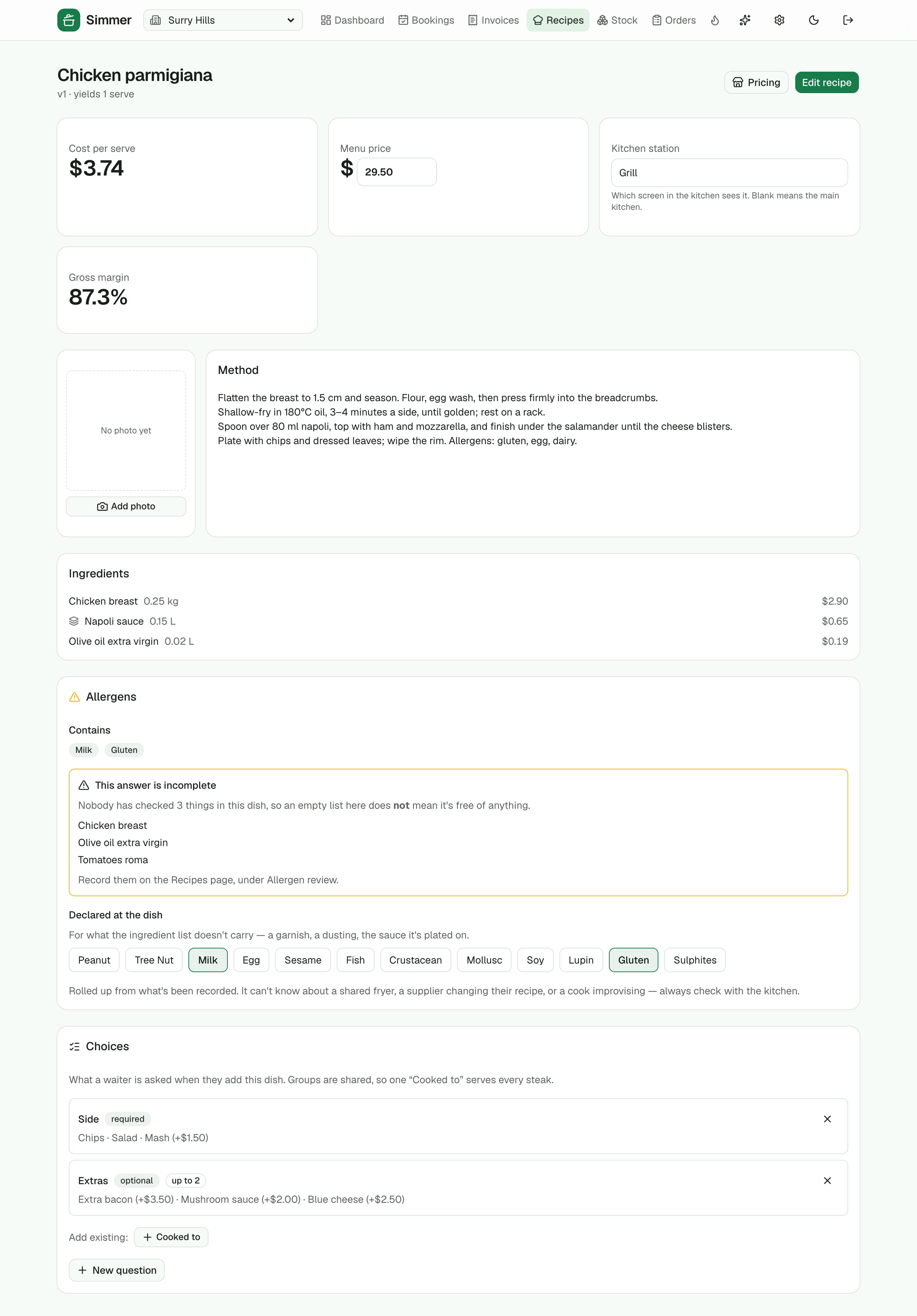
Ingredients and quantities, sub-recipes (the sauce inside the parmi), cost per serve and gross margin against the menu price.
Menu-photo import
Photograph a menu; Simmer proposes dishes and ingredients for you to accept, at the fidelity you choose.
Allergens
The Australian allergen list on every ingredient, rolled up to the dish, with an honest "not fully checked" when a line is missing.
Choices and stations
"Cooked to", sides and extras; which kitchen screen cooks it.
›8 more features and 10 more screens
Pricing board
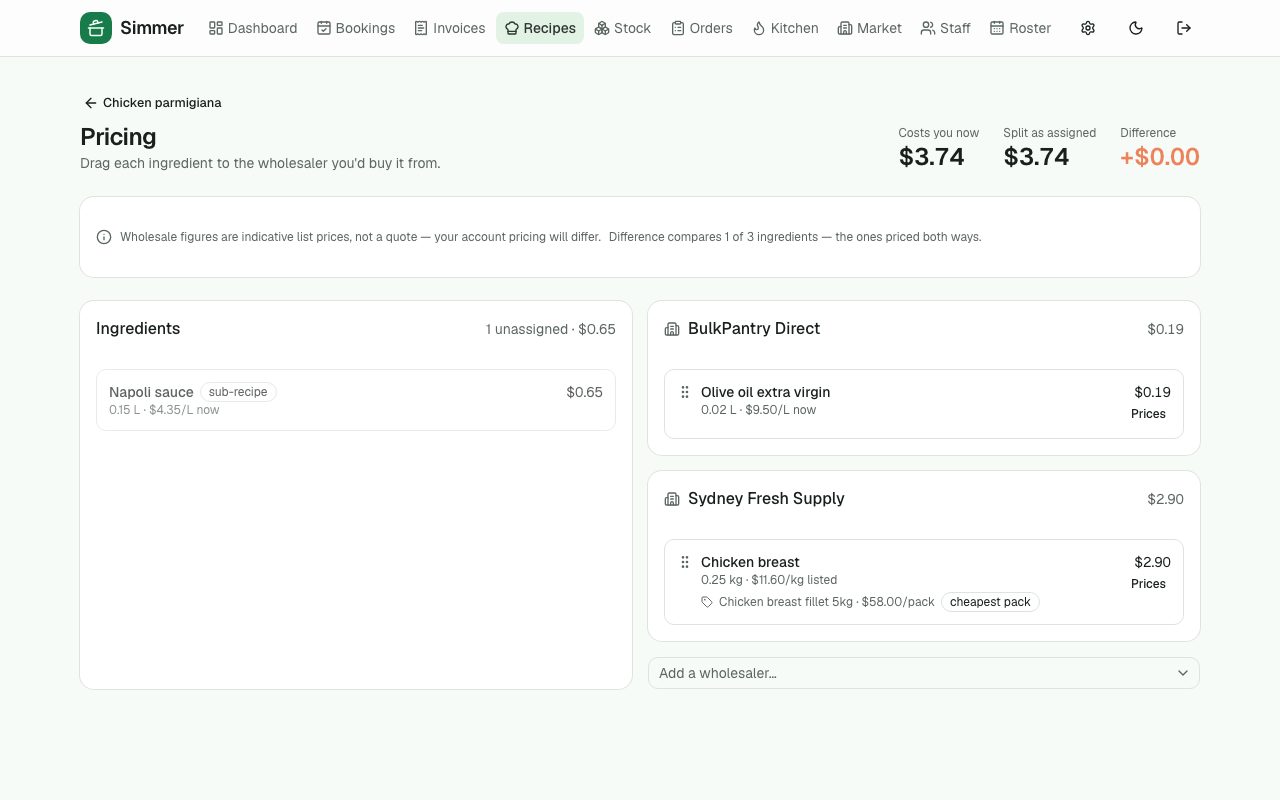
Drag each ingredient to the wholesaler you'd buy it from and see what the dish costs both ways.
Price-change alerts
When a supplier's price moves, the dishes it affects and their new margins are flagged in the insights.
Menu engineering
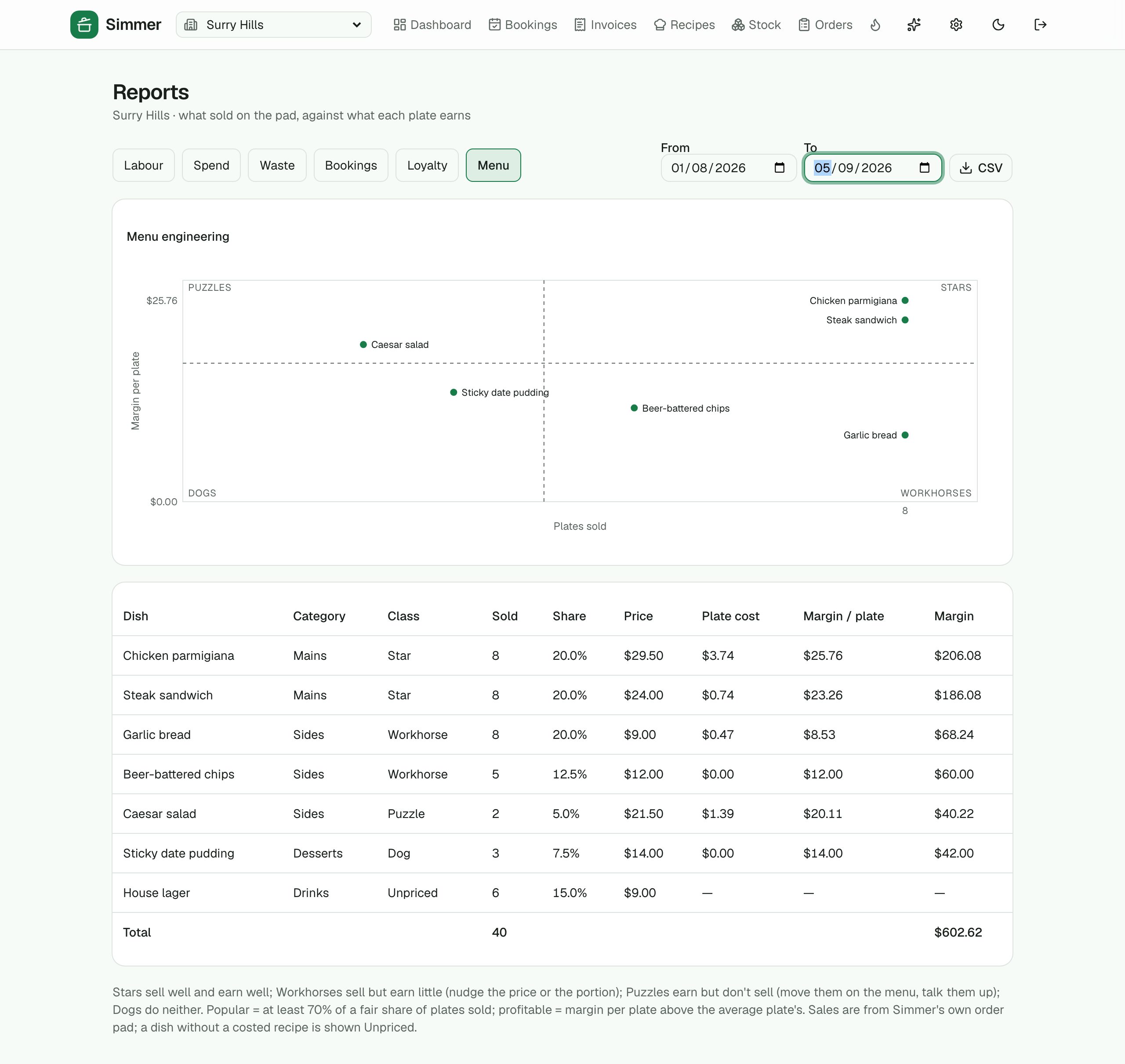
What sold against what each plate earns: Stars, Workhorses, Puzzles and Dogs on one chart, from the pad's own sales.
Method, photo and yield
The recipe is a kitchen manual as well as a cost sheet: the method, a photo of the plate, and a yield per line so pumpkin at 80% costs what you actually buy.
Draft with AI
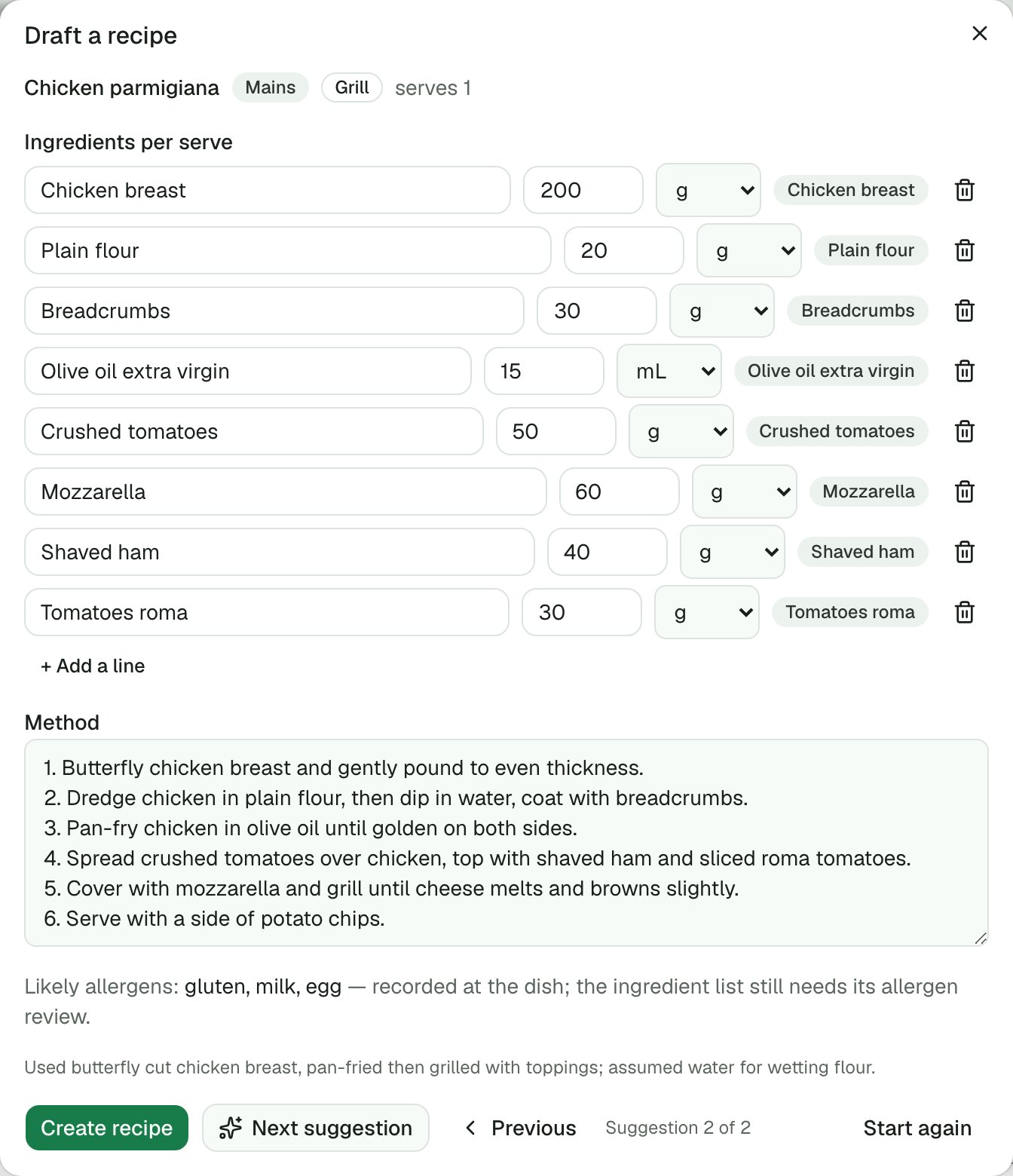
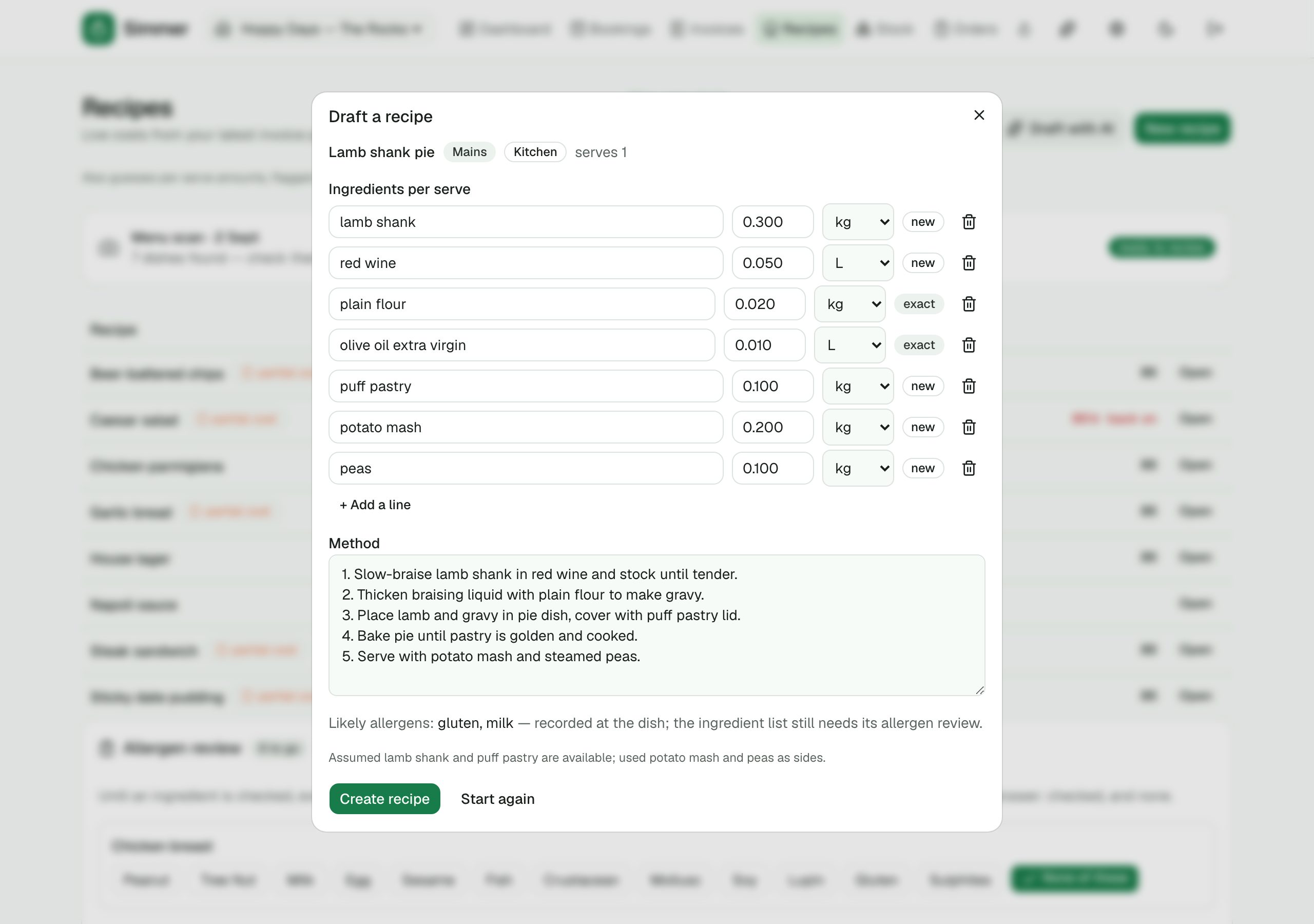
Type a dish and Simmer proposes the ingredient lines — matched to your own ingredient list — with per-serve quantities, a method, a station and the likely allergens. Edit, then create. Every drafted quantity stays marked as an estimate until someone weighs it.
Weekly specials from what's cheap
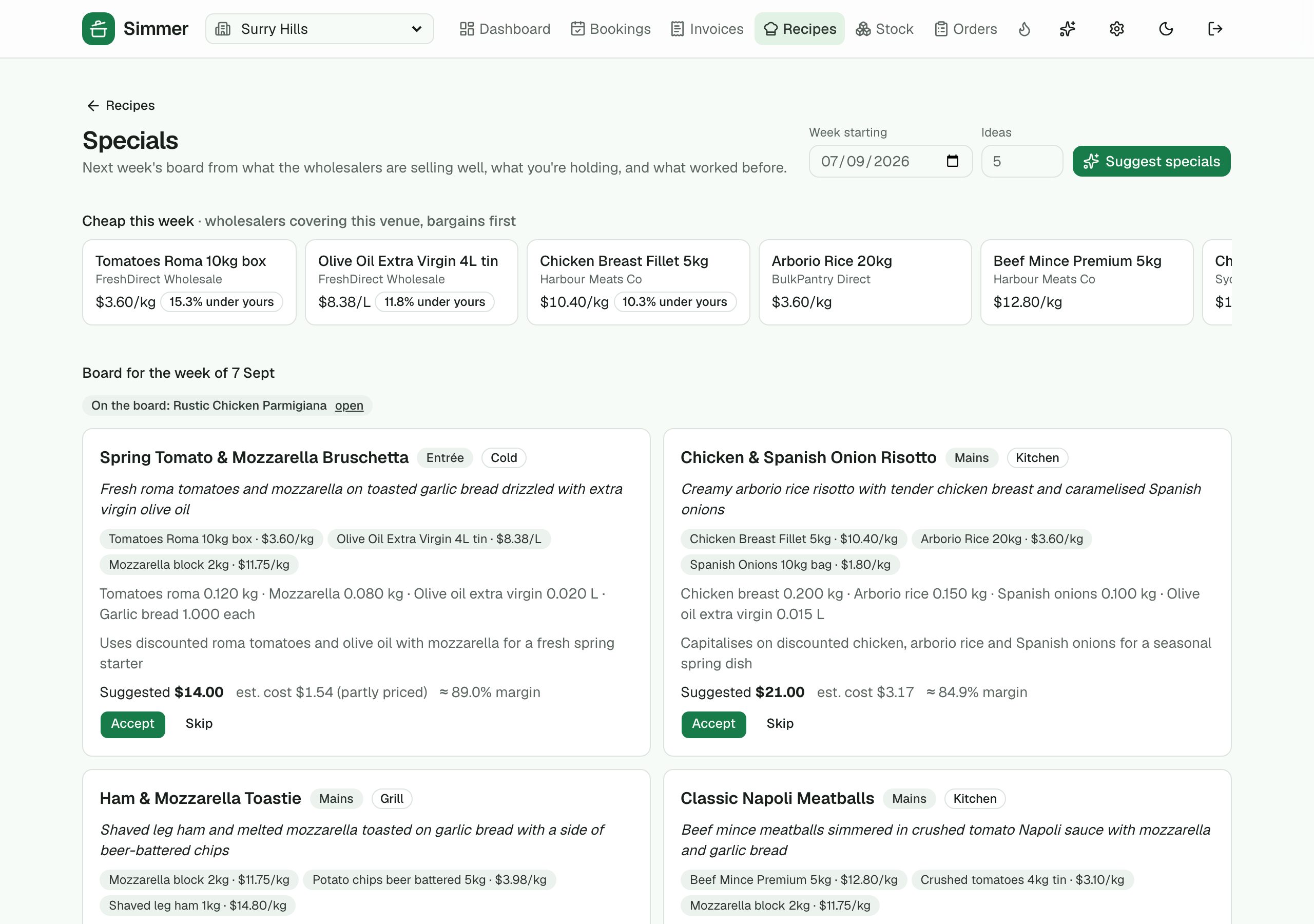
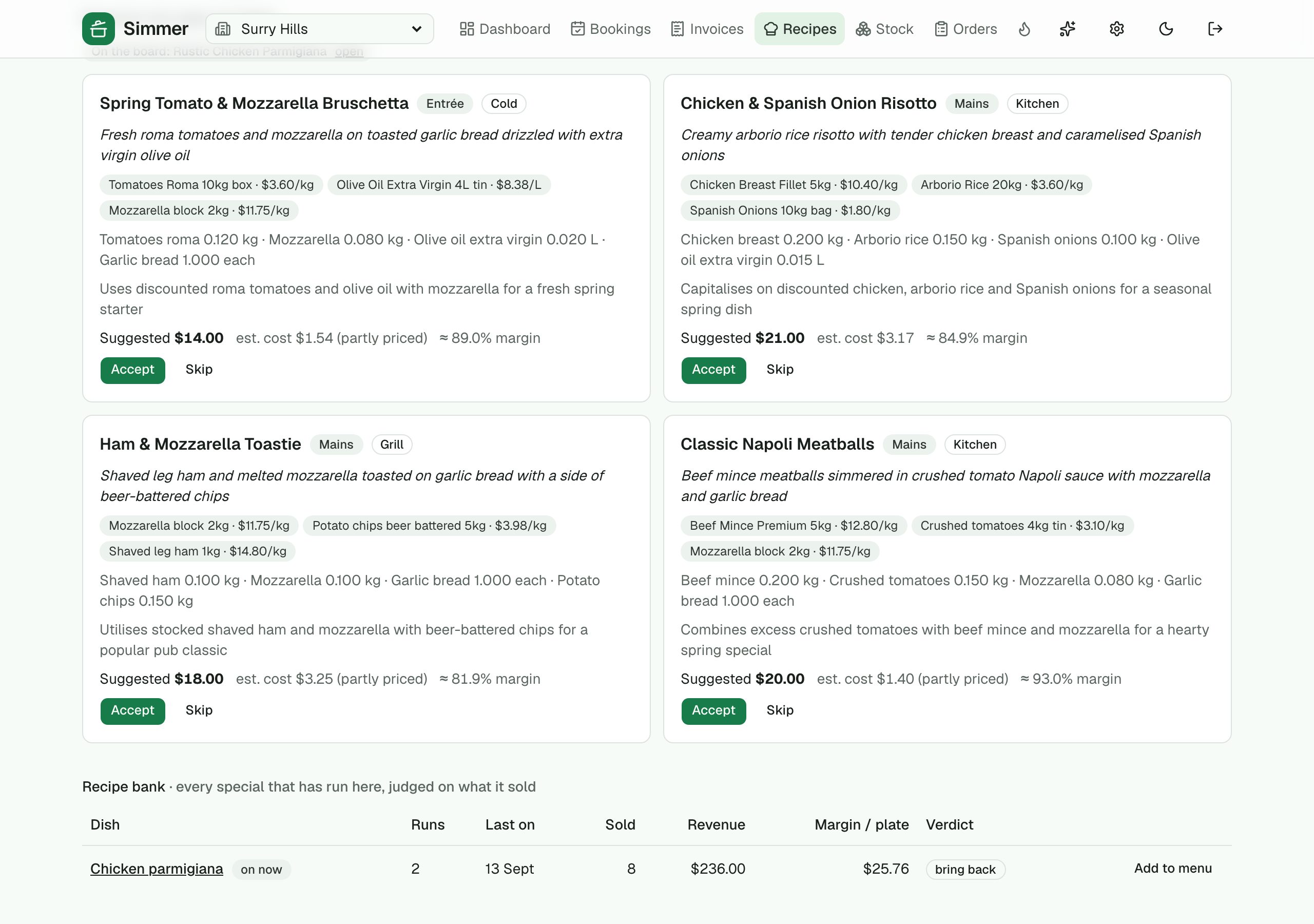
Simmer reads this week's wholesaler lines for your state (price drops, lines under what you pay), what you're holding over par and what worked before, and proposes a specials board with the deal behind each dish, an estimated cost and a suggested price. Accept puts it on the pad for the week; it comes off on its own when the week ends.
The recipe bank
Every special that has run, judged on what it sold while it was on: plates, revenue, margin and a verdict. Bring a keeper back, or promote it to the standard menu.
Write or tidy the method
From the ingredient lines, or from a chef's rough notes, one button turns them into numbered steps you check before saving.
Buying
Wholesale prices
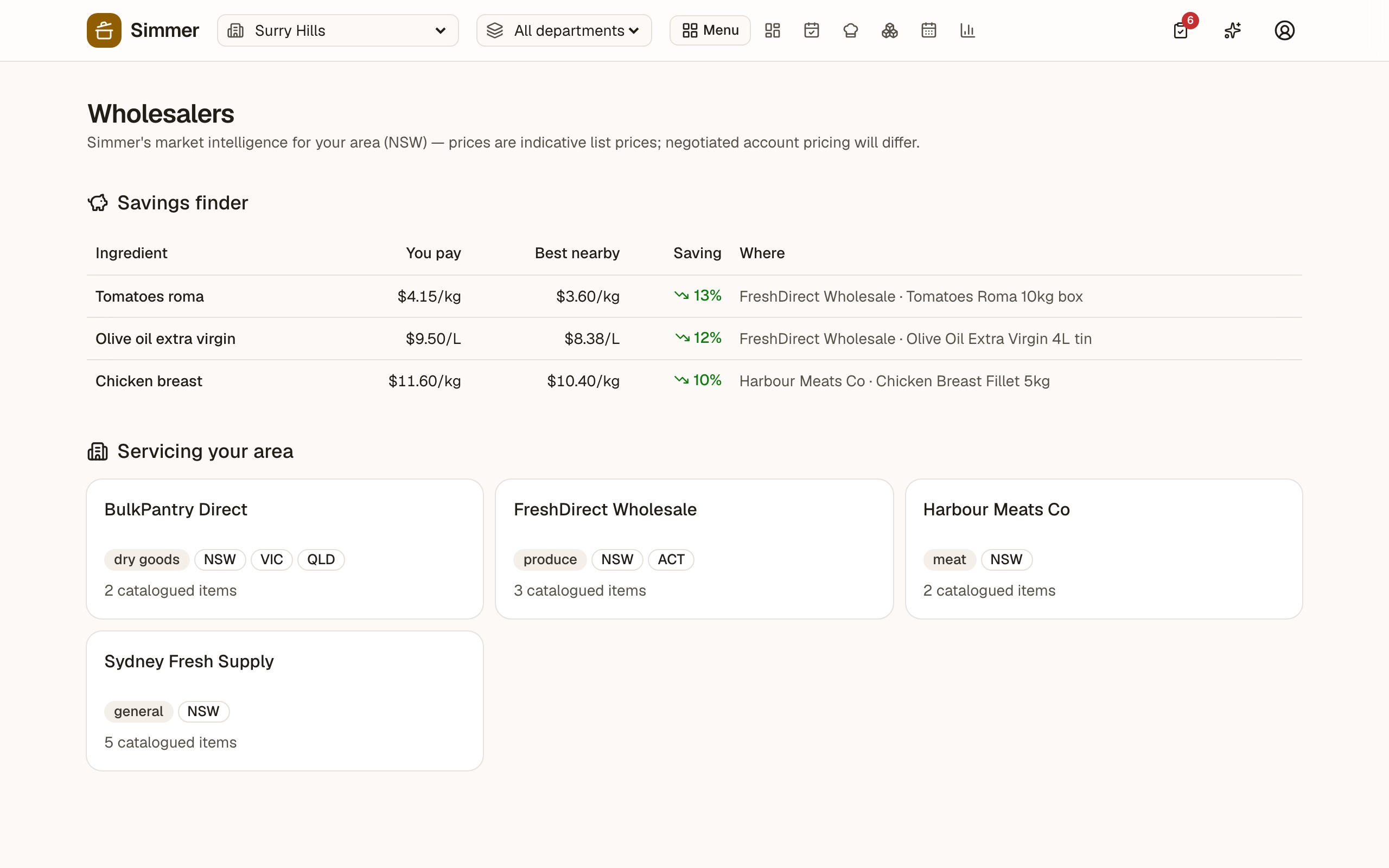
Simmer keeps a catalogue of wholesale list prices for your state, and compares them with what you're paying. Indicative, not a quote — but it tells you where to ask.
Savings finder
For the ingredients you buy, the best nearby list price and who has it.
Wholesalers servicing your area
Who delivers to your state and what they carry.
Per-ingredient sourcing
Record which wholesaler you buy each thing from; costing follows.
The owner's view
Insights, reports and the weekly digest
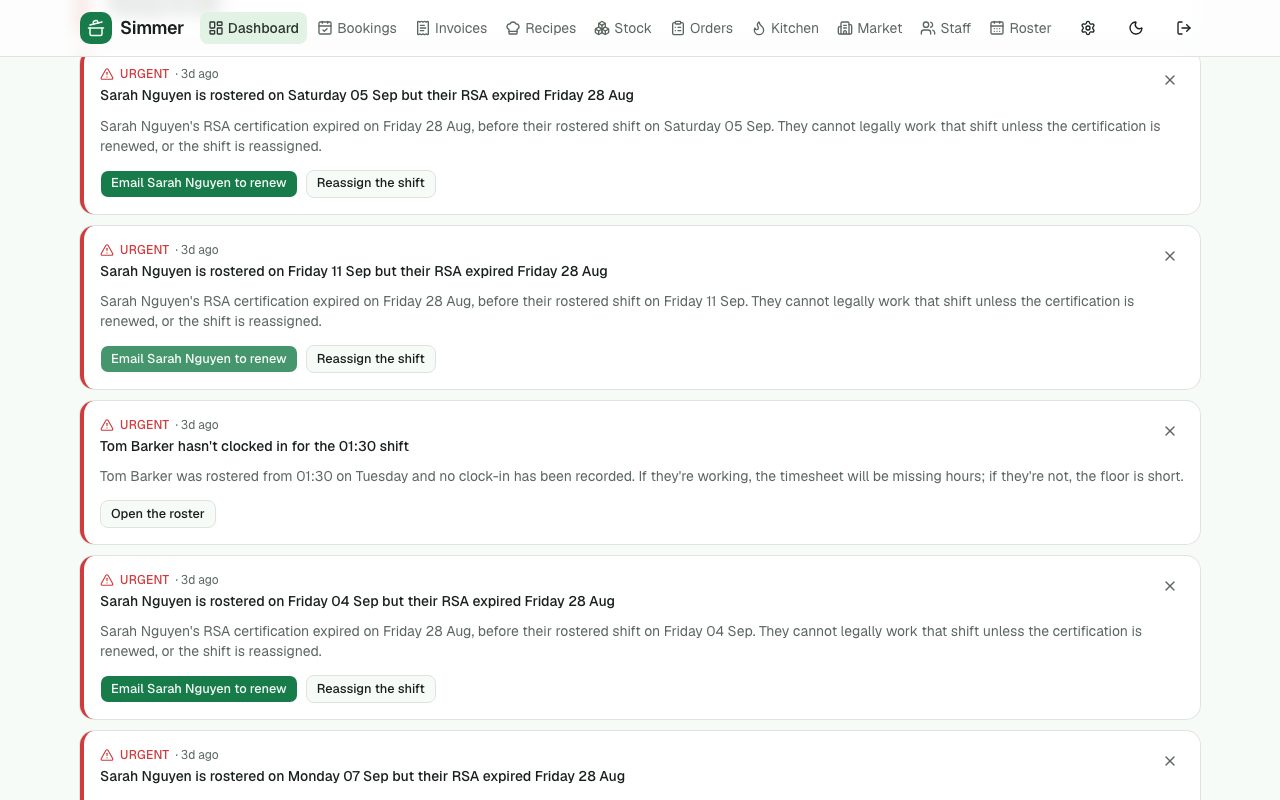
Simmer watches the roster, the stock, the invoices and the bookings and tells you what needs a human — with a button to do it. Reports for the accountant; a Monday-morning email for you.
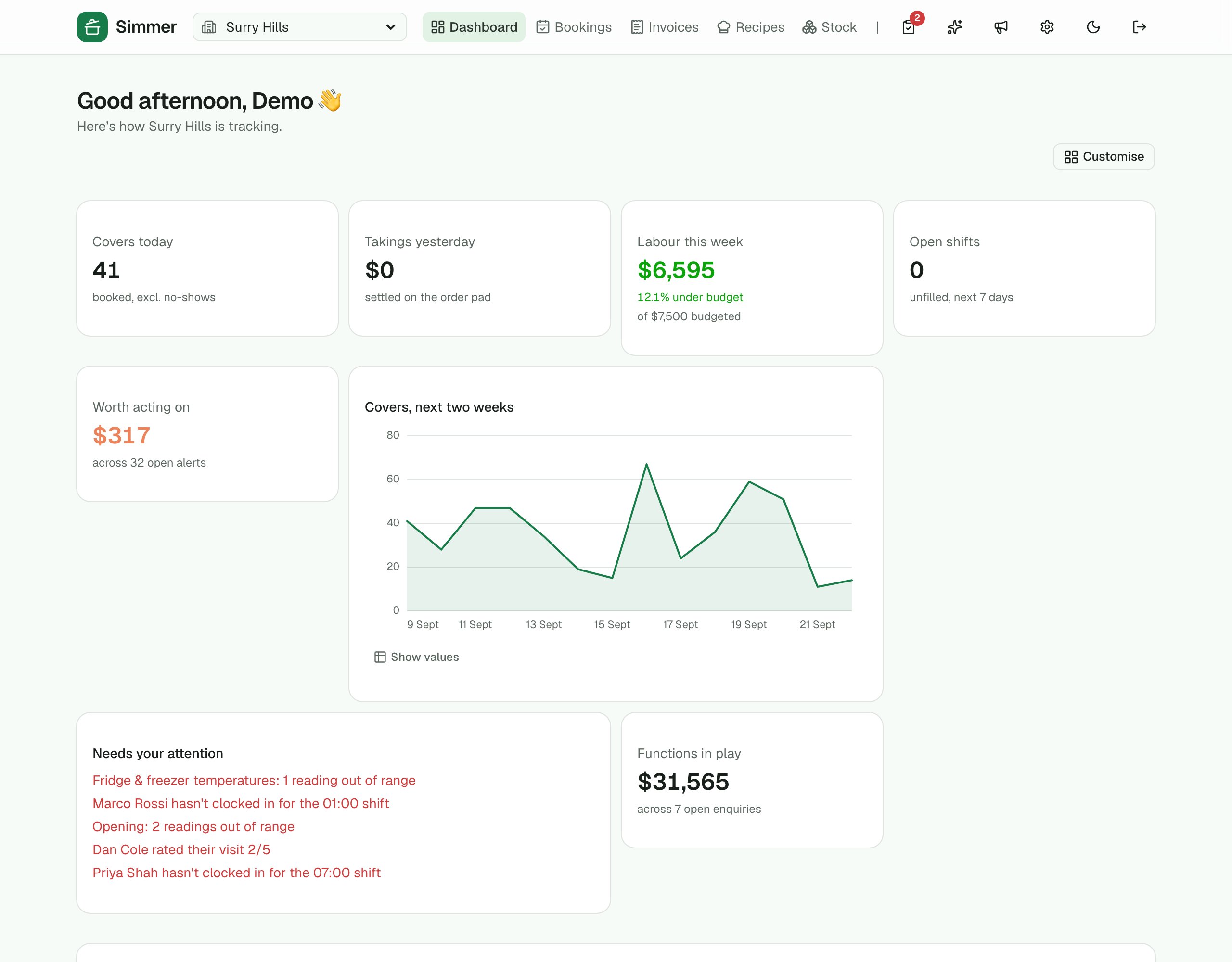
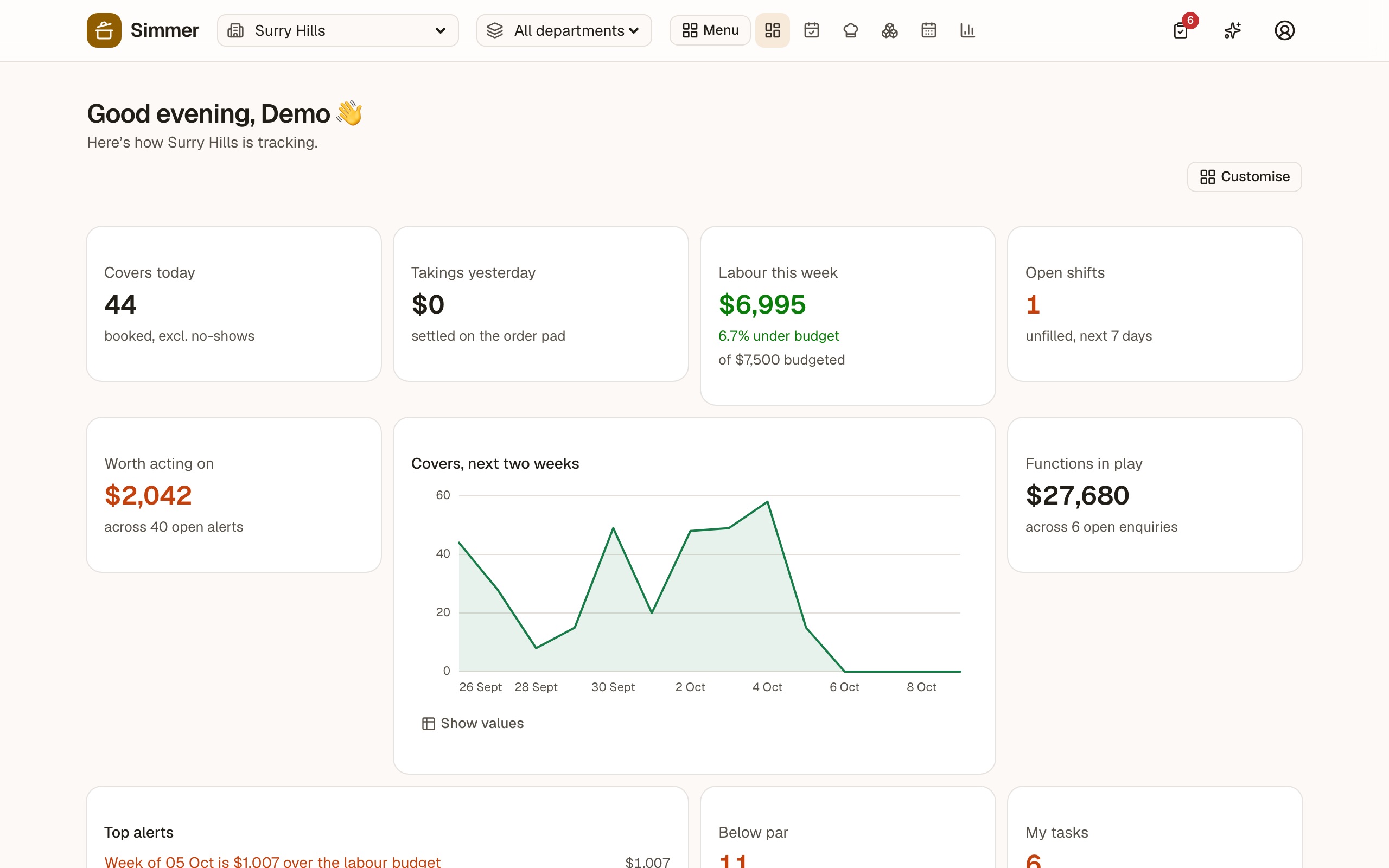
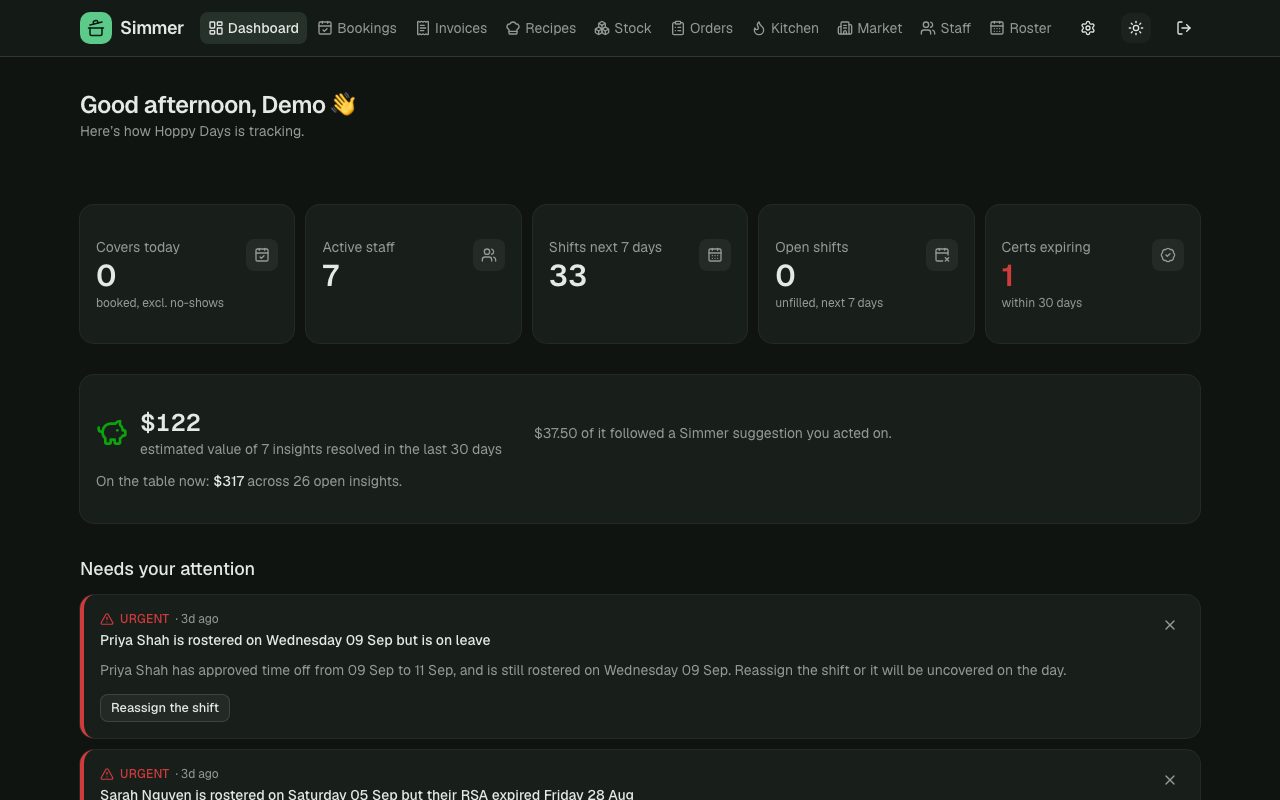
Dashboard
Today's numbers and the list of things that need your attention, ranked, each with an action.
Insight rules
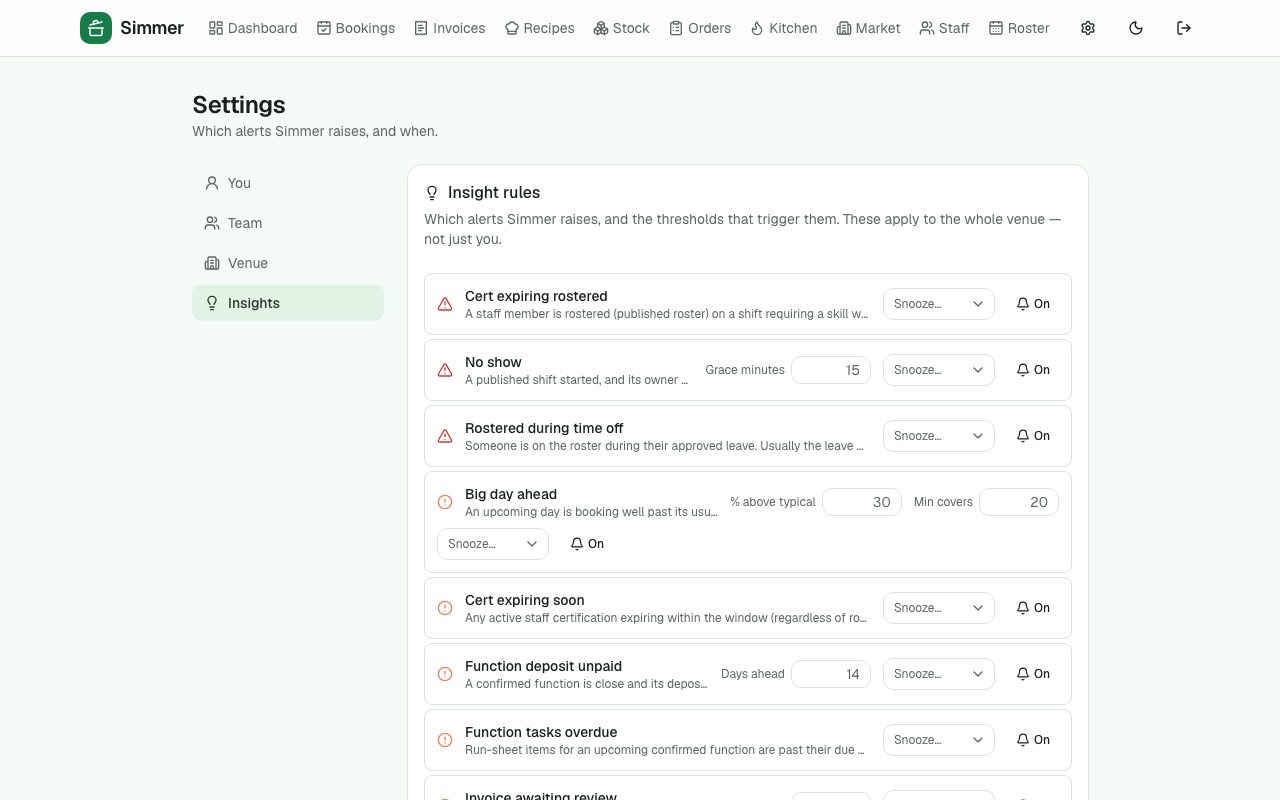
Expired certifications, no clock-in for a shift, stock below par, a supplier's price up 15%, a big day ahead, a docket stuck in review. Set thresholds, snooze or mute each rule, and see the dollar impact of what you acted on.
Reports
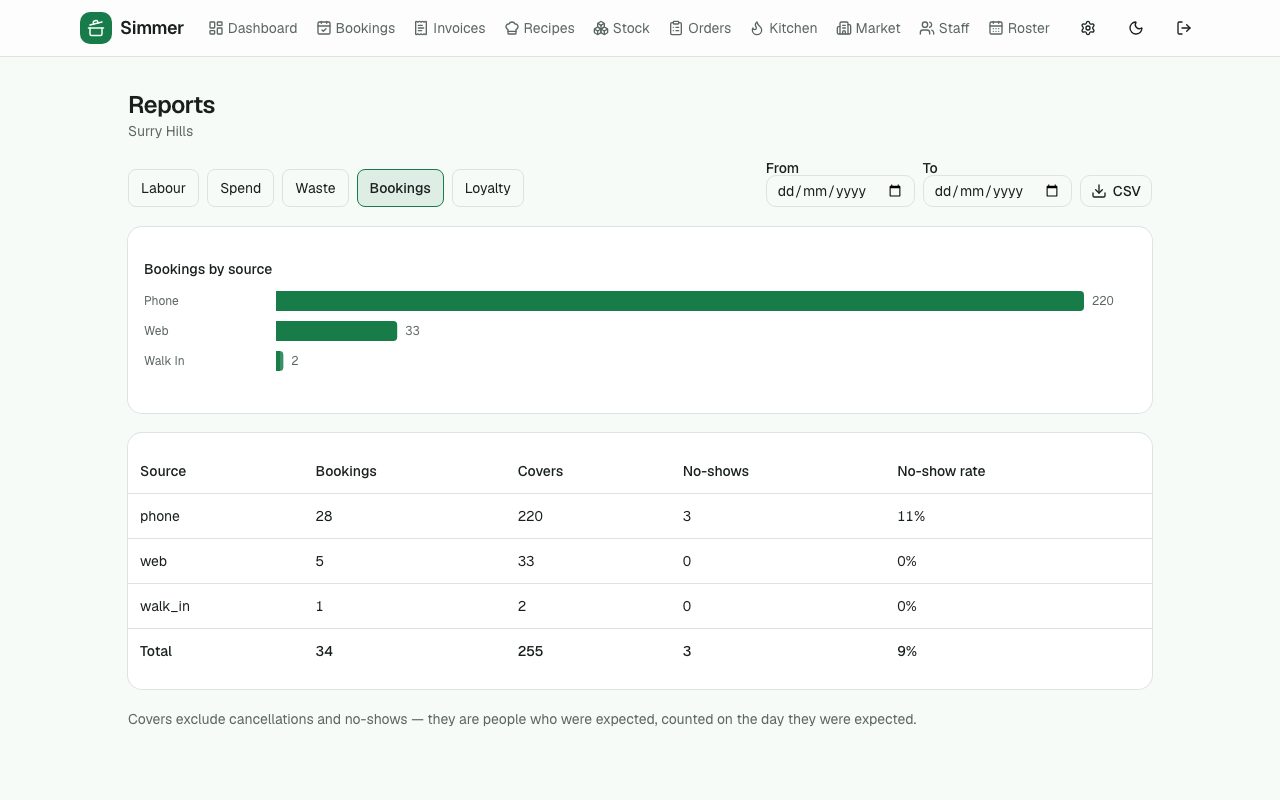
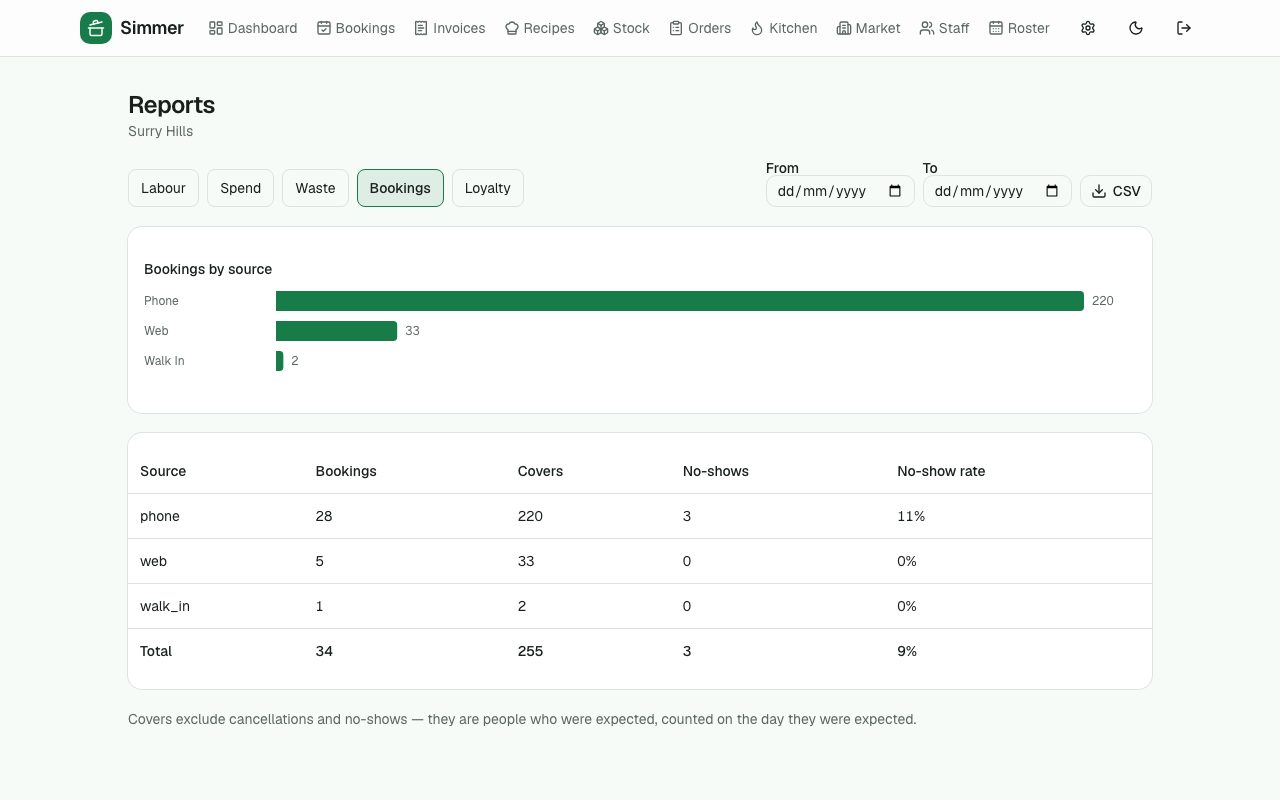
Labour vs budget by week, spend by category, waste by reason, bookings by source, loyalty — as charts and as tables, with CSV.
Weekly digest
An email on Monday: the week that was, the week ahead, the open items.
›2 more features and 5 more screens
Notifications
Push to a manager's phone for the urgent ones.
Daily digest
Yesterday in one email at 7am, per venue: covers and no-shows, takings, what guests said, checklists missed, alerts open. Opt-in.
The assistant
Ask Simmer, in plain English
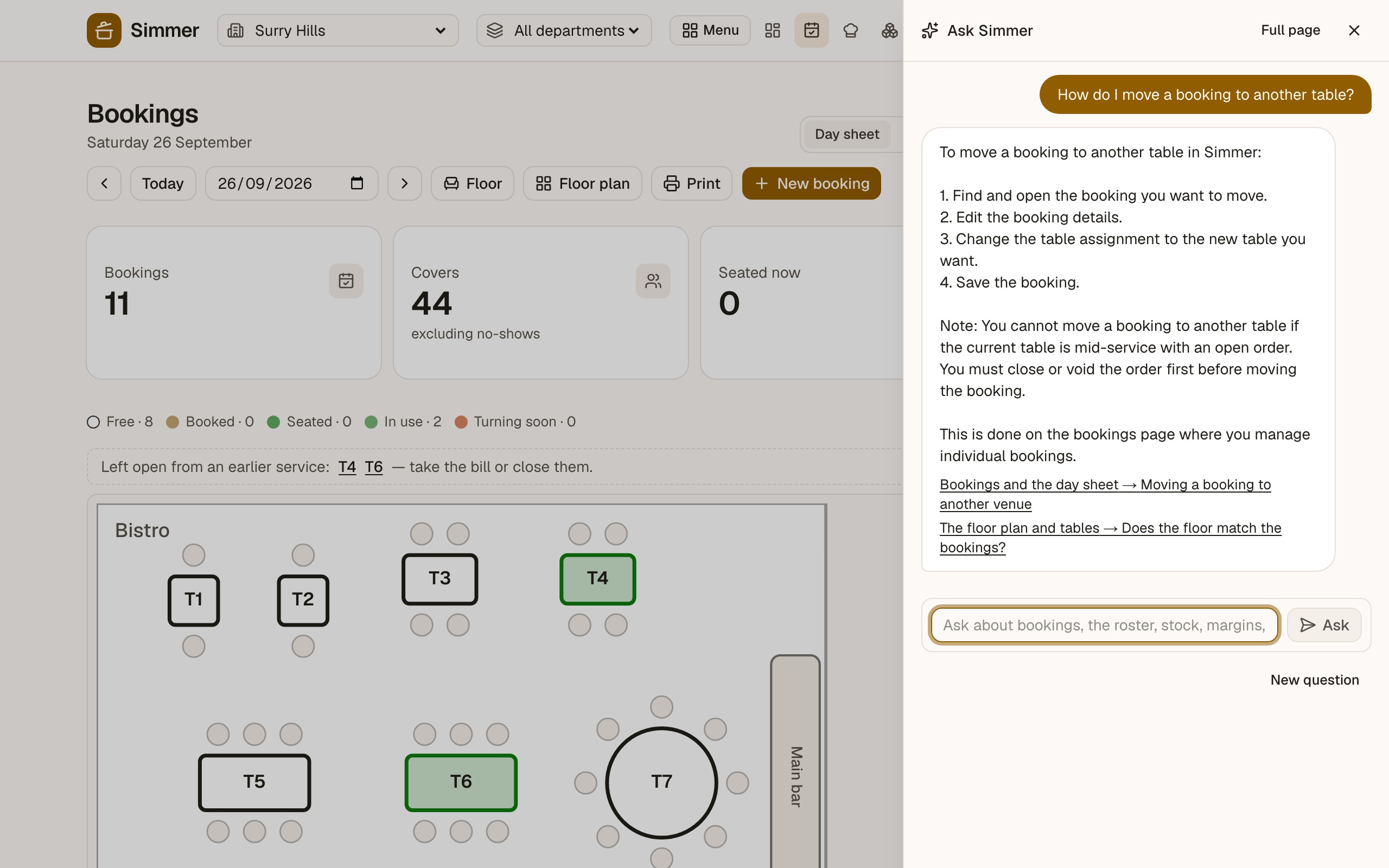
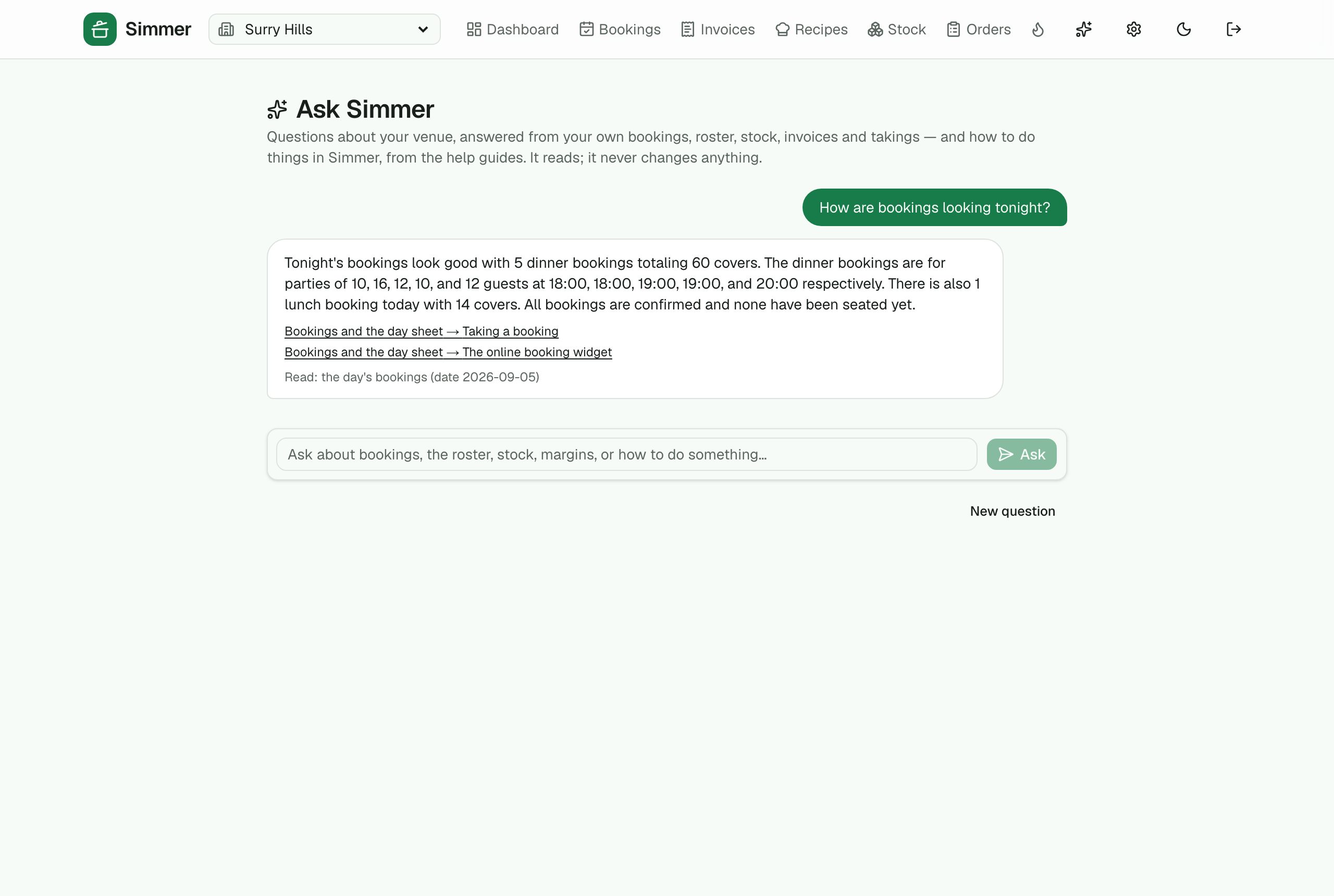
The sparkle in the top bar opens an assistant that answers from the venue's own data and from the help guides — how many covers tonight, is the roster over budget, what's below par, how do I take a dish off. It only reads, never changes anything, and says what it read.
Answers from your data
Bookings, the roster, stock, invoices, takings, recipe margins, alerts and the team, through the same numbers the screens show. Every answer lists what it read.
How do I…
Step-by-step help from Simmer's own guides, with links to the section it used. Staff on their phone get the guides too — how to clock in, claim a shift, do the fridge log.
Only Simmer, only hospitality
It stays on topic: ask it for a poem or someone else's business and it declines. Attempts to talk it out of its rules are refused before a model ever sees them.
Australian-hosted, read-only
Runs on Azure AI Foundry in Australia East; its tools run in a read-only database transaction, so a bug cannot write. Guardrails and the system prompt are managed by the Simmer team, not per venue.
›1 more feature and 1 more screen
Tidy-ups and summaries
The same model writes the guest-feedback summary on the dashboard and tidies a guest's staff notes into allergies, seating and occasions — without adding anything.
Under the hood
Accounts, security and the boring parts done properly
The things a venue never thinks about until they matter: who can see what, what happened and when, getting your data out, and whether it's up.
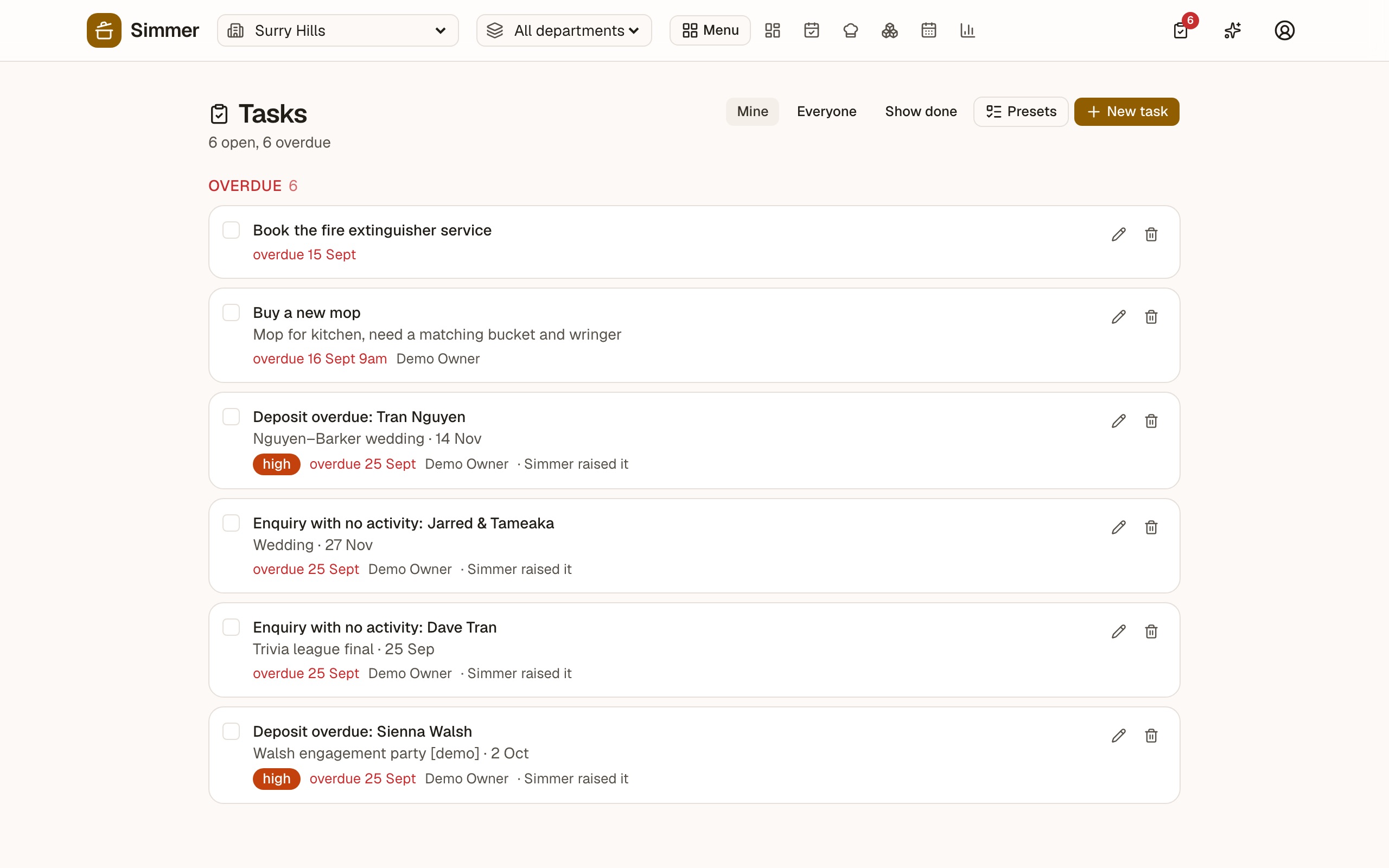
The task centre
One list of things to do, on a button in the top bar with the count. Give a task to people or to a role; tick it once and it leaves everyone's list, with a note left on the event it came from. Simmer raises its own: an overdue deposit lands on the coordinator's list by itself.
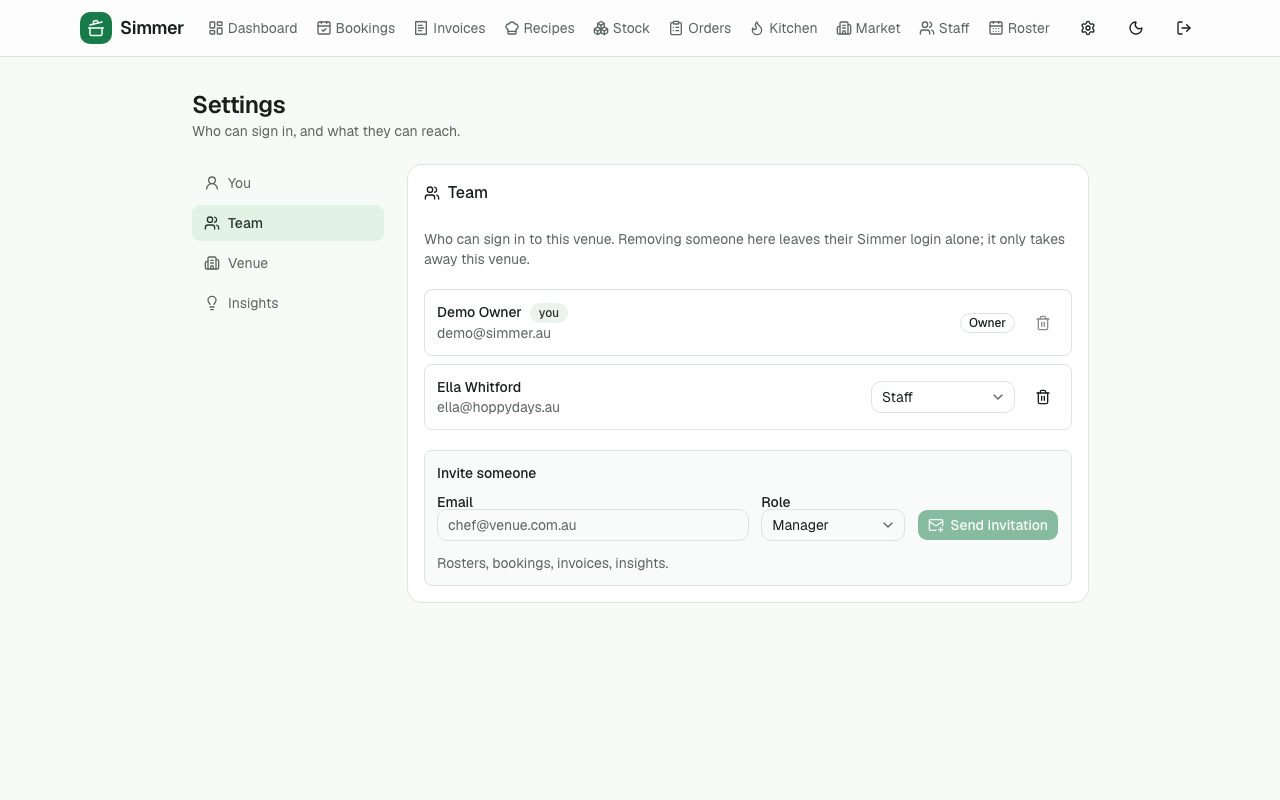
Team and roles
Owner, manager and staff logins, invited by email. Two-factor sign-in for managers.
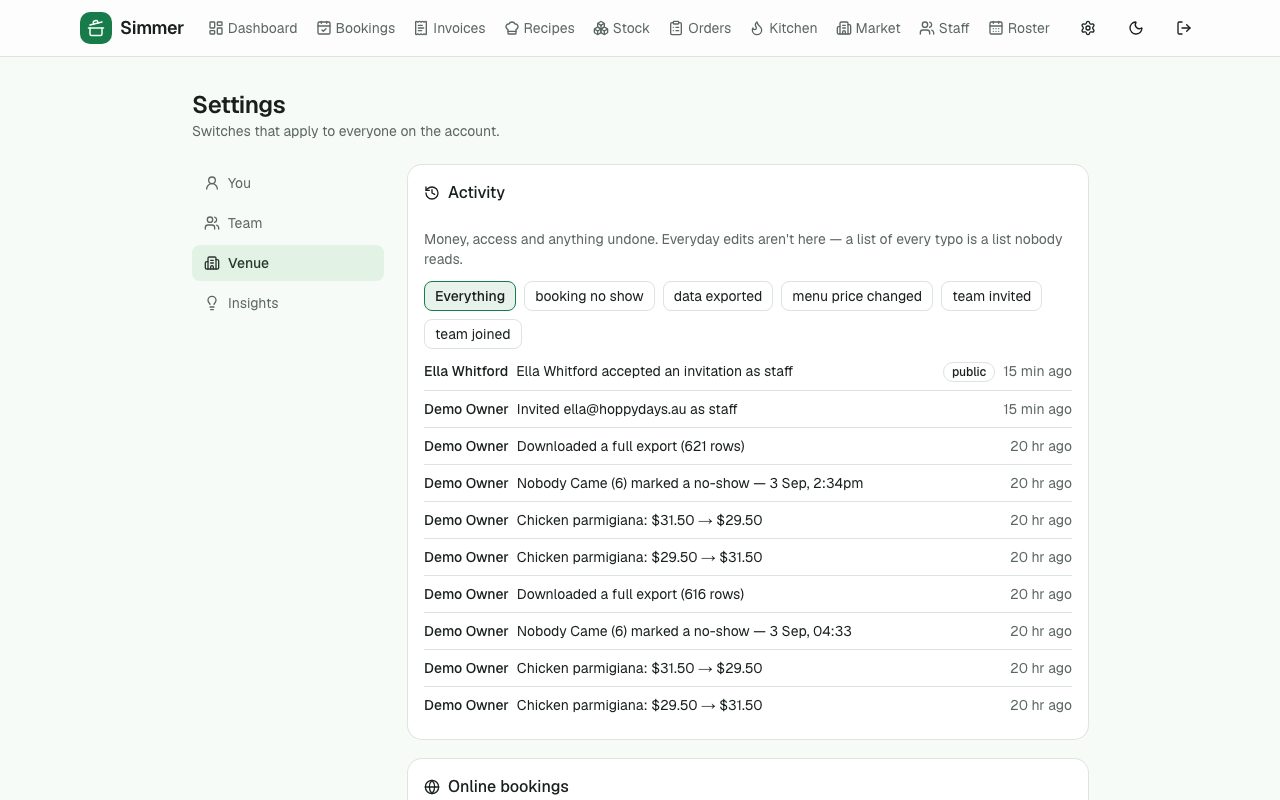
Activity log
Money, access and anything undone — who changed the menu price, who marked the no-show — kept for good.
Your data is yours
One click exports everything the venue owns. Hosted in Australia. Privacy and trust pages say exactly what is held and where.
›3 more features and 5 more screens
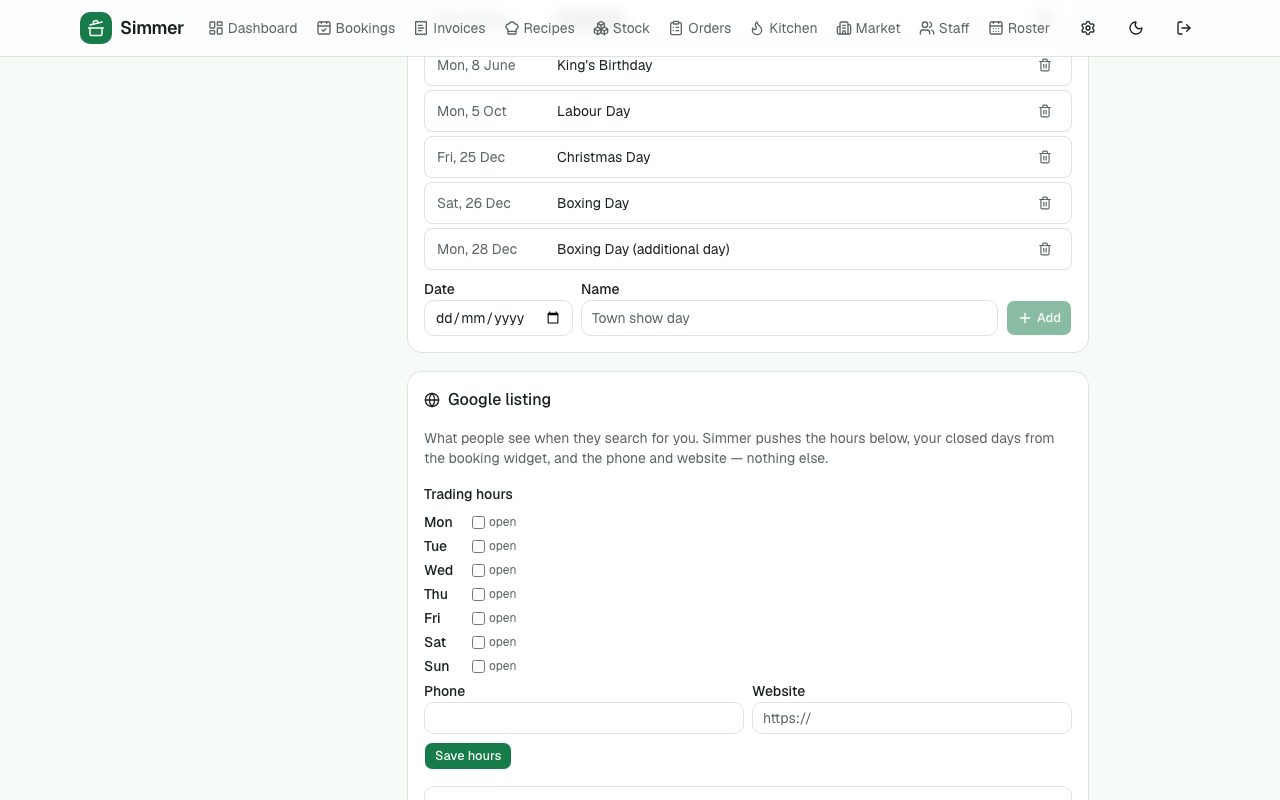
Public holidays
A calendar seeded from your state's list, so the roster costs holidays at the right rate.
Google listing
Push your trading hours, closed days, phone and website to your Google Business Profile from Simmer (awaiting Google's approval of the app).
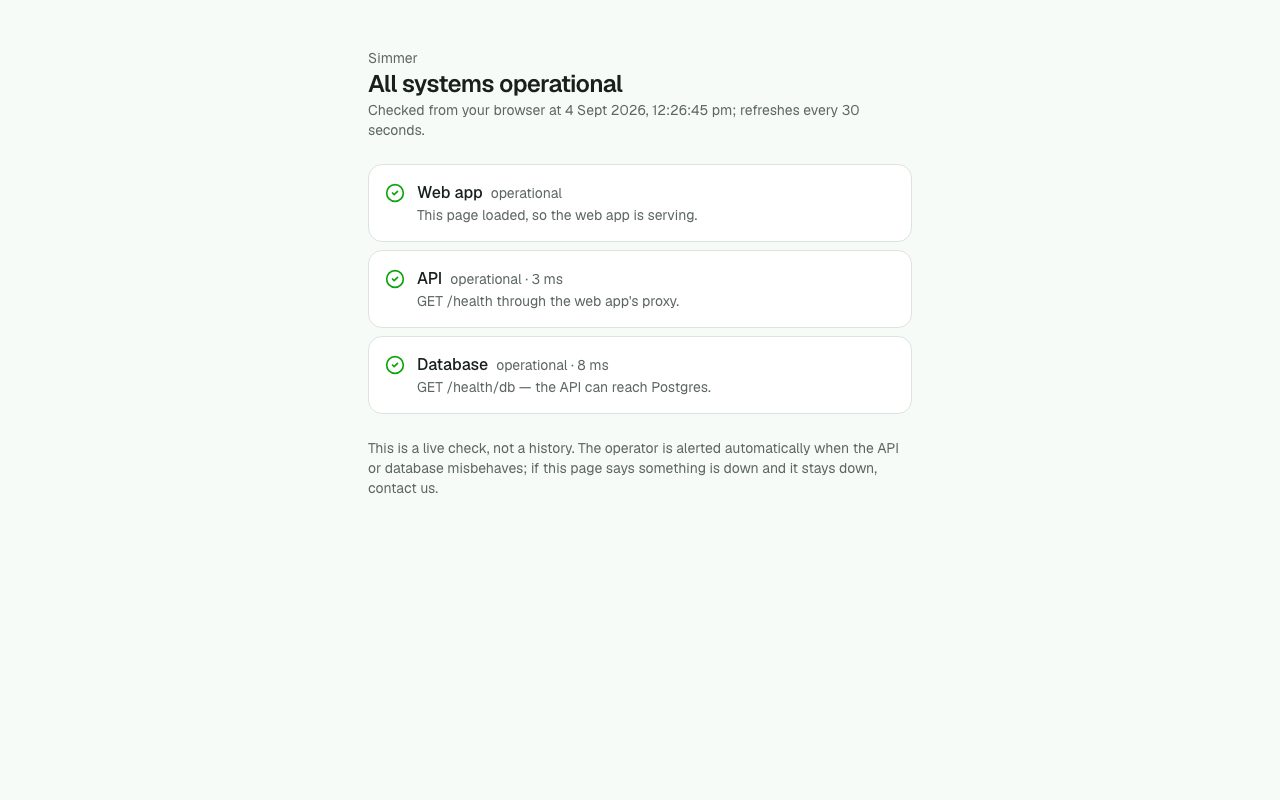
Reliability
Automatic backups with a rehearsed restore, alerts to the operator if anything misbehaves, a public status page, and a suite of automated tests that walk every journey above before each release.
What is deliberately not here yet
Taking card payments inside Simmer (deposits, pay-on-order, the subscription itself), pulling sales from the till, sending to Xero, text messages, and the Google "book a table" button. Each one is designed and the groundwork is in place. What it waits on is a choice of provider, not more building.
Simmer is hosted in Microsoft Azure's Australian region, with automatic backups (restore rehearsed), alerts to the operator, two-factor sign-in, a full activity log and one-click export of everything a venue owns. See how we look after your data and the live status page.
Set your venue up in two minutes
A business name, your venue and a login. The guided tour shows you round, and the demo data above is what it looks like once a few weeks of real service are in it.